

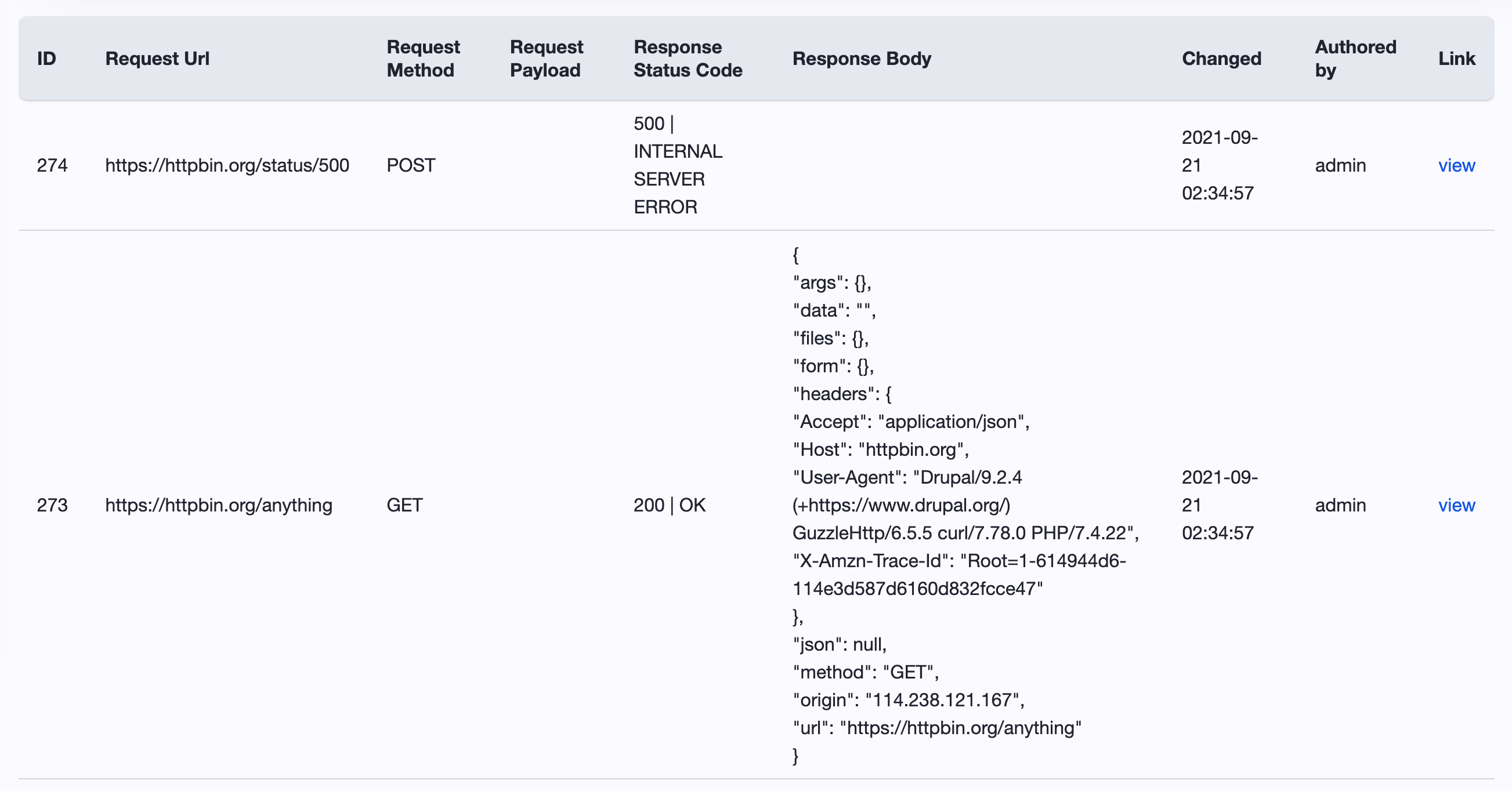
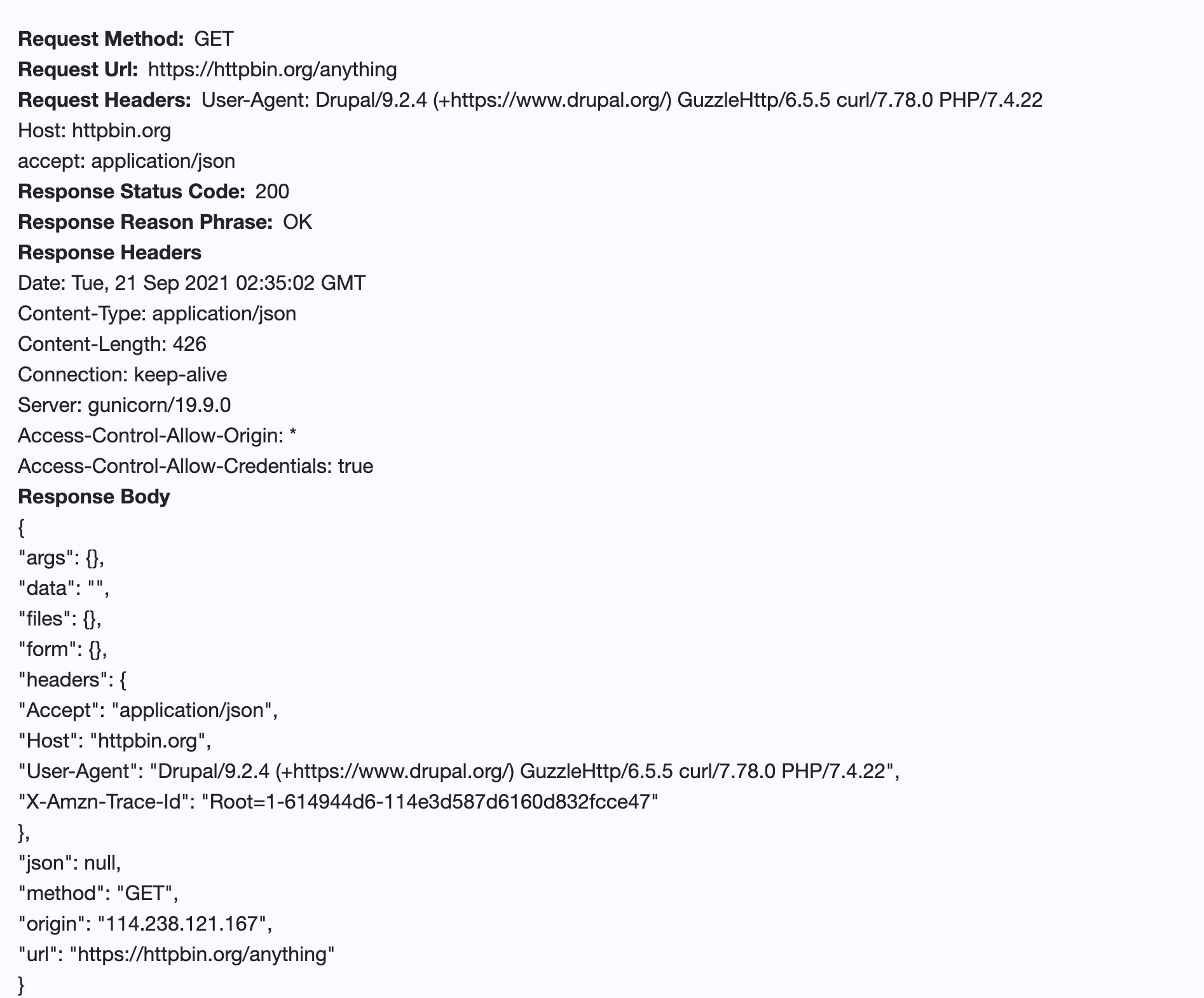
Log all drupal core http_client request & response logs in database. So we can easily track the outgoing request made by \Drupal::httpClient().
Features:
1. This module logs all the request and response data made by drupal core \Drupal::httpClient();.
2. provide UI to manage the logs, for example: filter, view details etc.
How to use:
1. composer require drupal/http_client_log
2. drush en -y http_client_log
3. using below code to start request.
use Drupal\Component\Serialization\Json;
$base_url = "https://httpbin.org";
$client = \Drupal::httpClient();

$response = $client->get($base_url . '/get');
$data = Json::Decode($response->getBody());
dpm($data);

$response = $client->get($base_url . '/anything', [
  'headers' => [
    'accept' => 'application/json'
  ],
]);
$data = Json::decode($response->getBody());
dpm($data);

$response = $client->post($base_url . '/status/500', [
  'verify' => true,
  'headers' => [
    'accept' => 'text/plain'
  ],
]);
$data = $response->getBody()->getContents();
dpm($data);
4. visit "/admin/reports/http-client-log"
Supporting organizations:
design,development,maintainance,bug fix
Project information
- Project categories: Administration tools, Decoupled, Developer tools
 103 sites report using this module
- Created by zterry95 on , updated
 Stable releases for this project are covered by the security advisory policy.
Look for the shield icon below.


