


Icon Select Module
This module allows you to upload and display SVG icons in the drupal backend. You can display these icons in your frontend theme using twig or render them as a fields.
Usage
- Install the module using composer. This is important, because it will download a dependancy of SVGSanitizer. It will create a new vocabulary called "icons".
- On the vocabulary, you can configure the path of the svg map in the public files folder.
- Add some icons by using the "Add term" functionality. Please use SVGs that contain strokes and not just paths.
- Create an entity reference field to a taxonomy term using the "icons" vocabulary
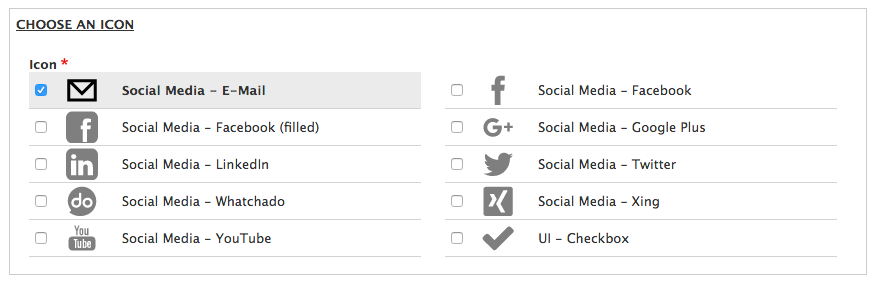
- Change the Field Widget from "Autocomplete" to "Icon Select" and you will get a nice icon picker on the target entity
- Change the Field Formatter to "SVG Icon"
Using icons in Twig templates
For all the frontend developers, I added a Twig Extension to easily add an svg icon somewhere in a theme or a module
The second parameter is optional.
{{ svg_icon('symbol-id', 'class1, class2') }}
Example:
{{ svg_icon('ui-check', 'icon--large') }}
Generate css sprites using drush command
drush generate-sprites
This will generates a sprite css from the icons/svgs folder
and place it in icons/css.
Supporting organizations:
Project information
 Maintenance fixes only
Considered feature-complete by its maintainers.- Project categories: Site structure
 1,764 sites report using this module
- Created by ayalon on , updated
 Stable releases for this project are covered by the security advisory policy.
Look for the shield icon below.


