

Summary
Applies a configurable image style when uploading image files on the website.
This can be very handy when you are working with an optimize pipeline on your image style.
When a content editor then adds a big file, the original file will already go through a process of optimisation (typically the width will be reduced - by default an upload image style is added of 2000px width).
How to configure
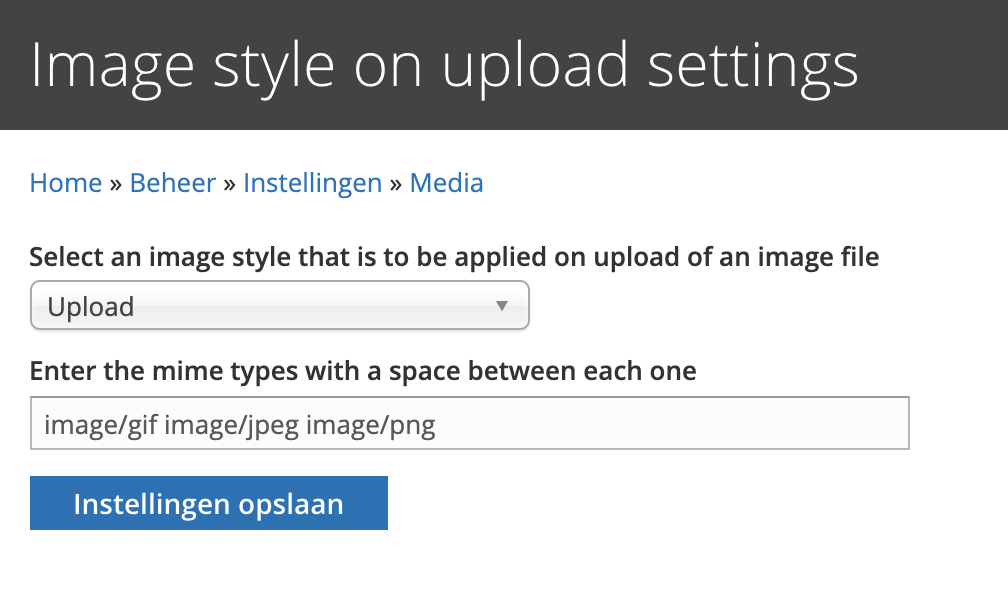
After installing and enabling the module, go to: /admin/config/media/image_style_on_upload
Select an image style and configure the mime types of the files that you wish to alter:
Save and export configuration...
That's all there is to it!
Supporting organizations:
| Attachment | Size |
|---|---|
| image_style_on_upload.png | 78.08 KB |
Project information
 571 sites report using this module
- Created by mheip on , updated
 Stable releases for this project are covered by the security advisory policy.
Look for the shield icon below.


