

 Come together with the global Drupal community in Rotterdam, 28 Sept – 1 Oct 2026. Sessions, contribution, connection, and Early Bird savings until 8 June.


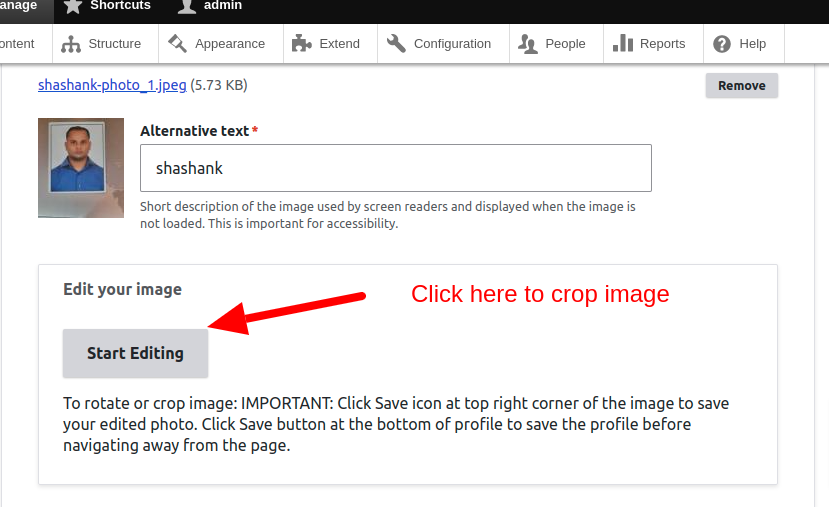

I have developed a Drupal 8/9/10 module and named it "Image Crop Widget" User can crop or rotate an image at the time of uploading an image for a node. It is a very simple module to crop an image. the developer just need to install and choose an imager widget option from the form display page.
How to use
- After upload image, click on the start editing button
- Click on the Crop icon
- After coping the image click on save button icon
Install with Composer: composer require 'drupal/imagecroper:^9.0'
Supporting organizations:
Project information
- Project categories: Media
- Ecosystem: Image Crop
 364 sites report using this module
- Created by shashank5563 on , updated
 Stable releases for this project are covered by the security advisory policy.
Look for the shield icon below.


