

The Layout Builder Block Headings module enhances site accessibility, lifts design constraints, and empowers site builders and content creators by allowing for the customization of both heading levels and heading styles when block types are configured and when block instances are placed via Layout Builder.
Setting up the module
Installation
Install this module via composer.
composer require drupal/layout_builder_block_headings
Configuration
- Navigate to a block type.
-
Add a text field for the heading text, or choose a pre-existing field of choice.
- Add a text list field for the heading level. The option values should be limited to a subset of
h1,h2,h3,h4,h5, andh6. Pick allowed values that jive with your theme! For example, it's highly unlikely thath1is a valid heading level for content creators to choose!
- Add a text list field for the heading style. The options can be anything under the sun. Hopefully you have a snazzy design system to plug in?
- Head over to the block type edit form and configure the fields and customization options:
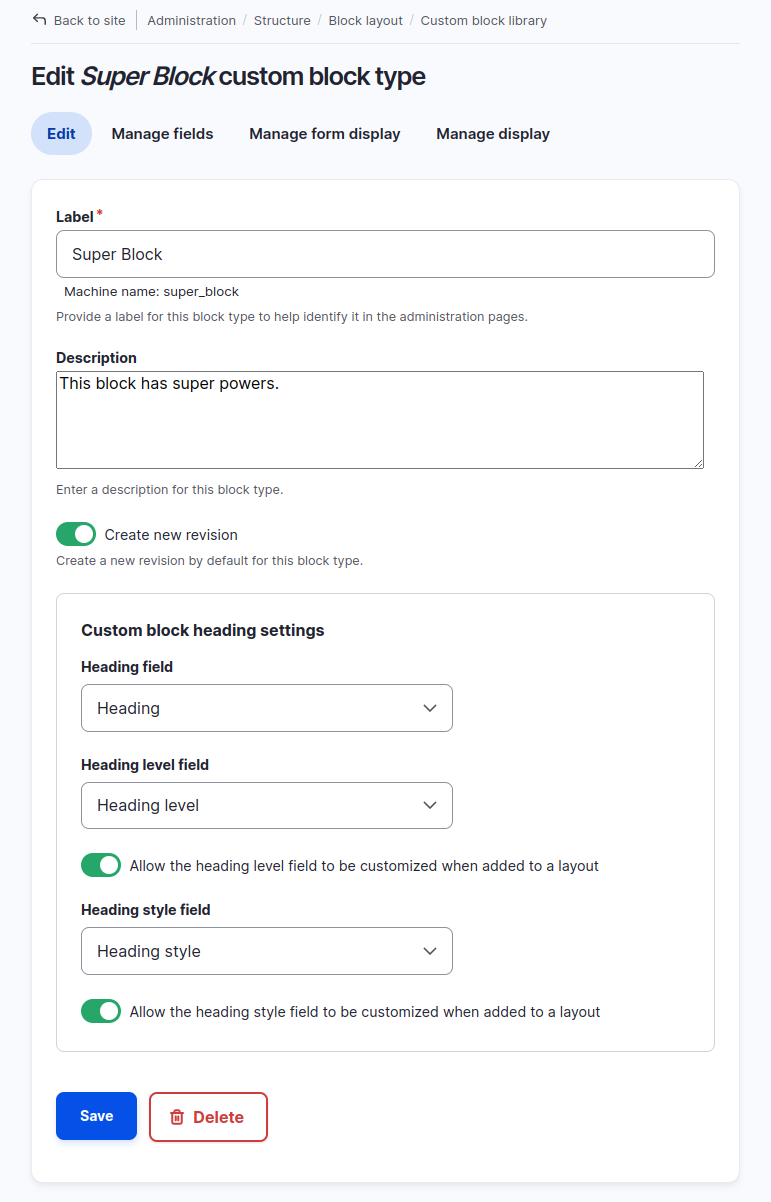
Overriding reusable block fields
When adding a reusable block to a layout, depending on how the block type is configured, one or more customization options may now appear.
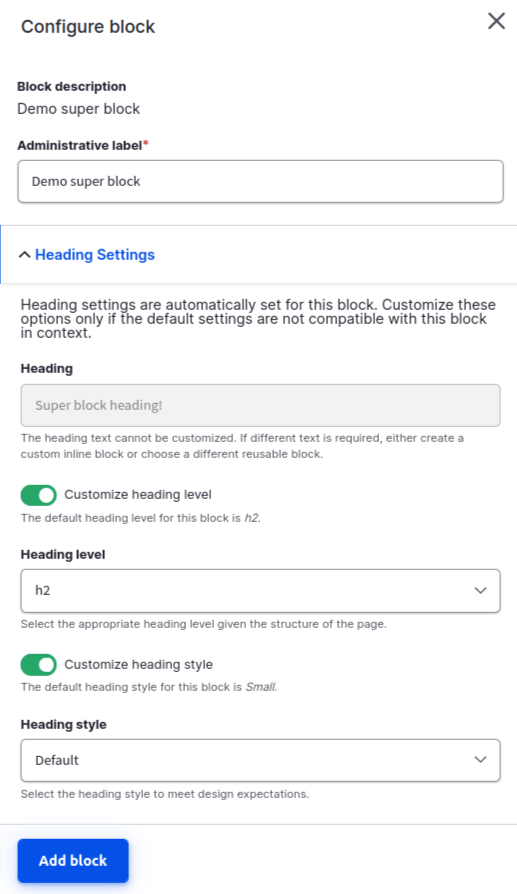
Advanced configuration
This module can support an infinite number of different heading, heading level, and heading style configurations on a per-block-type basis. It is not uncommon to provide different options for different blocks.
How are you using this module? I'd love to hear about it! Hit me up in slack, I'm lleber.
| Attachment | Size |
|---|---|
| block-type-edit-form.png | 112.39 KB |
| configure-block-form.png | 99.12 KB |
Project information
- Project categories: Accessibility
- Ecosystem: Layout Builder
 22 sites report using this module
- Created by luke.leber on , updated
 Stable releases for this project are covered by the security advisory policy.
Look for the shield icon below.


