

 The 2026 Drupal Business Survey is open. Your response will help shape the future of the Drupal business ecosystem.
Conditional Layouts
Layout Builder Boolean lets you configure True/False versions of a Layout Builder section. You can configure which field operates as the "switch", deciding whether the True regions or False regions should render.
The module has a deriver that automatically generates a "Boolean" version of any Layout plugin that is installed on the site. It does not modify the existing Layouts; these are completely new plugins.
Layout Builder Boolean is most useful for configuring entity displays for entities that have optional fields. This module is not likely useful for configuring one-off layout overrides. That is, it's more useful for site building than for content authoring.
Example Use Case
Consider an article content type that has an optional entity reference field field_related_articles that can hold Related Articles. If a content author does not hand-pick any Related Articles, it would be nice to render a View of related articles.
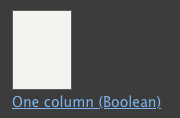
1. Add the Section
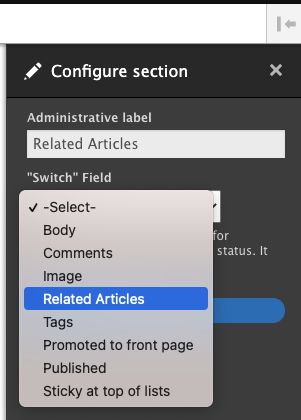
2. Configure the Switch Field
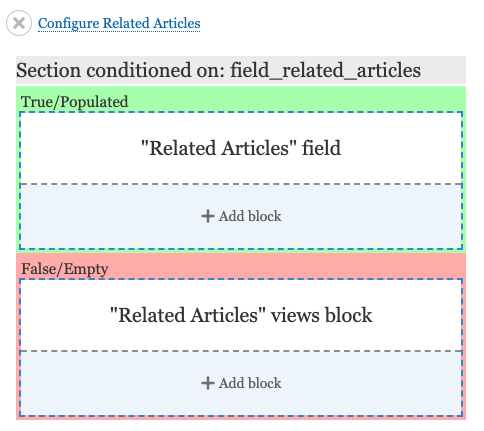
3. Add Blocks to True/False Regions
Recommended modules
This module is intended to play nice with popular contributed modules such as Layout Builder Styles.
Since this module potentially generates many new Layout plugins, Layout Builder Restrictions would be advised.
Similar Modules
There is a core issue about making Condition plugins available for blocks that are added to Layout Builder.
#2916876: Add visibility control conditions to blocks within Layout Builder
Once that lands, Layout Builder Boolean could be replicated using custom Condition plugins (or Entity Field Condition) and a lot of careful configuration in Layout Builder. And that core feature will allow a lot additional tricks that Layout Builder Boolean does not allow.
Layout Builder Boolean solves a relatively simple case, but requires minimal configuration and no custom code. Layout Builder Boolean also provides the true/false UX, which may be an appealing feature even after Layout Builder blocks can have conditions configured.
Supporting organizations:
Project information
 Seeking co-maintainer(s)
Maintainers are looking for help reviewing issues.- Maintenance fixes only
Considered feature-complete by its maintainers. - Project categories: Content display
 95 sites report using this module
- Created by danflanagan8 on , updated
 Stable releases for this project are covered by the security advisory policy.
There are currently no supported stable releases.
Releases
1.0.0-alpha6
released 5 July 2024
Works with Drupal: ^9 || ^10 || ^11
D11
Install:
Development version: 1.0.x-dev updated 24 Mar 2026 at 22:18 UTC

