

 The 2026 Drupal Business Survey is open. Your response will help shape the future of the Drupal business ecosystem.
Overview
The Microsoft Document Viewer module adds a new formatter to the File field using the Field API. This formatter displays PDFs, Microsoft Word documents, Powerpoint presentations, or Excel spreadsheets.
Features
The Microsoft Document Viewer is a custom formatter for the Core "Field" module - therefore the "Field" module must be enabled.
N.B.: Only files that are public may use this formatter - Microsoft Docs must be able to access the file in order to render and display it. In other words, it won't work on a typical local development environment, or if your server is behind a firewall where microsoft is unable to access it.
Usage
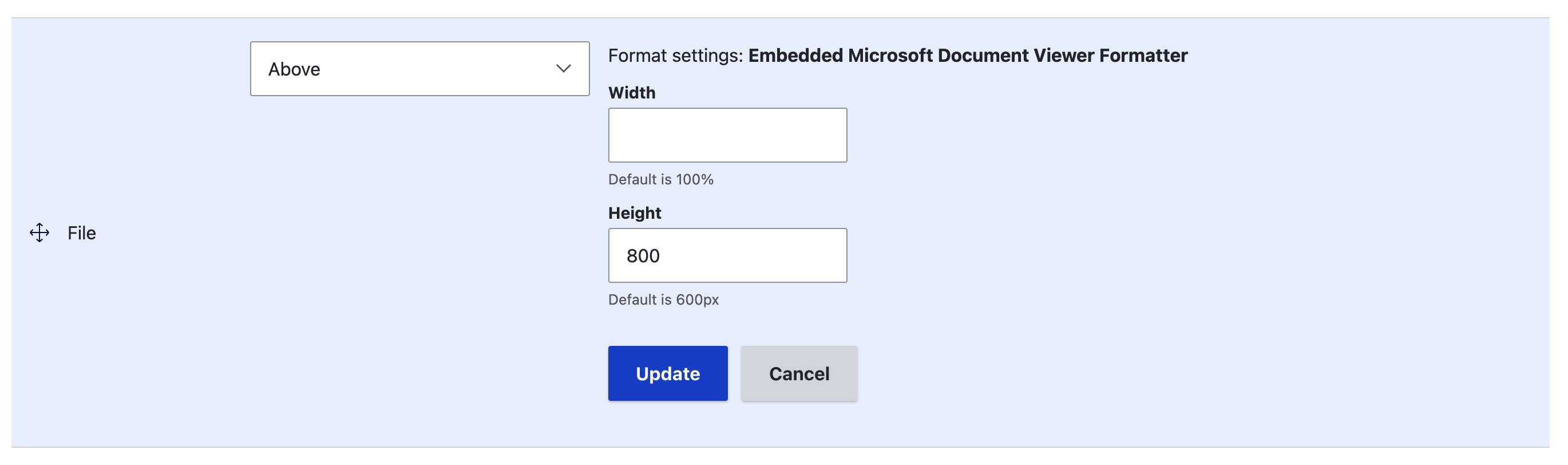
To use this field format, add a File field to a new or existing content type (such as Basic Page) on the content type's Manage Fields form. The File field type provides only one widget type - File - so select that. On the content type's 'Manage Display' form, there will be a drop-down select list of available display formats for the File field. To display the file within the embedded Microsoft Docs viewer, choose the 'Embedded Microsoft Document Viewer Formatter' format.
The document viewer is styled using the mdoc-viewer-field.html.twig template.By default, the viewer's width is 100% and its height is 600px, with a frame border zero. Provided field settings to change the width and height
Supporting organizations:
Helps and supports
Project information
 Maintenance fixes only
Considered feature-complete by its maintainers.- Project categories: Integrations, Site structure
- Ecosystem: File formatters, Field formatters, Embed, File viewer
 132 sites report using this module
- Created by rs.abhilash on , updated
 Stable releases for this project are covered by the security advisory policy.
Look for the shield icon below.

