

 Come together with the global Drupal community in Rotterdam, 28 Sept – 1 Oct 2026. Sessions, contribution, connection, and Early Bird savings until 8 June.
The Media Canonical Download Module provides an option to download a file directly when a media entity is viewed.
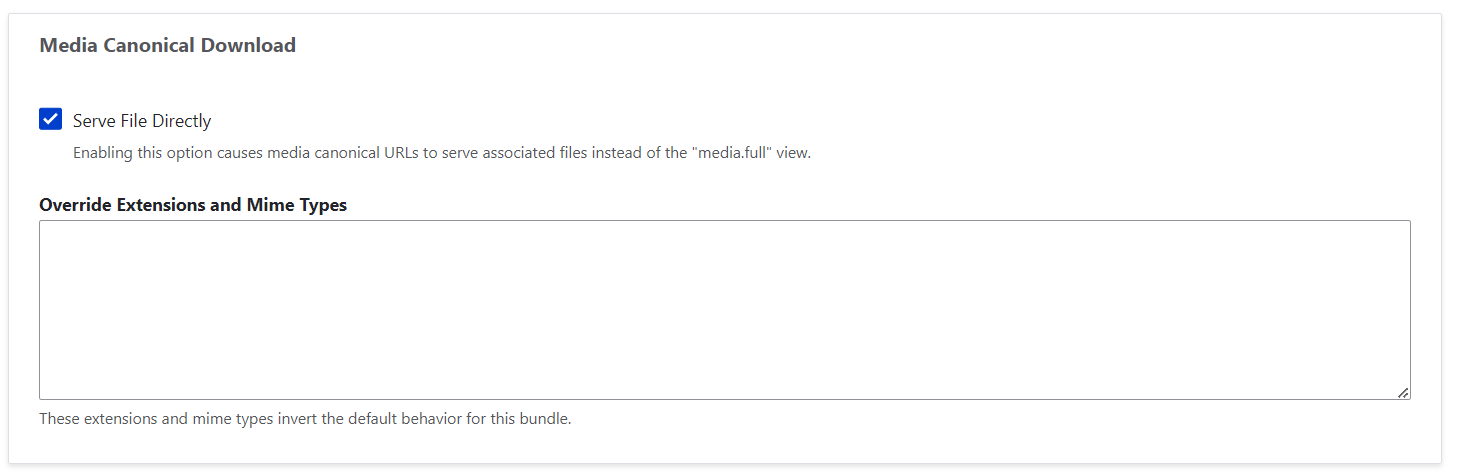
Usage:
- Install the Media Canonical Download module.
- Select “Standalone Media URLs” at /admin/config/media/media-settings
- Create (or edit) a document media type.
- Make sure to check “Create new revision”.
- Check “Serve file directly” from the Media Canonical Download settings.
Visiting the media canonical route (eg. /media/1) will then download the file directly instead of showing the media entity page.
Supporting organizations:
Developer
| Attachment | Size |
|---|---|
| Edit-New-Document-Document-Library.png | 29.62 KB |
Project information
 Minimally maintained
Maintainers monitor issues, but fast responses are not guaranteed.- Project categories: Media
 26 sites report using this module
- Created by draenen on , updated
 Stable releases for this project are covered by the security advisory policy.
There are currently no supported stable releases.
Releases
1.0.0-alpha2
released 2 August 2024
Works with Drupal: ^10
Install:
Development version: 1.0.x-dev updated 2 Aug 2024 at 23:57 UTC


