

This project is not covered by Drupal’s security advisory policy.
Synopsis
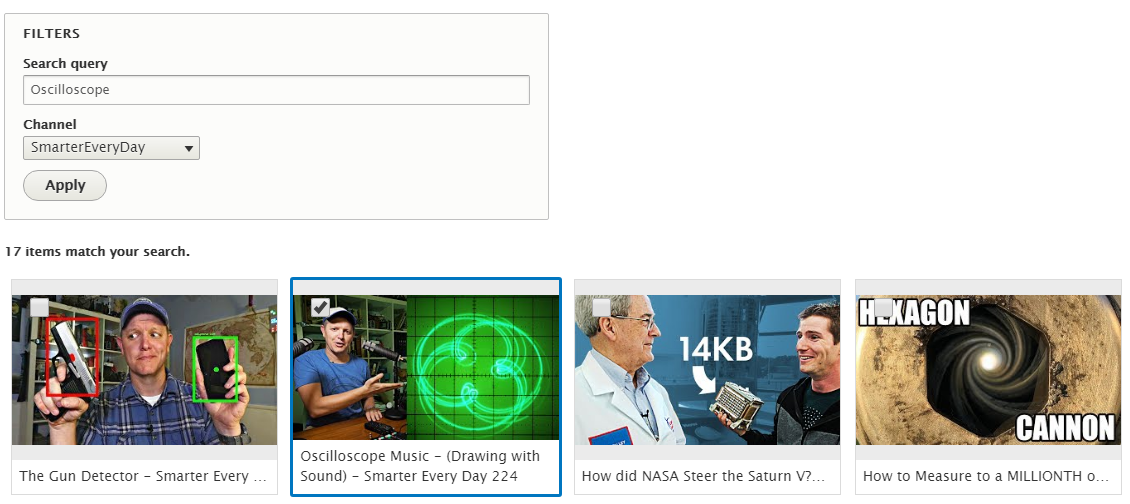
The Media Library Youtube module provides a plugin for Media Library Extend that integrates with the Youtube API to list a channel's videos and create media entities from them.
Installation
Install as you would normally install a contributed Drupal module.
Configuration
Configure available Media Library Panes in Administration » Configuration » Media » Media library » Panes
The Youtube plugin is available for Media bundles with source types Generic, Remote video and Video embed field.
You will need to supply a Google server API key with the Youtube Data API v3 enabled. You will also need the channel IDs of any channel you want to be able to browse. You can get the channel ID by visiting the channel's page and copying the part after `https://www.youtube.com/channel/`.
Project information
 Seeking co-maintainer(s)
Maintainers are looking for help reviewing issues.- Project categories: Media
- Ecosystem: Media Library
 10 sites report using this module
- Created by Mirroar on , updated
 This project is not covered by the security advisory policy.
Use at your own risk! It may have publicly disclosed vulnerabilities.

