

 The 2026 Drupal Business Survey is open. Your response will help shape the future of the Drupal business ecosystem.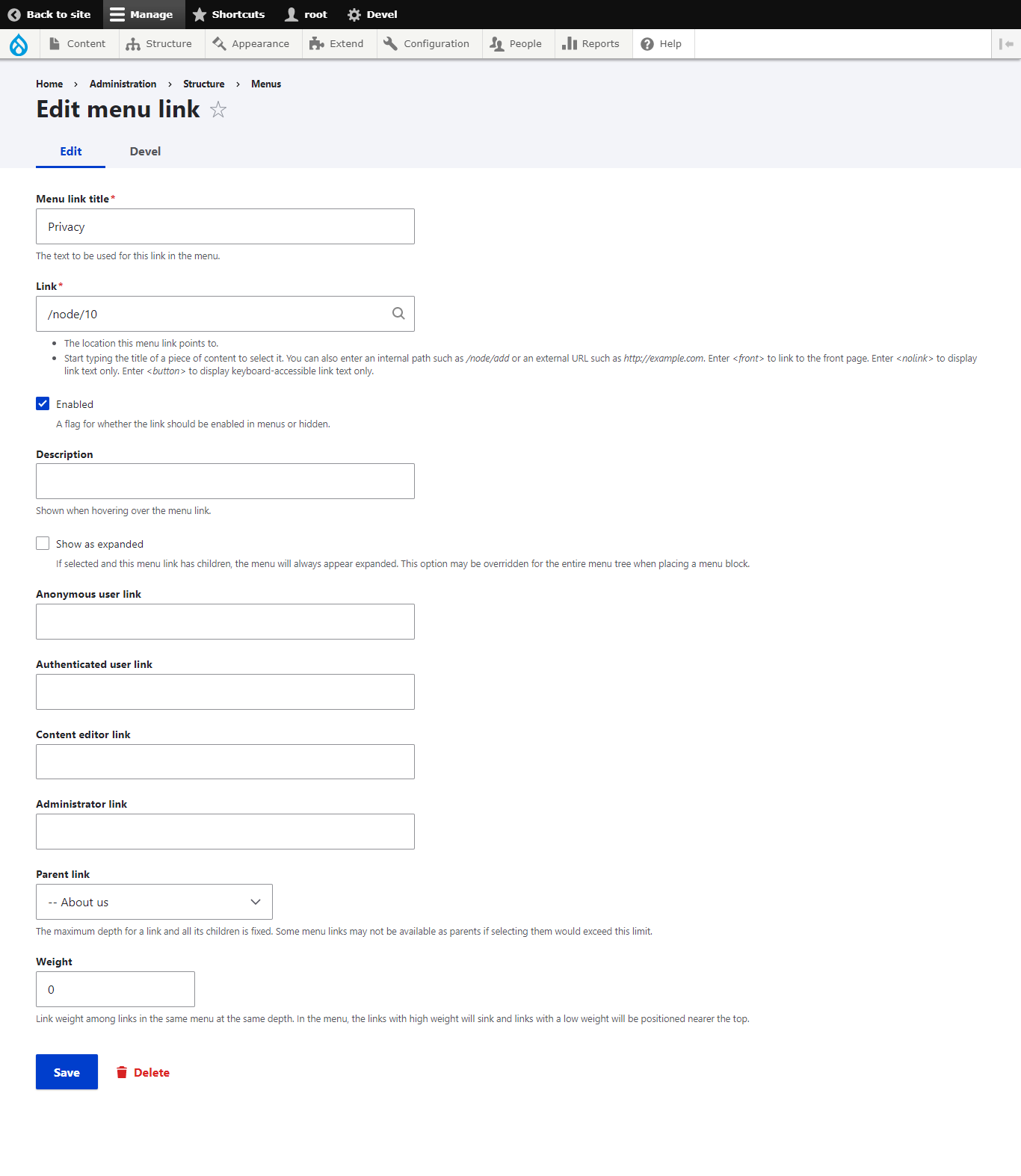
This project is not covered by Drupal’s security advisory policy.
This module extends the functionality of Drupal's menu system by allowing administrators to define different menu links for different user roles. It provides a form alteration hook, a custom submit handler, and a preprocess function for menu rendering.
Post-Installation
1. Download the "menu_link_by_role" module.
2. Place the module directory in the "modules" folder of your Drupal installation.
3. Enable the module through the Drupal administrative interface or using Drush command: `drush en menu_link_by_role`
Usage
1. After installing the module, navigate to the administrative interface.
2. Go to the "Structure" > "Menus" and select the desired menu.
3. Create or edit a menu link.
4. You will find additional fields for each user role.
5. Enter the custom link for each role as desired.
6. Save the menu link.
7. The custom links will be associated with the corresponding user roles and used when rendering the menu.
Supporting organizations:
Project information
- Project categories: Access control
- Ecosystem: D8 Menu
- Created by yashaswini on , updated
 This project is not covered by the security advisory policy.
Use at your own risk! It may have publicly disclosed vulnerabilities.

