


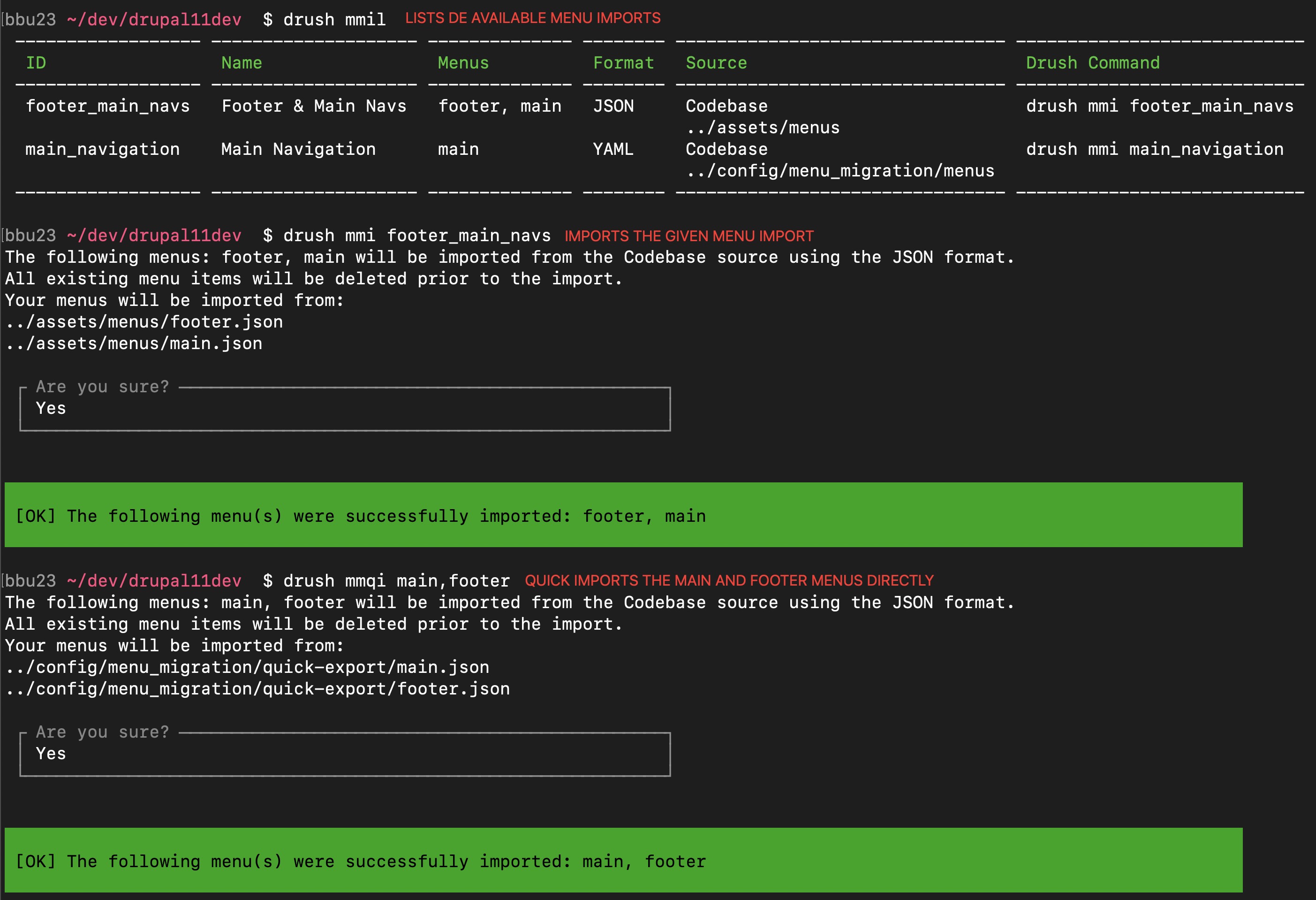

The Menu Migration module facilitates the export, import, and cloning of menu hierarchies.
Out of the box, it supports migration between Drupal sites and cloning menus within the same site, using both a user-friendly administrative interface and efficient Drush commands. The module focuses on manually created menu items managed via the Drupal Menu UI (MenuLinkContent entities).
Its plugin-based architecture allows developers to extend the module to support various external sources and destinations beyond standard Drupal installations.
Work in progress for direct menu imports from Drupal 7 databases: Issue #3497373
Features
- Offers plugin-based functionality for enhanced flexibility and customization.
- Supports exporting and importing menu data from various sources (Codebase, File Upload) to different destinations (Codebase, Download, Another Menu).
- Compatible with JSON, YAML, and Raw formats for data exchange and in-memory transfers.
- Enables direct menu-to-menu cloning within the same site for quick duplication.
- Handles translations and extra fields associated with menu items.
- Offers Drush commands for efficient menu migration and cloning tasks.
- Designed to be extensible, allowing developers to create custom sources, destinations, and formats.
Resources
🎬 Watch Demo
Note: The demo was recorded for version 4.0.0-alpha2, some things have been improved/added since then.
💻 Try it out
Note: If you get errors in the simplytest demo when trying to add a Codebase Export Type, set the export directory to be in the sites/default/files/DIRECTORY since you won't have access to configure the files permissions
Similar projects and how they are different
| Feature | Menu Migration | Menu Import and Export | Structure Sync |
|---|---|---|---|
| Export Format | JSON, YAML, Raw | YAML | YAML |
| Menu Cloning | Yes | No | No |
| Multiple Exports Per Same Menu | Yes | No | No |
| Flexible Export Location | Yes | No | No |
| Exported Files Mixed with Config Sync | No | Yes | Yes |
| Ability to Download/Upload | Yes | No | No |
| Other Fields (e.g. menu_per_role) | Yes | No | No |
| Synchronizes UUIDs | No | Yes | Yes |
| Translations | Yes | No | No |
| Extendable | Yes | No | No |
| Alterable | Yes | No | No |
| Other notes | Only handles menus | Only handles menus | Handles menus, terms and blocks in the same file. |
Table created July 2024, last updated January 2026
Versions
This module follows Semantic Versioning: patch releases are safe to update to, minor releases add functionality without breaking changes, and major releases signal a breaking change (such as dropping support for an older Drupal core version).
The module supports all Drupal core versions starting with 8.8 to 11. See the table below for information on which version is suited for you.
| Module Version | Core Compatibility | Status |
|---|---|---|
| 5.0.x | ^11.4 & ^12 | Planned - fully leveraging Drupal 11 APIs, PHP 8.3 - 8.5 |
| 4.2.x | ^10.2 & ^11 | In development - new features & improvements |
| 4.1.x | ^10.2 & ^11 | Supported & Recommended (PHP 8.1 - 8.4) |
| 4.0.x | ^10.2 & ^11 | Use 4.1.x. This will be marked as unsupported after the 30th of September 2026. |
Looking for an older version? 1.0.0 supports Drupal 8.8 - 9; 2.0.0 supports Drupal 10 - 10.2; 3.0.0 should be avoided - version 4 is a drop-in replacement with no reason to stay on 3.
Supporting this Module
Other projects by @bbu23
Co-maintainer of:
Supporting organizations:
Project information
- Project categories: Developer tools, Import and export
 1,540 sites report using this module
- Created by bbu23 on , updated
 Stable releases for this project are covered by the security advisory policy.
Look for the shield icon below.

