

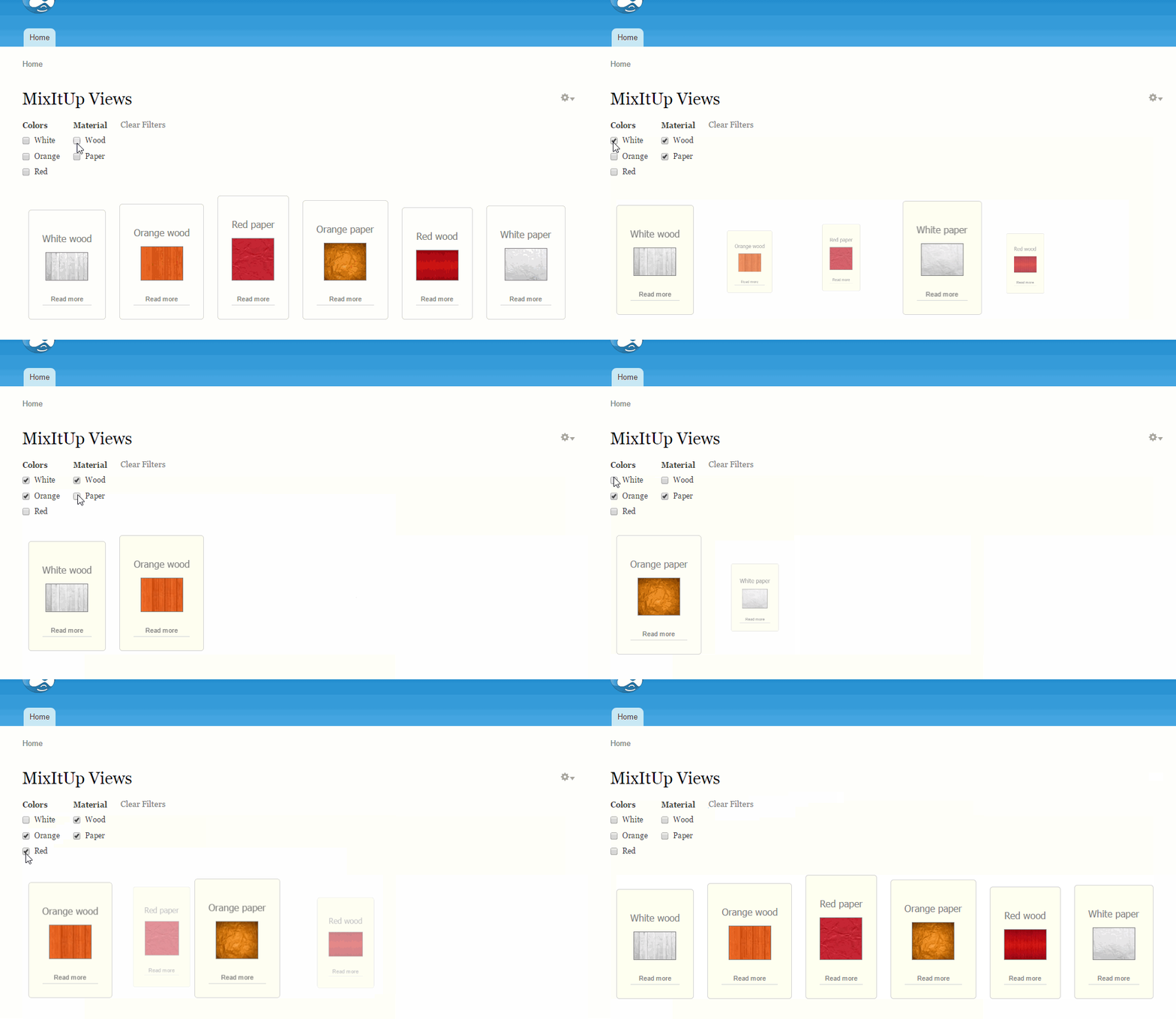

This module implements ability to use MixItUp filtering and sorting in Views.
From https://mixitup.kunkalabs.com/:
MixItUp is a jQuery plugin providing animated filtering and sorting.
Great for managing any categorised or ordered content like portfolios, galleries and blogs, MixItUp can also function as a powerful tool for engaging application UI and data-visualisation.
jQuery Compatibility
MixItUp plugin requires jQuery v1.7 or greater.
Required Modules
Drupal 7
Libraries API
jQuery Update
Views
Drupal 8
There are no required modules to install.
Installation
Drupal 7
- Download and enable all required modules listed above
- Download MixItUp plugin jquery.mixitup.min.js to your libraries directory. So, file should be available under /sites/.../libraries/mixitup/jquery.mixitup.min.js. For now, used MixItUp v2.1.11.
- Download and enable MixItUp Views module.
Drupal 8
- Download MixItUp Views module.
- Add this module to your project using composer command:
For stable version:
composer require 'drupal/mixitup_views:^1.0'
For development version:
composer require 'drupal/mixitup_views:1.x-dev'
- Copy mixitup library from vendor/patrickkunka to your
libraries directory, default location web/libraries - Download MixItUp Views module.
- Download MixItUp plugin from
https://github.com/patrickkunka/mixitup/archive/v3.zip and extract its data to your project libraries directory, location [webroot]/libraries and rename the folder name to "mixitup". - Enable MixItUp Views module.
For Drupal composer version:
------------------------------------------------
For Drupal zip version:
For now, used MixItUp v3.3.0.
Configuration
- Go to edit view page
- Select MixItUp at format section
- Go to MixItUp format settings and change default animation settings to your own settings, if needed. All animation settings available here
- If you want enable sorting, You should enable "Use sorting" under
"MixItUp Sorting settings". Don't forget to type labels there. - If you want to restrict vocabularies, You can do it under "MixItUp Vocabulary
settings" - Select Display all items at Pager section for making all items available.
- And you can customize all styles for your needs.
- You don't need to add any filters manually. Filters will be displayed automatically, if taxonomy terms attached to the nodes.
Supporting organizations:
Support and bugfixing
Project information
- Project categories: Content display, Integrations
- Ecosystem: Views (for Drupal 7), Libraries API
 223 sites report using this module
- Created by Oleks Iv on , updated
 Stable releases for this project are covered by the security advisory policy.
Look for the shield icon below.


