

 Come together with the global Drupal community in Rotterdam, 28 Sept – 1 Oct 2026. Sessions, contribution, connection, and Early Bird savings until 8 June.
This project is not covered by Drupal’s security advisory policy.
Allows site builders and others to document the how/where/why each contrib or custom module is used on a site. Notes and URLs can be added for use by QA or to provide historical information.
Features
- Add notes to provide historical context or instructions for using or testing the module (or any other purpose)
- Add URLs for pages where the module is used and/or should be tested - URLs include a notes field to provide context or instructions for the URL
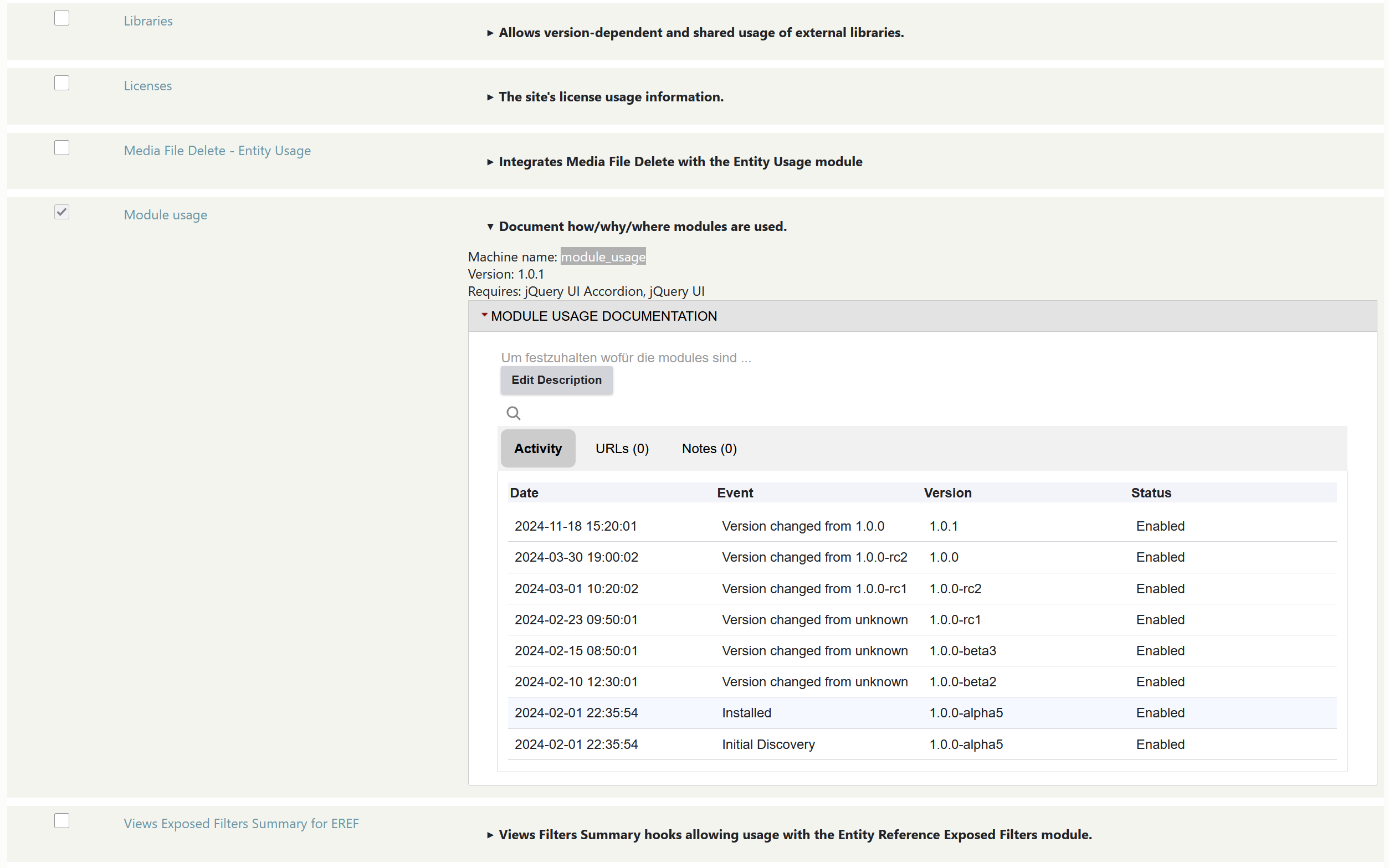
- Historical activity (install/uninstall and version changes) is tracked automatically.
- Views integration
- Import/export commands (with drush integration) allow data to be moved/shared between different versions (local/dev/stage/prod) of a site
- Reports
Getting Started
Module usage is seamlessly integrated with the Module List page by clicking Extend on the admin menu (/admin/modules). On the module list page:
- Click on the description accordion of any module
- The new Module Usage Documentation accordion will open at the bottom of the module description pane.
- The list of modules can be filtered to only those that have documentation, those that don't have documentation, or all modules.
Integration is included on the module updates page (/admin/modules/update) as well as the Available Updates report (/admin/reports/updates)
Additional Requirements
This module has dependencies on the following modules:
- jQuery UI Accordion
Import/Export with Drush
Export
drush moduse:export [--file=<export-file-name.json>] [--path=<export-folder>] [--modules=mod1, mod2, mod3]
Defaults:
- file = moduse.json
- path = private:/moduse
- modules = all modules
Import
drush moduse:import [--file=<export-file-name.json>] [--path=<export-folder>]
Defaults:
- file = moduse.json
- path = private:/moduse
The import/export options are also available in the admin UI at: Extend -> Documentation -> Import (or Export)
Supporting this Module
| Attachment | Size |
|---|---|
| 2025-01-27_07h40_52.png | 178.96 KB |
Project information
- Project categories: Administration tools
- Ecosystem: Documentation
 12 sites report using this module
- Created by cobblestone.consulting on , updated
 This project is not covered by the security advisory policy.
Use at your own risk! It may have publicly disclosed vulnerabilities.


