

Reviewed & tested by the community
Project:
Multifield
Version:
7.x-1.x-dev
Component:
User interface
Priority:
Normal
Category:
Feature request
Assigned:
Unassigned
Reporter:
Created:
22 Jul 2014 at 11:01 UTC
Updated:
20 Mar 2016 at 09:53 UTC
Jump to comment: Most recent, Most recent file


Comments
Comment #1
dave reidI'd need to know what hook or process DS uses to do it's theming to know if we're skipping it somehow. I don't use DS myself, so I'd need someone to do a little digging to see what it is.
And thanks!
Comment #2
nithinkolekar commentedI don't know whether DS should work with any kind of fields by default or not, but it certainly playing well with field collection item especially in form where we needed to show form fields side by side using DS forms.
As with the multifield it doesn't working both with forms and view modes(manage display).
Comment #3
epringi commentedI've run into the same problem. Got a form with multiple multifields, it would be pretty nice to be able to use DS to organise them instead of CSS.
Comment #4
ademarco commentedAttached a patch that offers Display Suite integration, it introduces a multifield entity theme function (like
theme('node', ...)) allowing DS to hook-up into its rendering.Comment #6
ademarco commentedFix version.
Comment #8
permanaj commentedPatch #4 is working for me.
Comment #9
paulwdru commentedHi nithinkolekar,
How do you hide and make the Field Labels appear as placeholder in this picture ? Using CSS to tweak ? As I know Display Suite does NOT have hide label feature in form layout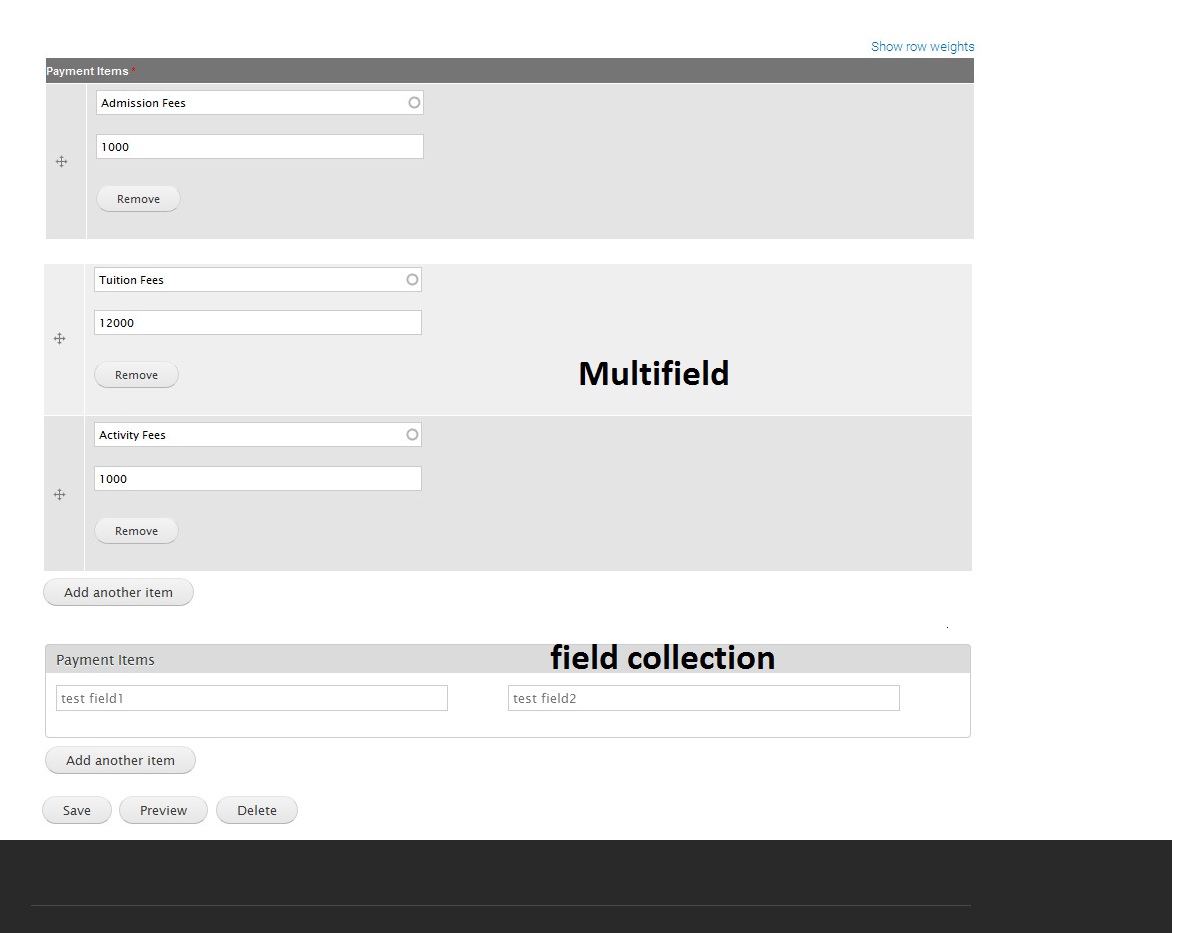
I created a similar layout using Field Group Multiple module as follows but Multified does NOT save the entered value as raised in #2690429: Layout & crash with Field Group Multiple module

Comment #10
ademarco commentedComment #11
eit2103 commentedSo, the patch didn't work for me. Anyone else with the same problem?