

About
Notify bar module provide you functionality to show the notification bar at the page top, and also provide the block with name "Notify bar" to show on the site.
- Displays custom messages in fully theme-able colored horizontal bars on top of the page.
How to use:
- Download and extract files in module folder.
- Enable module from module list
- Go to Home » Administration » Structure » Configuration » Notify bar
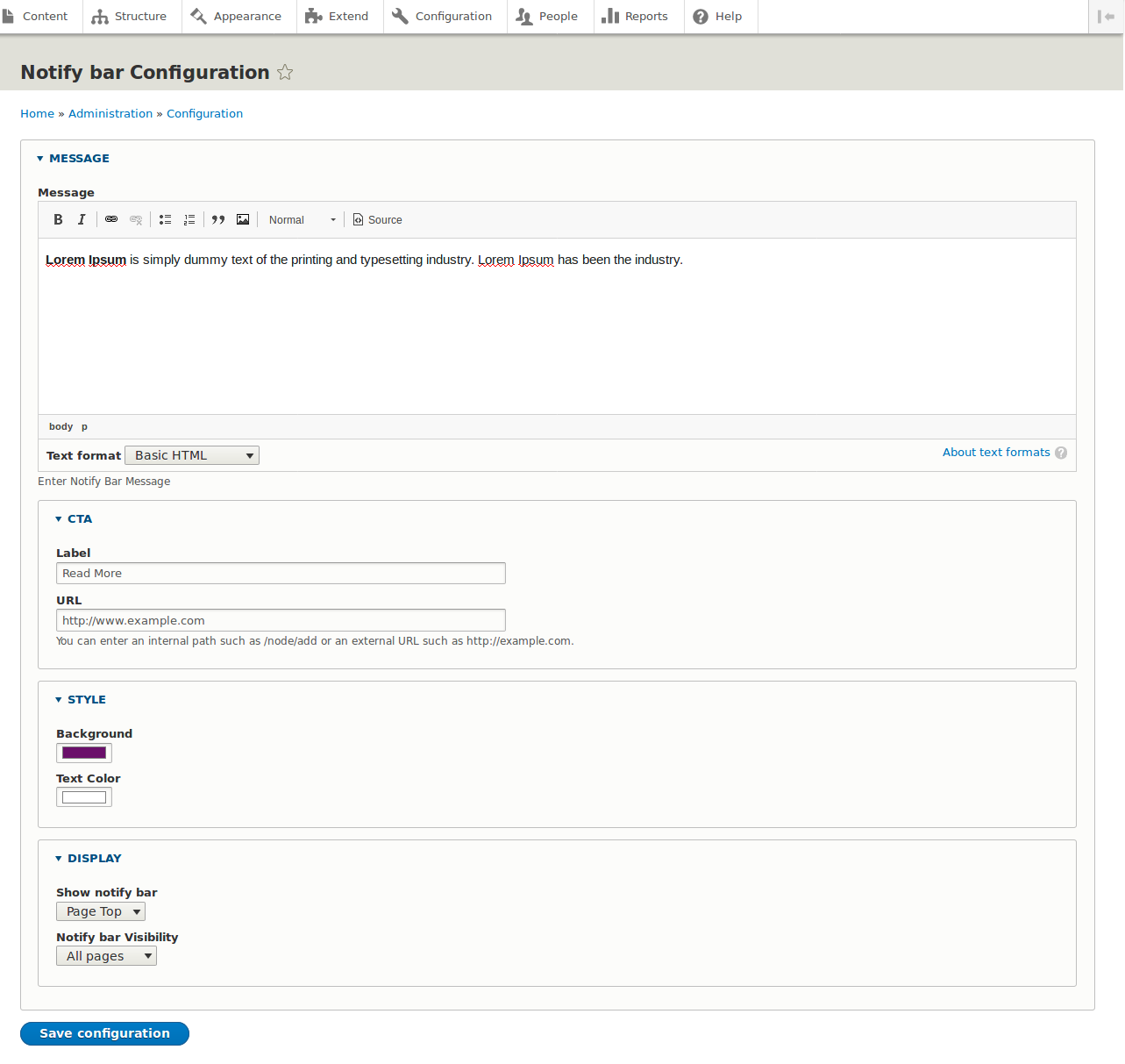
- Add your message, button text, button link, background colour and text colour.
- If you want to hide the notification bar from top then select the none option from "Show notify bar" bar drop-down.
- You can use the block("Notify bar") to show in the specific region
- Clear drupal cache
Project information
 Minimally maintained
Maintainers monitor issues, but fast responses are not guaranteed. 33 sites report using this module
- Created by dhanrajlakhara on , updated
 Stable releases for this project are covered by the security advisory policy.
There are currently no supported stable releases.


