

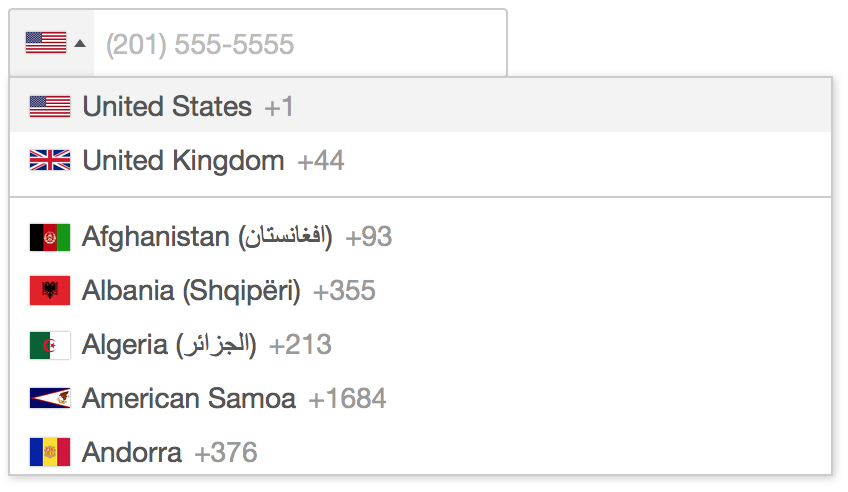
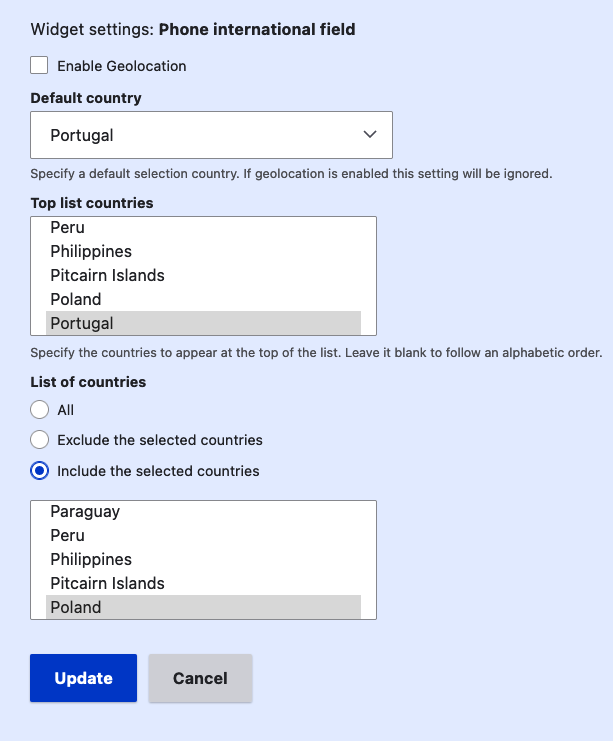

Drupal module for entering and validating international telephone number.
Based on/uses the Javascript plugin intl-tel-input by jackocnr
Attention
Version >= 4.x
Since the module requires an external library, Composer must be used.
composer require "drupal/phone_international"
Manual Version
Download it from the release page and place it in Drupal's library folder.
Composer Version
It's recommended to use asset-packagist to install JavaScript libraries.
Check next steps:
-
Add the Composer Installers Extender PHP package by oomphinc to your project's root composer.json file, by running the following command:
composer require oomphinc/composer-installers-extender -
Add Asset Packagist to the "repositories" section of your project's root composer.json.
{ "type": "composer", "url": "https://asset-packagist.org" } -
Ensure that NPM and Bower assets are registered as new "installer-types" and, in addition to type:drupal-library, they are registered in "installer-paths" to be installed into Drupal's /libraries folder, within the "extra" section of your project's root composer.json file.
"extra": { "installer-types": [ "npm-asset", "bower-asset" ], "installer-paths": { "web/libraries/{$name}": [ "type:drupal-library", "type:npm-asset", "type:bower-asset" ] } } -
You may now require libraries from NPM or Bower via Composer on the command line:
composer require "npm-asset/intl-tel-input:^25.3"
Supporting organizations:
Development, Support
Project information
- Project categories: Developer tools, Site structure
 1,432 sites report using this module
- Created by saidatom on , updated
 Stable releases for this project are covered by the security advisory policy.
Look for the shield icon below.


