

Overview
If you have long pages on your site, then it helps visitors if you can provide in-page navigation, or a table of contents.
If you build your long pages with the Paragraphs module, then you can use Paragraphs Table of Contents to provide the in-page navigation. There is one link in the table of contents (ToC) for each paragraph on the page.
Currently, this module is very simple, basically a proof of concept. If you think this module could be useful on your sites if only it were a little more convenient, then create an issue with a bug report or a feature request. The more interest this module gets, the more likely I am to improve it.
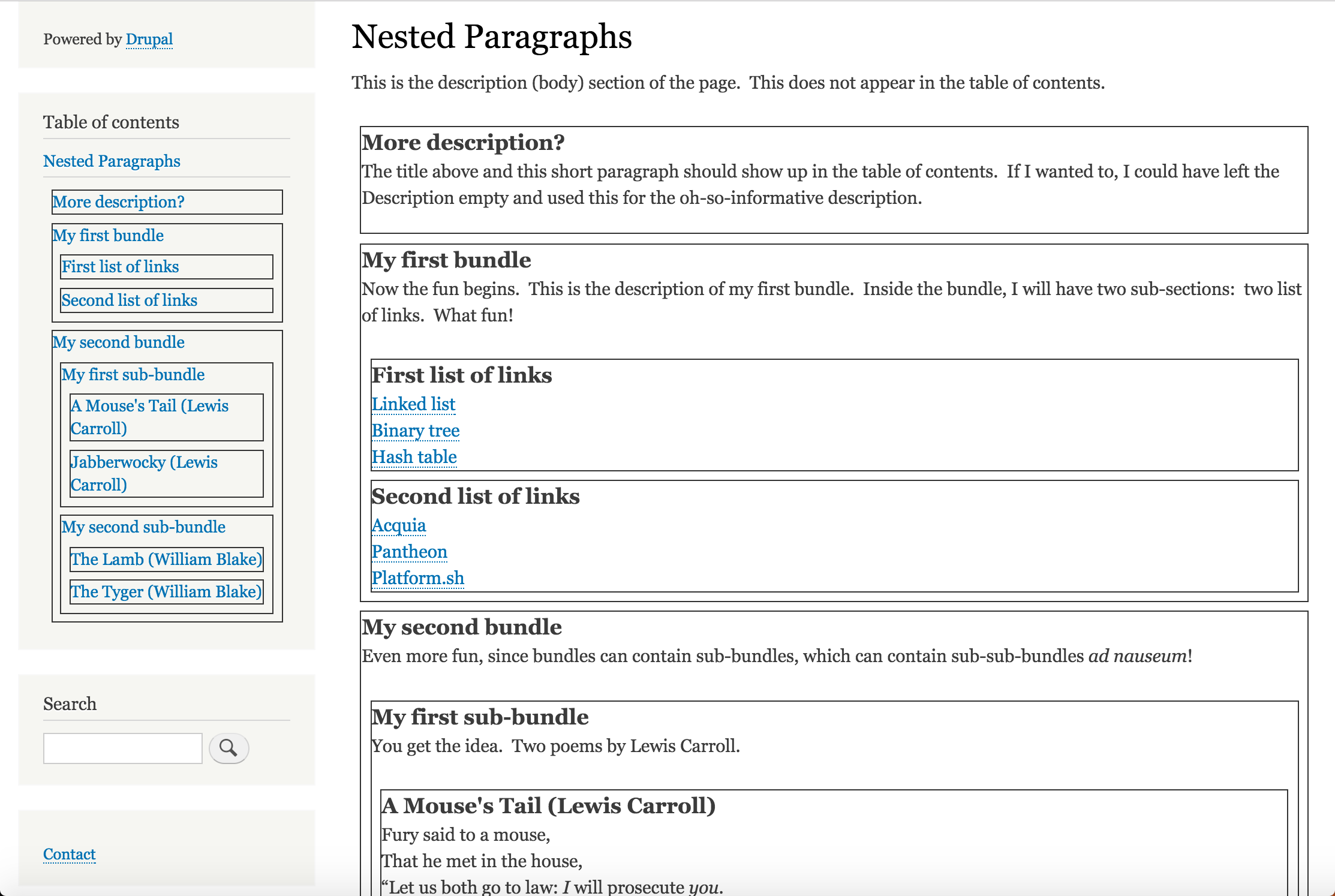
The screenshot shows a sample page with several sections (paragraphs) including some nested ones. The table of contents is in the left sidebar, and each line is a link to the corresponding section on the page. In order to make the structure clear, I have added some CSS to create a border and a margin around each paragraph on the page.
How It Works
Most of the work is done through configuration: paragraph types, view modes, and a view to create the ToC block. There is a little custom code that helps with the theming, so that the entries in the table of contents are links to the corresponding sections on the page.
- View modes: The "Table of Contents" view mode for paragraphs (
toc) shows only the title (field_ptoc_title) and nested paragraphs (using the same view mode). Similarly, the "Table of Contents" view mode for nodes shows just the paragraphs field (field_ptoc_sections) in this view mode. - View: the view (
ptoc_table_of_contents) creates a block using the node ID (nid) from the current page. That block simply displays the current node in "Table of Contents" view. - Custom code: A preprocess function adds an
idattribute to paragraphs that use thedefaultview mode, so that they can be targeted by links. Theme functions tell Drupal to use a custom Twig template for paragraphs that use thetocview mode. This template makes the title an in-page link to the default view of the paragraph.
Screenshots
Here are some screenshots of a fully themed site using this module, thanks to @SirClickALot.
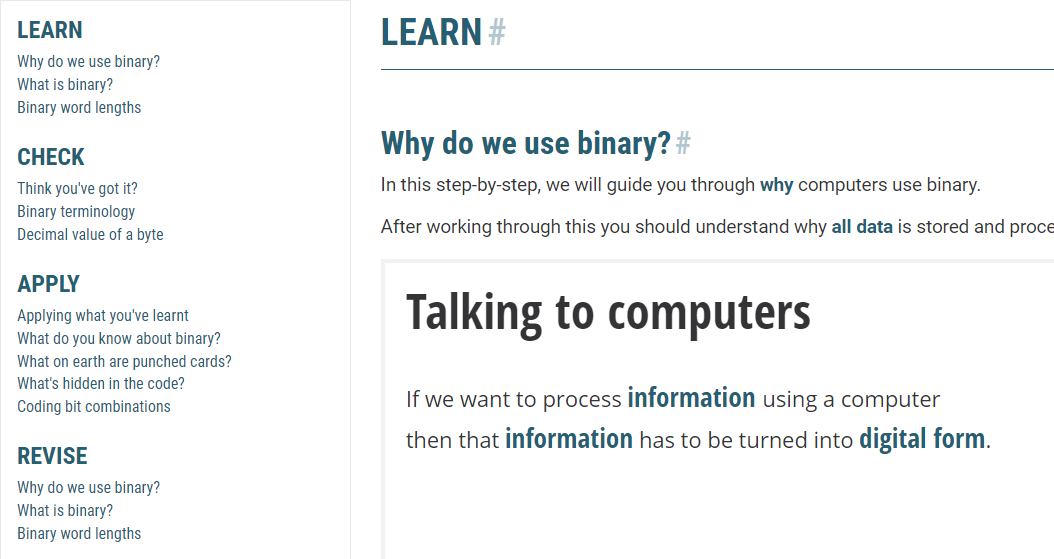
View of the top of a page showing the PTOC block in place on the left and the corresponding Paragraph title (LEARN) on the right...
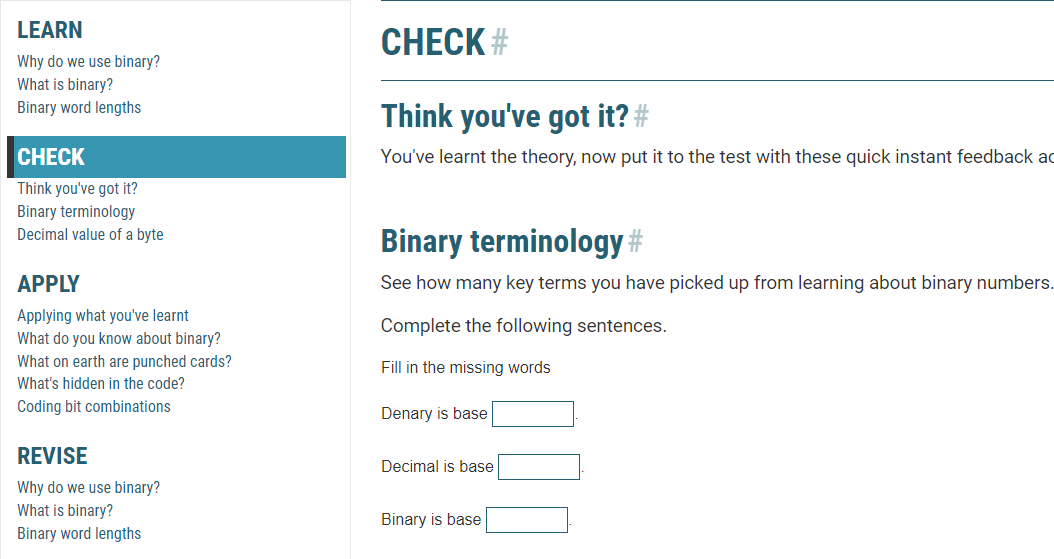
View after clicking on the second first-level TOC link (CHECK) showing a scroll down to the corresponding Paragraph title (CHECK) on the right...
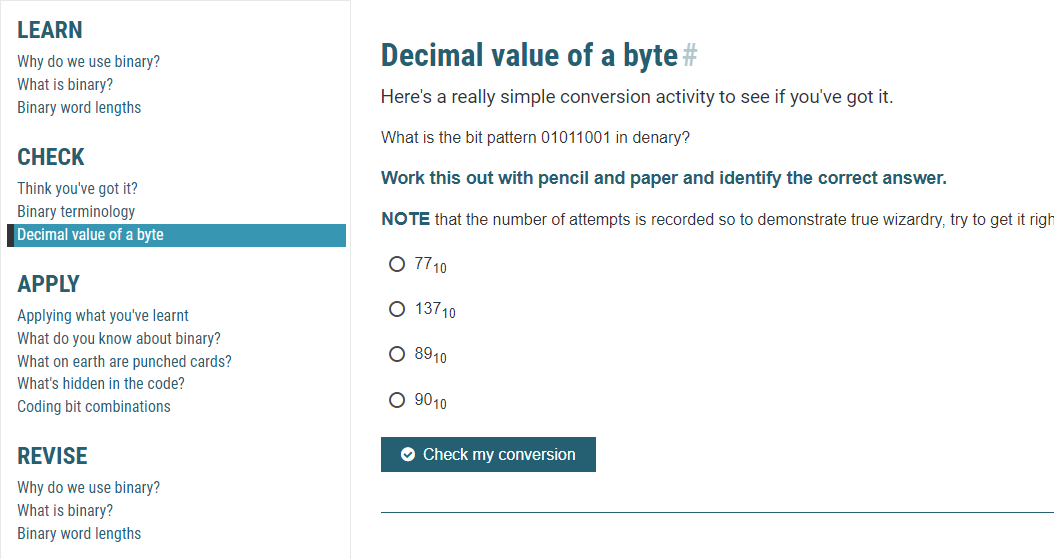
View after clicking on a second-level TOC link (Decimal value of a byte) showing a scroll down to the corresponding title heading on the right...
Supporting organizations:
gives me time for Drupal contributions.
| Attachment | Size |
|---|---|
| screenshot: initial page load | 91.06 KB |
| screenshot: top-level navigation | 79.19 KB |
| screenshot: second-level naviagation | 70.91 KB |
Project information
 Minimally maintained
Maintainers monitor issues, but fast responses are not guaranteed.- Maintenance fixes only
Considered feature-complete by its maintainers. - Project categories: Site structure
- Ecosystem: Paragraphs
 152 sites report using this module
- Created by benjifisher on , updated
 Stable releases for this project are covered by the security advisory policy.
Look for the shield icon below.
Releases
8.x-1.4
released 21 June 2026
released 21 June 2026
Works with Drupal: ^8 || ^9 || ^10 || ^11
Install:
Development version: 8.x-1.x-dev updated 21 Jun 2026 at 02:12 UTC


