


Radix is the original component-based theme for Drupal. It comes with Bootstrap 5, Sass, ES6, BrowserSync, BiomeJS built-in.
Radix Documentation
Read the comprehensive documentation on Radix 6.x and learn about its ideology and structure
Which version? For Bootstrap 5 use 6.x, for Bootstrap 4, download 8.x-4.x. For Bootstrap 3. download 8.x-3.x.
Quick start for Radix 6 (Drupal 10.3+)
Note that 6.x works with Starterkit theme and Single directory components in the core, so no need to use the components module anymore:
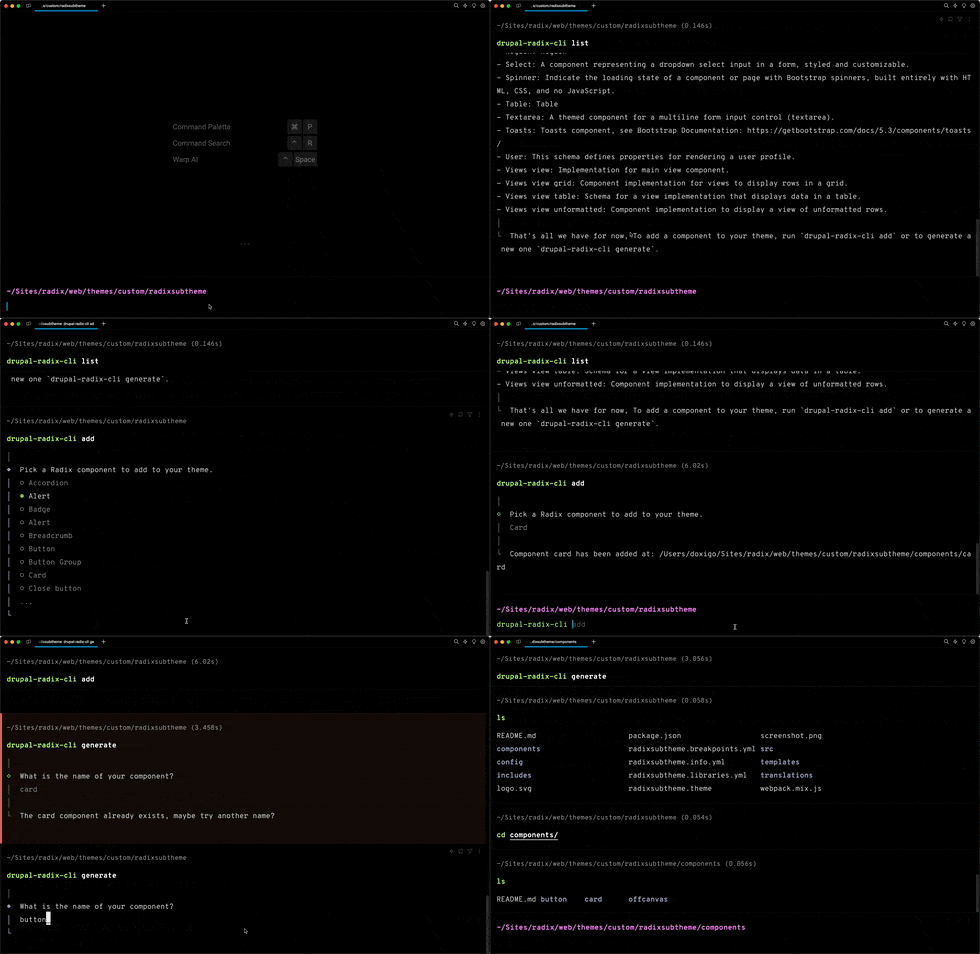
Drupal Radix CLI
Try our new Radix CLI with features like list, add and generate new components
Drupal Radix SKILL
Try our new Radix Skill to build better with AI.
Getting started with Radix AI Skill
or simply run:
npx skills add doxigo/drupal-radix-skill
Radix 6 Tutorial

composer require 'drupal/radix:^6.0'
drupal/recommended-project):drush --include="web/themes/contrib/radix" radix:create SUBTHEME_NAMEdrush then SUBTHEME_NAME -y; drush config-set system.theme default SUBTHEME_NAME -y
cd /path/to/SUBTHEME_NAME
nvm use
npm install
cp .env.example .env.local
DRUPAL_BASE_URL variable in your .env.local to point to your localhost address (this file is .gitignored by default to avoid conflicts)
npm run watch
npm run production
Support and Credits
- Issue queue: Create an issue in the issue queue.
- Drupal Slack Channel: Radix
- Documentation: 📚 Radix handbook
 .
.

Supporting organizations:
5.x/6.x Core Development/Support/Maintenance
7.x, 8.x Initial Development/Support
8.x Maintenance and 5.x Initial Development
Project information
 10,398 sites report using this theme
- Created by shadcn on , updated
 Stable releases for this project are covered by the security advisory policy.
Look for the shield icon below.
Releases
6.0.9
released 17 September 2026
released 17 September 2026
Works with Drupal: ^10.3 || ^11 || ^12
Install:
Development version: 6.0.x-dev updated 17 Sep 2026 at 14:44 UTC
8.x-4.15
released 30 June 2025
released 30 June 2025
Works with Drupal: ^8.7.7 || ^9.0 || ^10.0 || ^11
Install:
Development version: 8.x-4.x-dev updated 22 Sep 2025 at 06:03 UTC


