

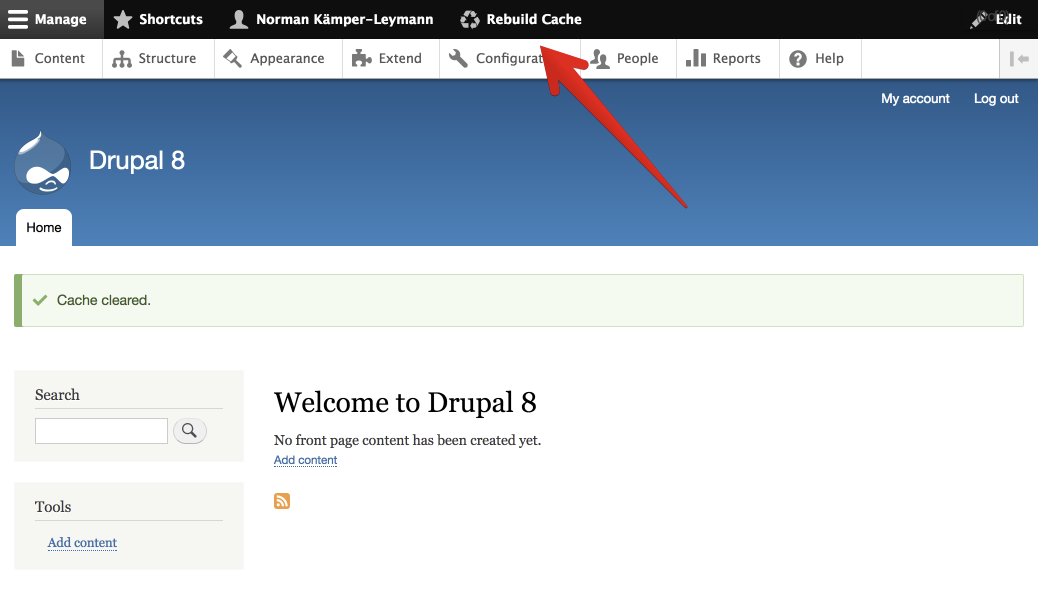
Drupal clears the relevant caches on its own when content or configuration changes. In practice, that is not always enough.
In Drupal core, clearing caches is tied to the administer site configuration permission. That permission grants access to far more than clearing caches, such as site settings, performance, and other system configuration. Giving it to editors only so they can clear caches hands them much more control than they need.
Rebuild Cache Access separates this one action from site configuration. It adds a dedicated rebuild cache access permission, and every role with this permission gets a Rebuild cache button in the admin interface: in the Navigation sidebar or in the classic Toolbar, whichever the site uses. One click on the button runs drupal_flush_all_caches(), the same full cache rebuild as Clear all caches on the Performance page or drush cache:rebuild.
Documentation: project.pages.drupalcode.org/rebuild_cache_access
Project information
- Project categories: Developer tools
 33,095 sites report using this module
- Created by norman.lol on , updated
 Stable releases for this project are covered by the security advisory policy.
Look for the shield icon below.
Releases
released 16 October 2026
Removes the hard dependency on the Toolbar module and fixes the Navigation block being added twice.
Development version: 8.x-1.x-dev updated 16 Oct 2026 at 01:25 UTC

