


This module allows a site to boost Solr query results where the content has a taxonomy term reference that matches a selection in a field on the current user. For example, if your site had a taxonomy for animals, and a user had set their favourite animal as "elephant" in their user profile, the module would cause content tagged with "elephant" to appear higher in the search results.
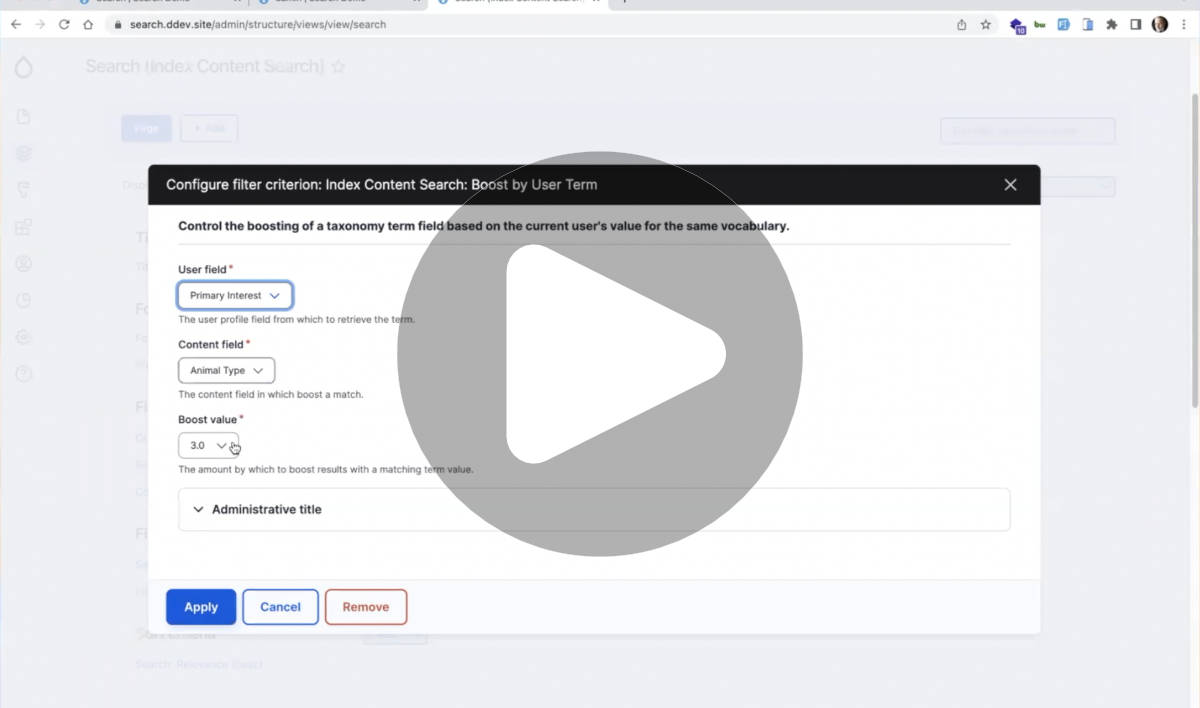
To use it, add the "Boost by User Term" filter to your Solr-based search view. You'll be able to select which user field to get the value from, and which node field to add the boost for. Support for additional entities (beyond nodes) is likely possible, and may be added later on. It's also worth noting that the boost should work on non-node entities too, if the machine name matches a node field.
It's possible to add more than one such boost, with a different boost value. For example, an ecommerce site could boost results for products with a strong boost for gender, a medium boost on favourite colour, and weak boost on favourite category.
It's also worth noting that this modules doesn't (yet) perform any validation that the vocabulary targets for the two taxonomy terms reference field actually align (e.g. use a common vocabulary), but at worst this would mean that no search results get boosted.
If instead of boosting search results you'd prefer to filter results to only show ones that align to a user's profile, check out Views User Term Filter.
Demo
Dependencies
This module requires the User Reference Field Cache Context module to provide better caching of the modified search results.
NOTE: if using this module with Acquia Search, it is necessary to uncheck the "Enable eDisMax" option in the "Acquia Search Solr" fieldset for your index in order for the results to be influenced by this module.
Project information
- Project categories: Site search, Site structure
- Ecosystem: Search API, Search API Solr
 1 site reports using this module
- Created by mandclu on , updated
 Stable releases for this project are covered by the security advisory policy.
Look for the shield icon below.

