

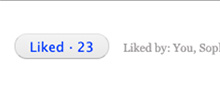
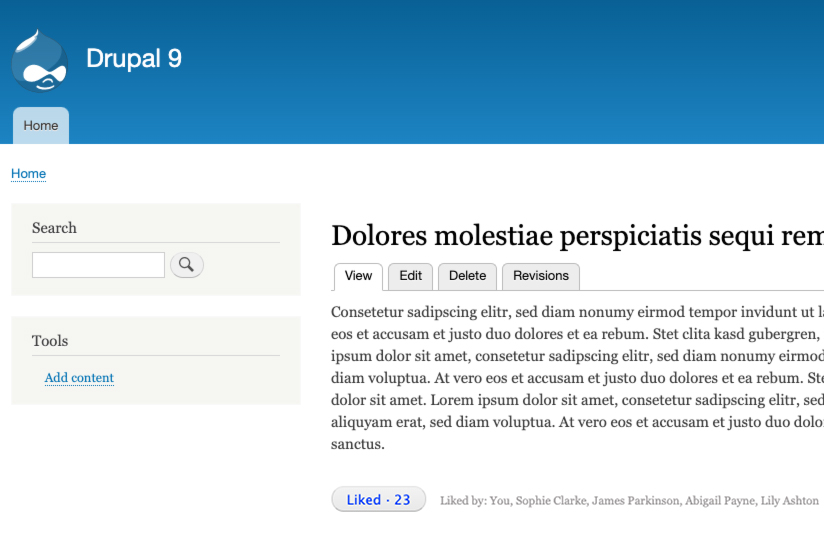
A very simple like button for Drupal. Provides an AJAX-powered "Like" button that shows instant feedback and a running count of likes on content.
Features
- Instant feedback for end users: increments/decrements like count (+1 / -1).
- Displays the names of users who liked the content.
- Works with all entities and bundles (e.g., nodes).
- Supports all authenticated roles.
- Not available to anonymous users.
- Not compatible with Views at the moment.
- Also embedded in the OpenLucius Drupal distribution.
Requirements
- Drupal 10 or 11
- PHP version supported by your Drupal core.
- Authenticated users (the button is not rendered for anonymous users).
Installation
-
Enable the module
- UI:
Admin -> Extend (admin/modules) - Drush:
drush en simple_like_button -y
- UI:
-
Place the block
- UI:
Admin -> Structure -> Block layout (admin/structure/block) - Place Simple Like Button in a region on the page that displays your entity content, e.g. -> Content region under the main content.
- UI:
-
Done! The like button should now appear for authenticated users on pages that show an entity (e.g., nodes).
Permissions
No special configuration is usually required beyond having an authenticated user. The button is intentionally hidden for anonymous users.
How it works
- Renders a like form (
form#like-form) with a button for authenticated users. - Tracks and updates a per-entity like count via AJAX submit.
- Button toggles between "Like" and "Liked" depending on the current user state for that entity.
- Shows a list of user display names who liked the entity.
Theming & Markup
- Form ID:
like_form(HTML idlike-form). - A standard is used for submitting/undoing the like.
- You can target the block region or form ID with CSS to customize layout.
Tip: If your theme hides block titles by default, ensure the block's title settings are appropriate for your layout.
Caching
The block/form is user-specific. Drupal automatically bypasses caching for POST requests. If you are using additional reverse proxies or aggressive caching, ensure authenticated traffic is handled correctly so that the form can submit and the like state can update.
Limitations
- Not currently compatible with Views.
- Not displayed for anonymous users.
Automated Test
This module ships with a Functional test that validates the basics:
- Installs
simple_like_buttonand dependencies - Creates a node and sets it as the
<front>page - Places the Simple Like Button block in the default theme
contentregion - Visits
<front>as an authenticated user and asserts the like form/button is visible
Troubleshooting
- Button not showing? Confirm you're viewing an entity route (e.g., a node canonical page), you're logged in, and the block is placed in a visible region.
- AJAX not updating? Check your browser console, ensure CSRF and session cookies are present, and verify that reverse proxy caches are not interfering.
- Multiple Like blocks? If you place multiple blocks, make sure they appear on pages that can resolve the current entity; otherwise the block may render without a target entity.
Maintainers
- Project maintainer: Joseph Olstad
- Formerly Joris Snoek
Please report issues or feature requests on the module's issue queue on Drupal.org (project page) https://drupal.org/project/simple_like_button .
License
GPL-2.0-or-later (same license as Drupal).
Optional config
Optionally you can configure the block to include/exclude certain pages or sections:

Project information
- Ecosystem: OpenLucius
 34 sites report using this module
- Created by joris_lucius on , updated
 Stable releases for this project are covered by the security advisory policy.
Look for the shield icon below.


