

 The 2026 Drupal Business Survey is open. Your response will help shape the future of the Drupal business ecosystem.
This project is not covered by Drupal’s security advisory policy.
Note: this module is an add-on to Smart Date, providing a small but useful extension to functionality. Therefore, smart_date is a dependency and its installation is required.
This means that you can create a future event further into the future, when you have the specific date, but don't yet know the start time. You can then go back and edit the event to update the time.
You want to promote an event, to help ticket sales, perhaps giving approximate or expected start times, e.g. evening in a free-form description.
As time advances a little closer to the event and things are firmly put in place, a start time can be confirmed - and at that point, you can go back and edit to put in the actual start time.
Features
Works on a presentational basis: Uses an existing date TBC toggle boolean flag field called field_time_tbc in your node type to auto-fill time start and finish with 00:00 but hide them in the content displayed to the public.
This module was created for the website I built for the choir I am in: from time to time, events would be booked without all the information as to confirmed start time available to me as web content admin or that the time as still being determined by event management team.
Post-Installation
Create the boolean field in your content type first, field_time_tbc.
e.g. for an "Event" content type, add the time_tbc field here:
admin/structure/types/manage/event/fields
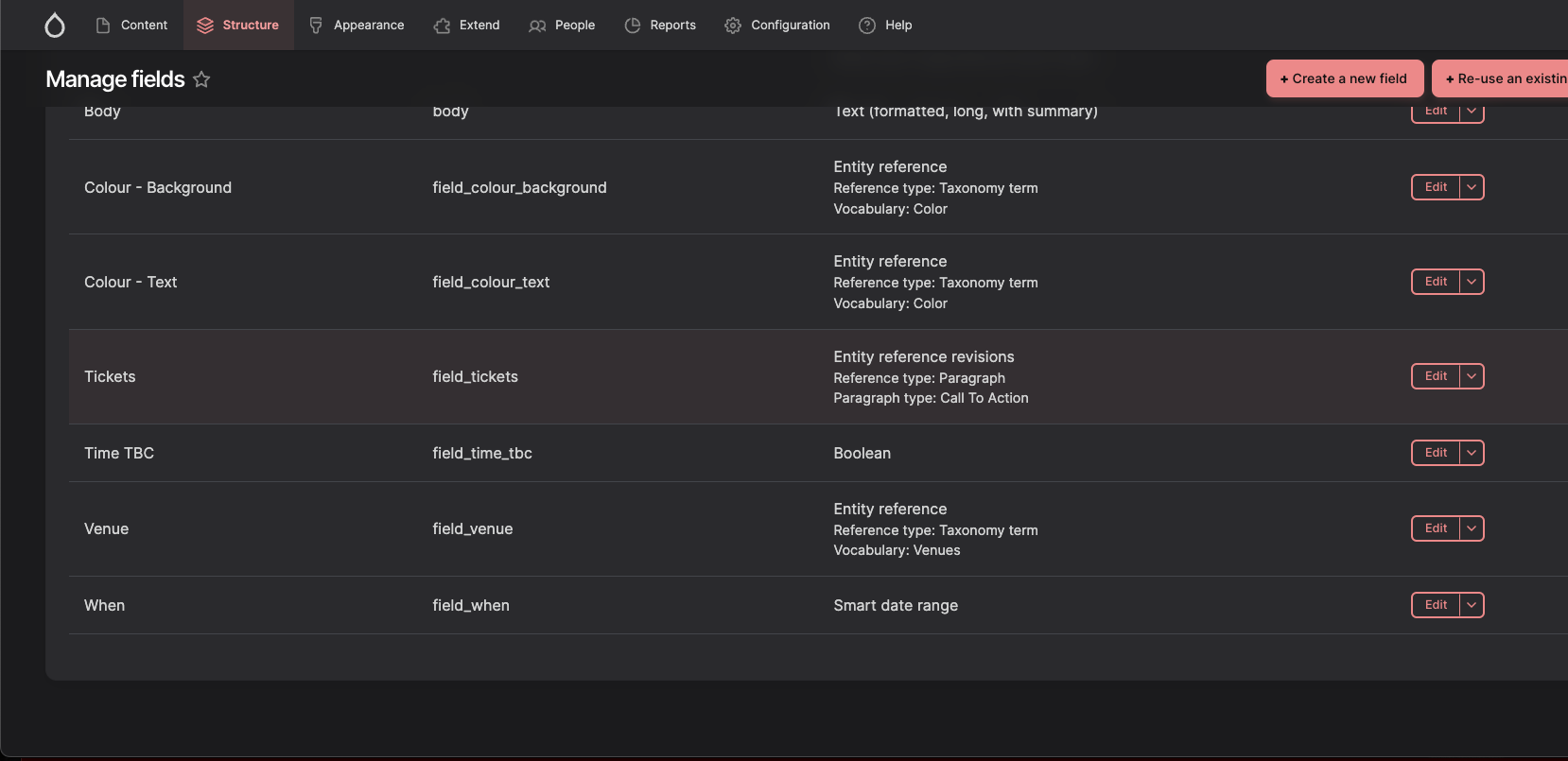
Then install...
composer require drupal/smart_date_time_tbc
.. and enable this module...
drush en smart_date_time_tbc
And add the following code to your node templates in your theme
e.g. node--view--events--events-listing.html.twig
      {# other twig code here...#}

      {% set date_event_day_only = date_event_as_unix_time_int | date('D, j M Y') %}

      {% if node.field_time_tbc.value %}
        <span>{{ date_event_day_only }}, Time TBC | </span>
      {% else %}
        <span>{{ content.field_when }} | </span>
      {% endif %}

      {# other twig code here...#}
e.g. node--event--full.html.twig
          {# other twig code here...#}

          {% set date_event_day_only = date_event_as_unix_time_int | date('D, j M Y') %}
          {% if node.field_time_tbc.value %}
             <span>{{ date_event_day_only }}, Time TBC | </span>
          {% else %}
            <span>{{ content.field_when }} | </span>
          {% endif %}

          {# other twig code here...#}
(note: the above twig code could be replaced with a better implementation to use field formatters - issue raised here: https://www.drupal.org/project/smart_date_time_tbc/issues/3457462 )
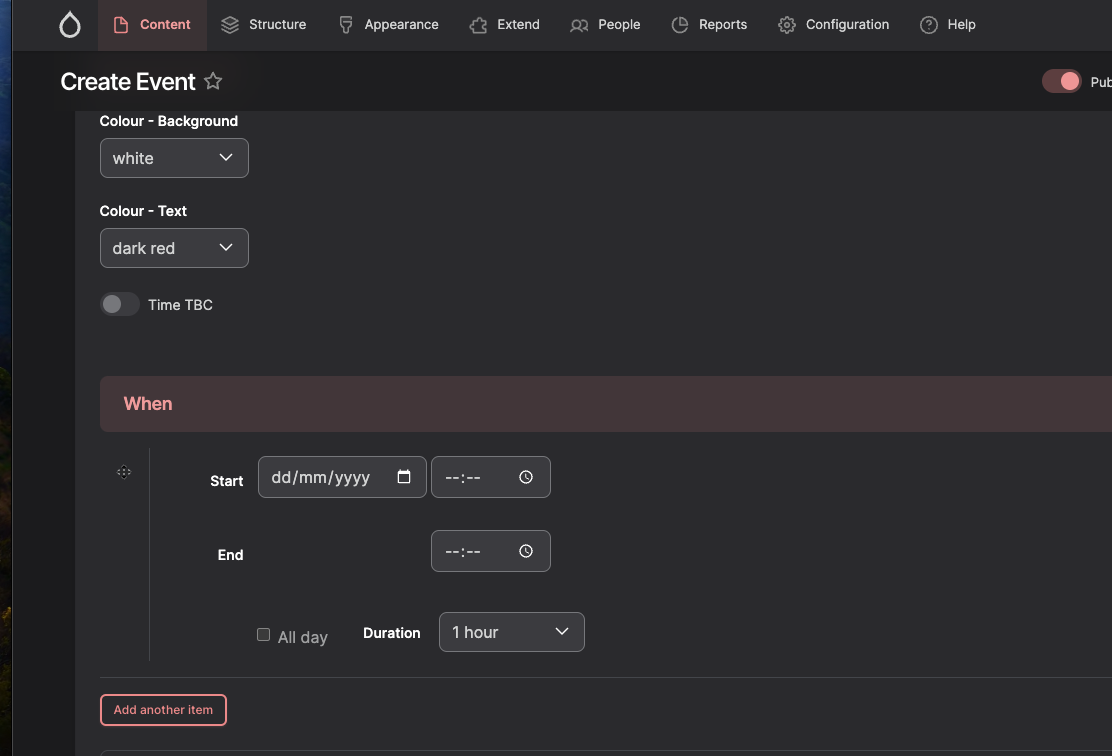
Turning on the Time TBC field in your content of type Event that you are creating - e.g. node/add/event or editing e.g. node/78/edit
On that Event create or edit page, how this looks:
Initially off:
Turning on:
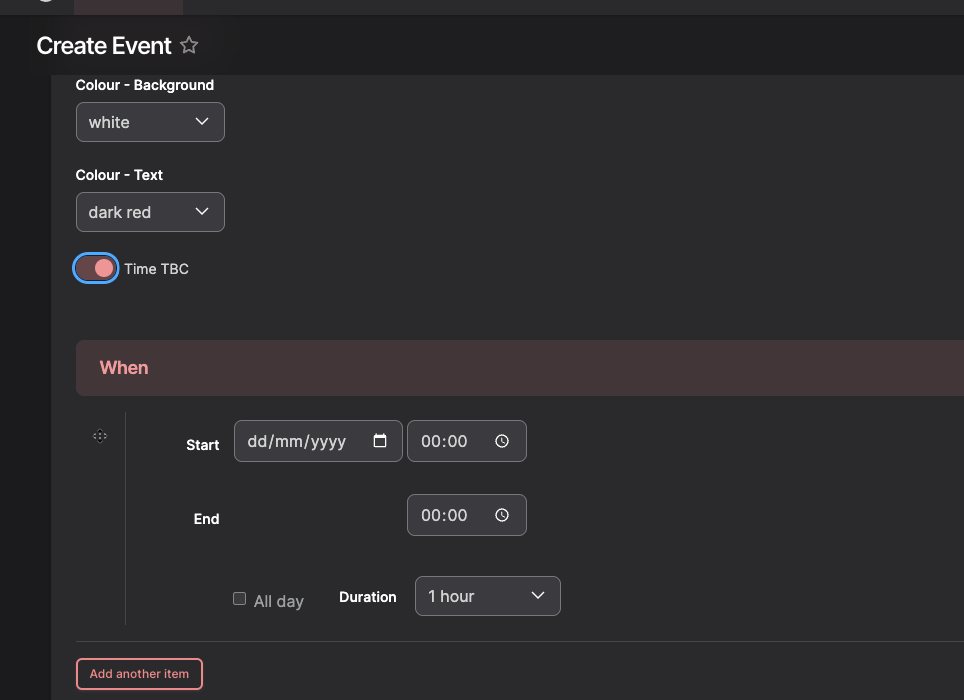
Note how it it auto-fills the time start and end, so that saving the content goes through. This is done by the JS code in the module.
How it looks on saved published content as an example:
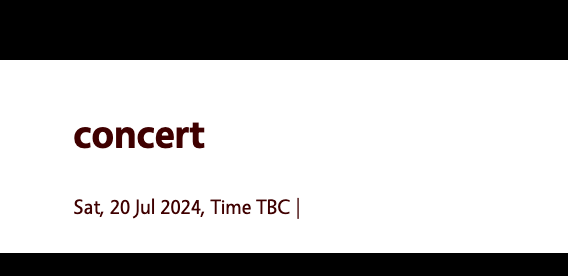
Additional Requirements
Requires smart_date, because it extends it.
Recommended modules/libraries
Not known.
Similar projects
Not known.
Supporting this Module
Not specified at this time.
Community Documentation
See information above.
| Attachment | Size |
|---|---|
| field_time_tbc1.png | 84.94 KB |
| field_time_tbc2.png | 49.64 KB |
| field_time_tbc13_display.png | 14.29 KB |
| field_time_tbc4_content_type.png | 133.46 KB |
Project information
 Maintenance fixes only
Considered feature-complete by its maintainers.- Project categories: Content display, Content editing experience
- Ecosystem: Smart Date
- Created by therobyouknow on , updated
 This project is not covered by the security advisory policy.
Use at your own risk! It may have publicly disclosed vulnerabilities.


