

Overview
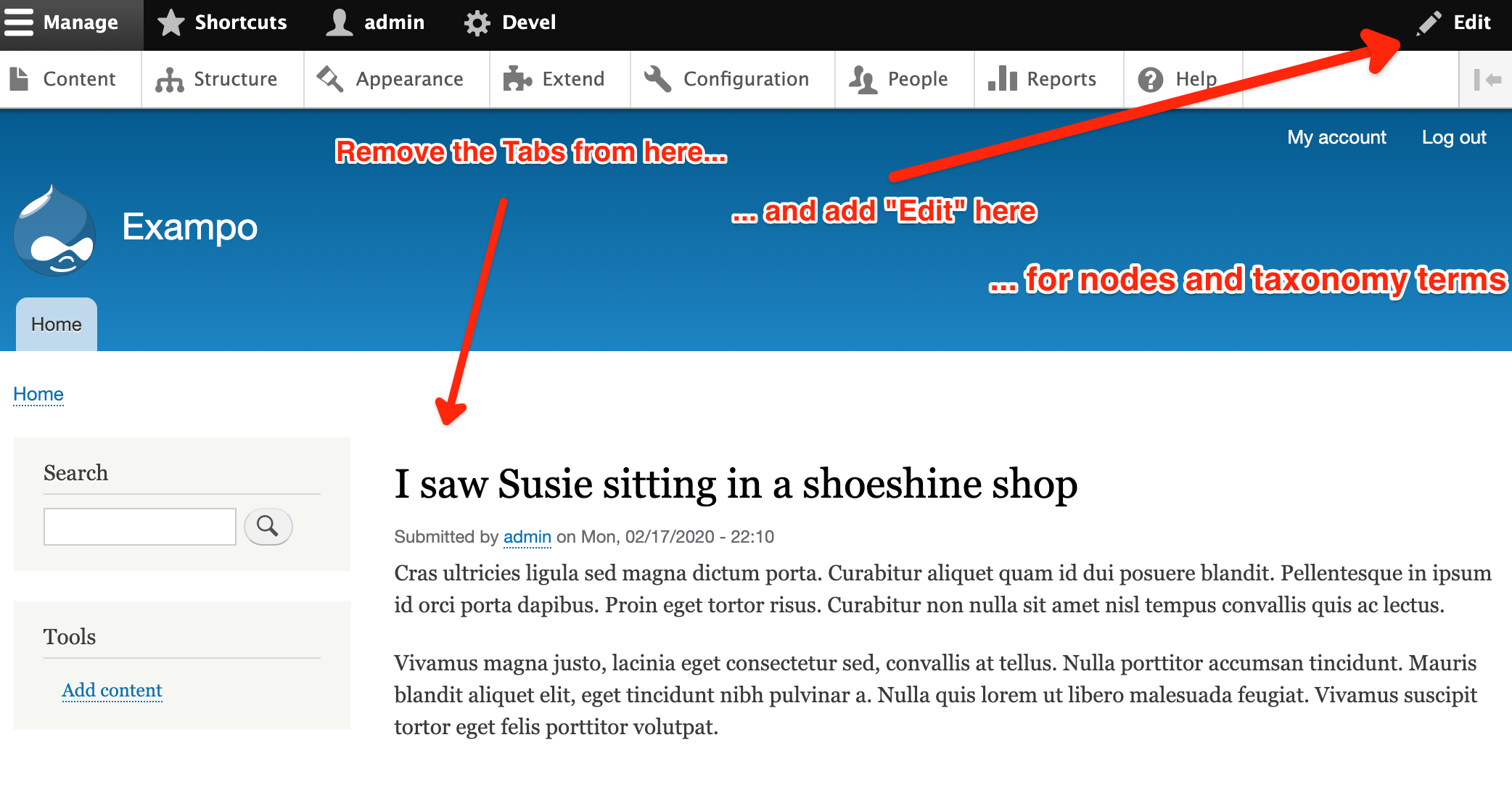
Adding the node edit (and taxonomy term edit) button into the admin toolbar.
Configuration
Currently, after activating the module you have to go to "Structure > Block layout > Tabs (block) > Configure" and in "Visibility (vertical tab) > Pages" set " Hide for the listed pages" and for Pages
/node/*
/taxonomy/term/*
This way you would remove the "Local tasks tabs" from the node view (node detail) and taxonomy term view (taxonomy term detail) pages and you will have just the "Edit" button in the admin toolbar (up, right).
Also, make sure you don't have the Quick Edit and
Contextual Links modules activated.
Project information
 Minimally maintained
Maintainers monitor issues, but fast responses are not guaranteed.- Maintenance fixes only
Considered feature-complete by its maintainers. - Project categories: Administration tools, Content editing experience
 53 sites report using this module
- Created by nikolay borisov on , updated
 Stable releases for this project are covered by the security advisory policy.
Look for the shield icon below.
Releases
8.x-1.2
released 25 July 2023
released 25 July 2023
Works with Drupal: ^8 || ^9 || ^10
Install:
Development version: 8.x-1.x-dev updated 25 Jul 2023 at 11:59 UTC

