

 Come together with the global Drupal community in Rotterdam, 28 Sept – 1 Oct 2026. Sessions, contribution, connection, and Early Bird savings until 8 June.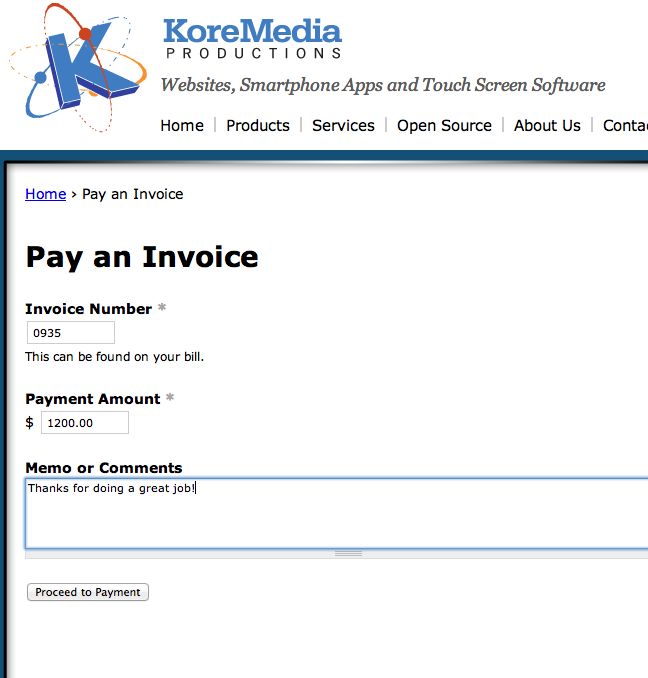


This project is not covered by Drupal’s security advisory policy.
A nifty form that allows your customers to pay invoices on your website through Ubercart.
Instructions
- Make sure you have installed Ubercart
- Create a product called "Invoice Payment"
- Set the price to $0.00 and turn off the "Shippable" checkbox
- Save the product and write down the node ID
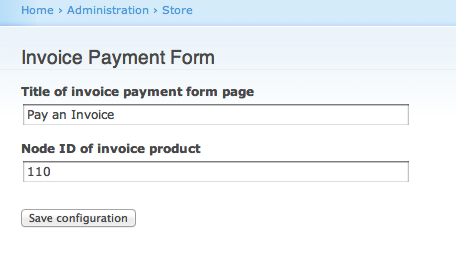
- Visit Admin -> Store -> Configuration -> Invoice Payment Form (or YOURDOMAIN.COM/admin/store/configuration/uc-invoicepay
- Enter the node ID of the new "Invoice Payment" product
- Optionally give your form an alternative title. Default is "Pay an Invoice"
Additional steps (optional)
To add an invoice payment confirmation message to the order completion screen, do these steps:
- Visit Store -> Configuration -> Checkout -> Settings
- Go to the "Completion Messages" tab
- In the "Message header" field, add this token: [uc_order:invoice-payment-summary]
- A friendly invoice payment confirmation will be added to the final confirmation screen once the user has completed an order
Project information
 6 sites report using this module
- Created by noahlively on , updated
 This project is not covered by the security advisory policy.
Use at your own risk! It may have publicly disclosed vulnerabilities.

