

 The 2026 Drupal Business Survey is open. Your response will help shape the future of the Drupal business ecosystem.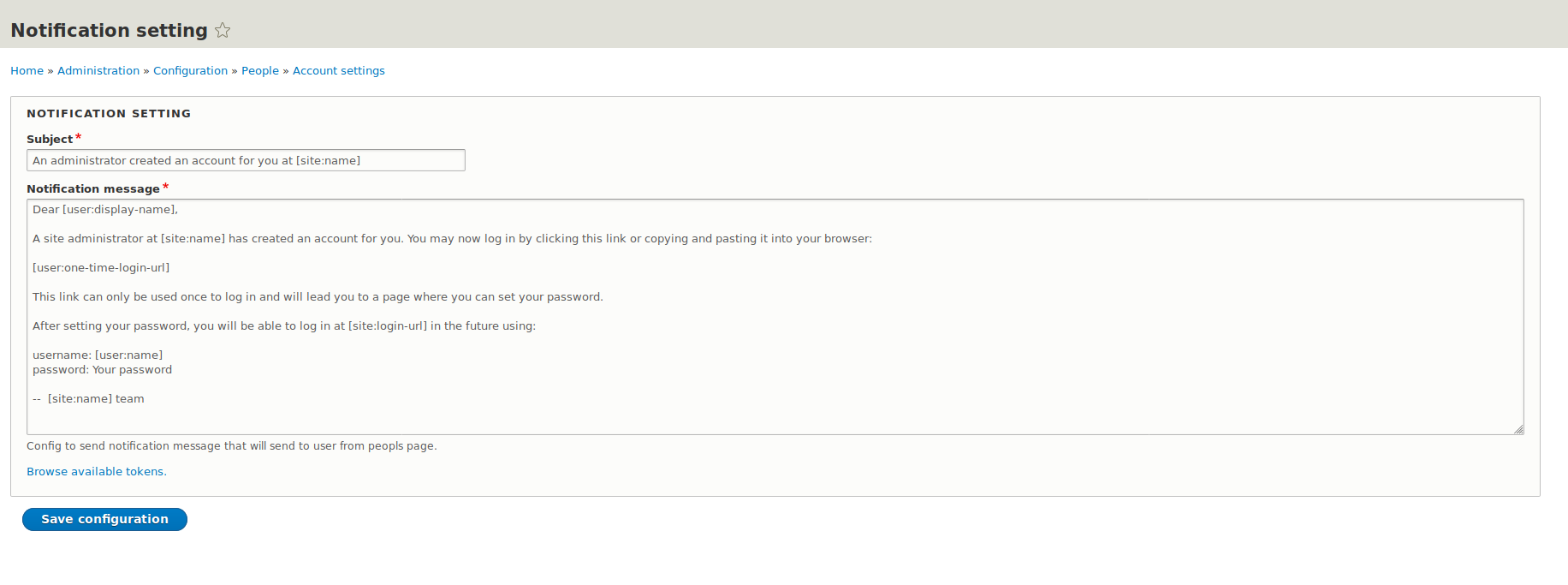

Send user notification module, allows administrator to send notification message to website users about any information, coupons, vouchers, or any type of activities to their mails.
This module gives facility to admin user to configure the Email message from the back-end. It also uses the tokens that will really help to admin to create the dynamic email message.
How to Use
After Enabling the module go to config page. [domain-url]/admin/config/people/accounts/notification-setting
And setup the email subject, body. You can also use tokens to prepare the subject as well as body.
After Successful setup the mail go to the people page [domain-url]/admin/people
and select the number of people which you want to forward the message.
and select the "Send notification message to user(s)" from Action drop-down.
And the message will send to selected users or all users.
Supporting organizations:
Project information
 Maintenance fixes only
Considered feature-complete by its maintainers.- Project categories: Access control
 146 sites report using this module
- Created by anokr on , updated
 Stable releases for this project are covered by the security advisory policy.
Look for the shield icon below.

