

 The 2026 Drupal Business Survey is open. Your response will help shape the future of the Drupal business ecosystem.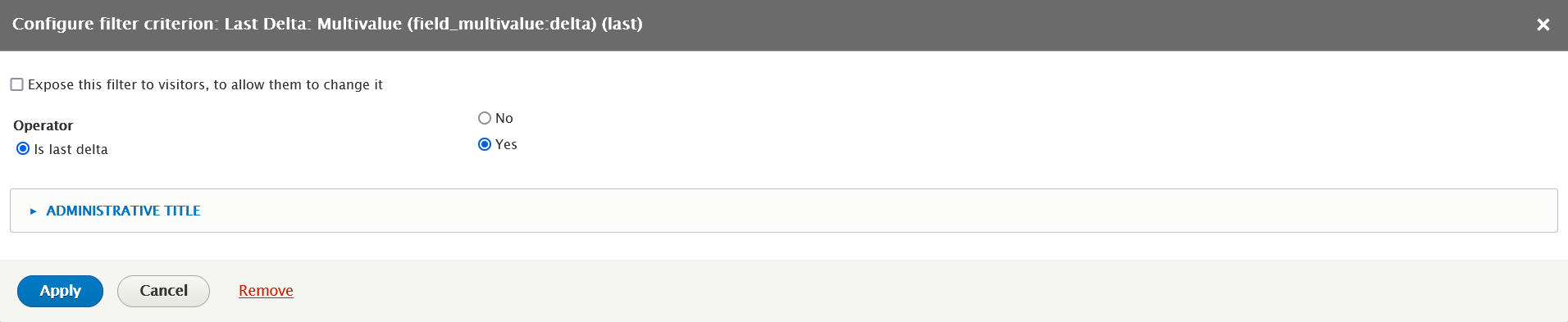

The last delta (value) of a multi-value field bears unique importance. It is the last piece of information written in a field and it is often the only information required to be shown on an Entity View.
Views itself provide two modes of viewing a multi-value field:
- All the values on the same row;
- Each value is on an individual row.
If you want to output just the last row, containing the last value of the field, this filter is for you.
Usage
Enable this module as usual, untick the ‘Display all values in the same row’ tickbox in the field setting inside the Views’ fields, add a Filter in the category Last Delta corresponding to that field, and enable filtering by selecting ‘Yes’.
Supporting organizations:
Sponsor
Project information
 106 sites report using this module
- Created by seogow on , updated
 Stable releases for this project are covered by the security advisory policy.
Look for the shield icon below.
Releases
1.3.2
released 22 April 2024
released 22 April 2024
Works with Drupal: ^8.8 || ^9 || ^10 || ^11
View has no results after upgrade to ^1.3
Install:

