


This module is included in DXPR CMS.
Automatically enhance all numeric fields in Drupal Views with optional Excel-style colour scaling. No duplicate fields, no complex setup: just enable the option on any numeric field and get smooth gradient backgrounds that make data instantly readable.
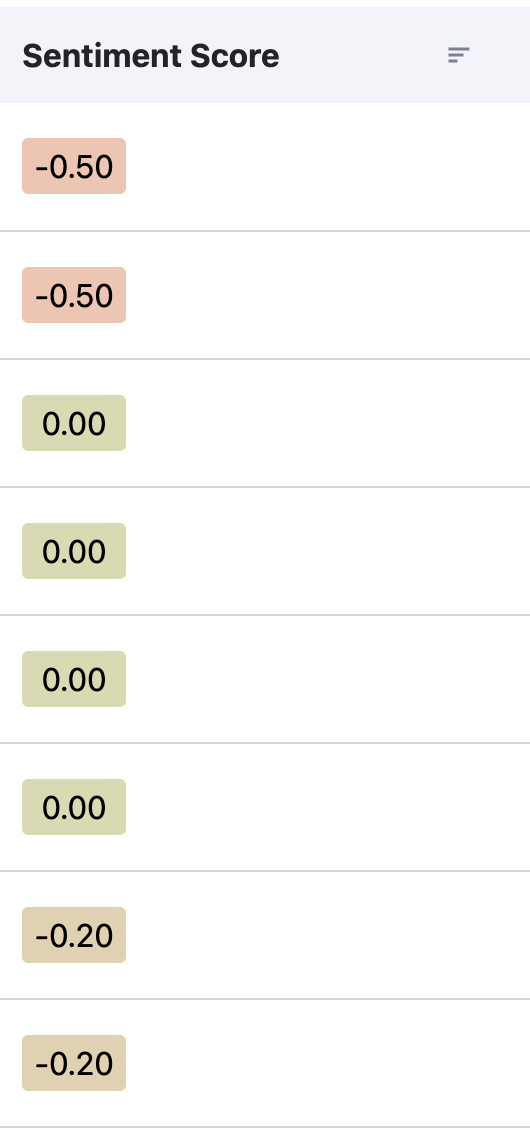
You need Views Color Scales if
- You display numeric data in Views tables and want instant visual context
- You build dashboards or reports that show scores, percentages, or ratings
- You want Excel-style conditional formatting without any custom code
- You need an extensible popover system for rich data visualisations on hover
How It Works
Edit any View with numeric data, click on a numeric field, and enable the "Color Scale" option in the field's formatting settings. The module calculates min/max values from your dataset (or accepts manual values) and renders smooth colour gradients behind each cell. Text colour switches automatically between black and white for optimal contrast.
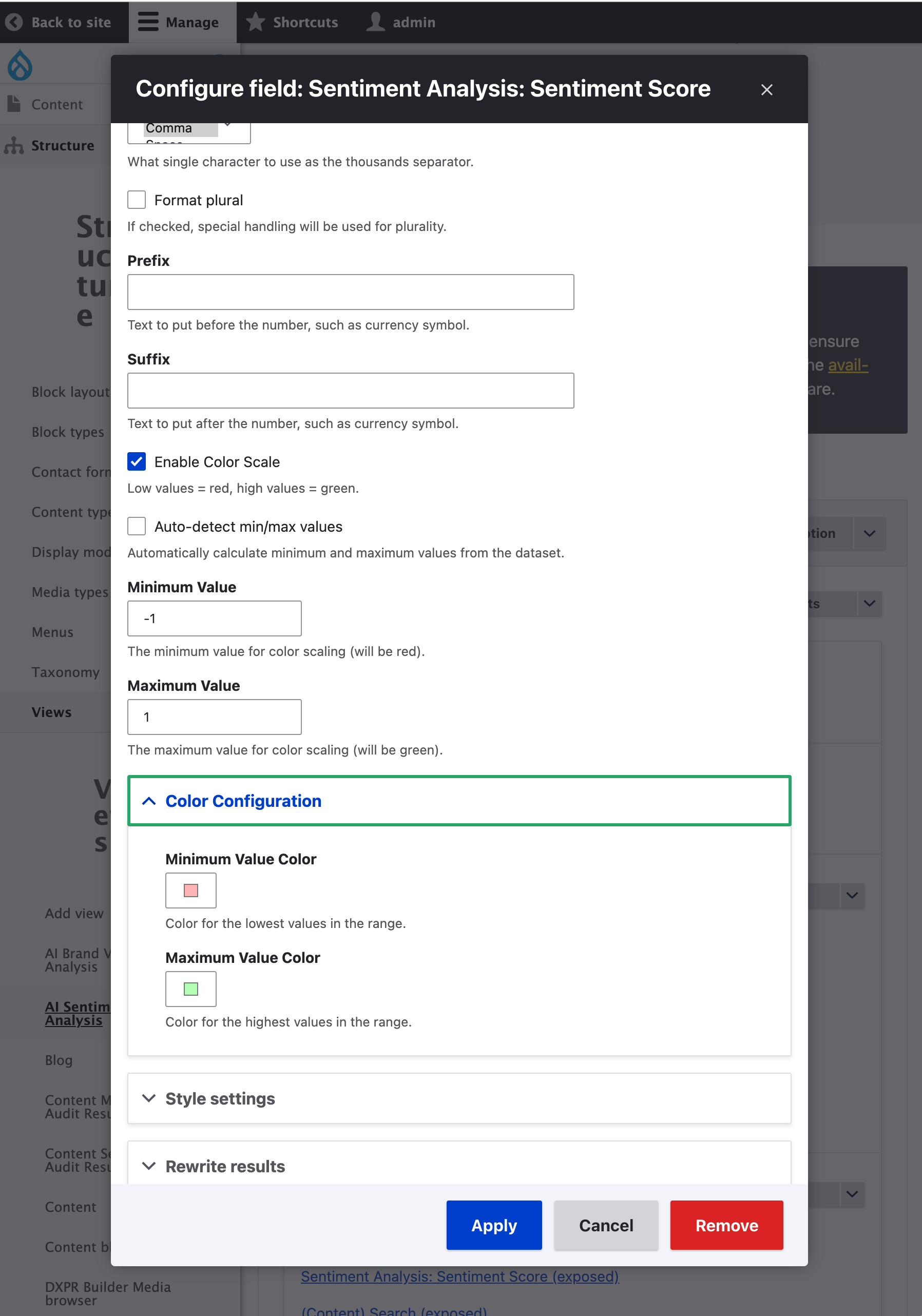
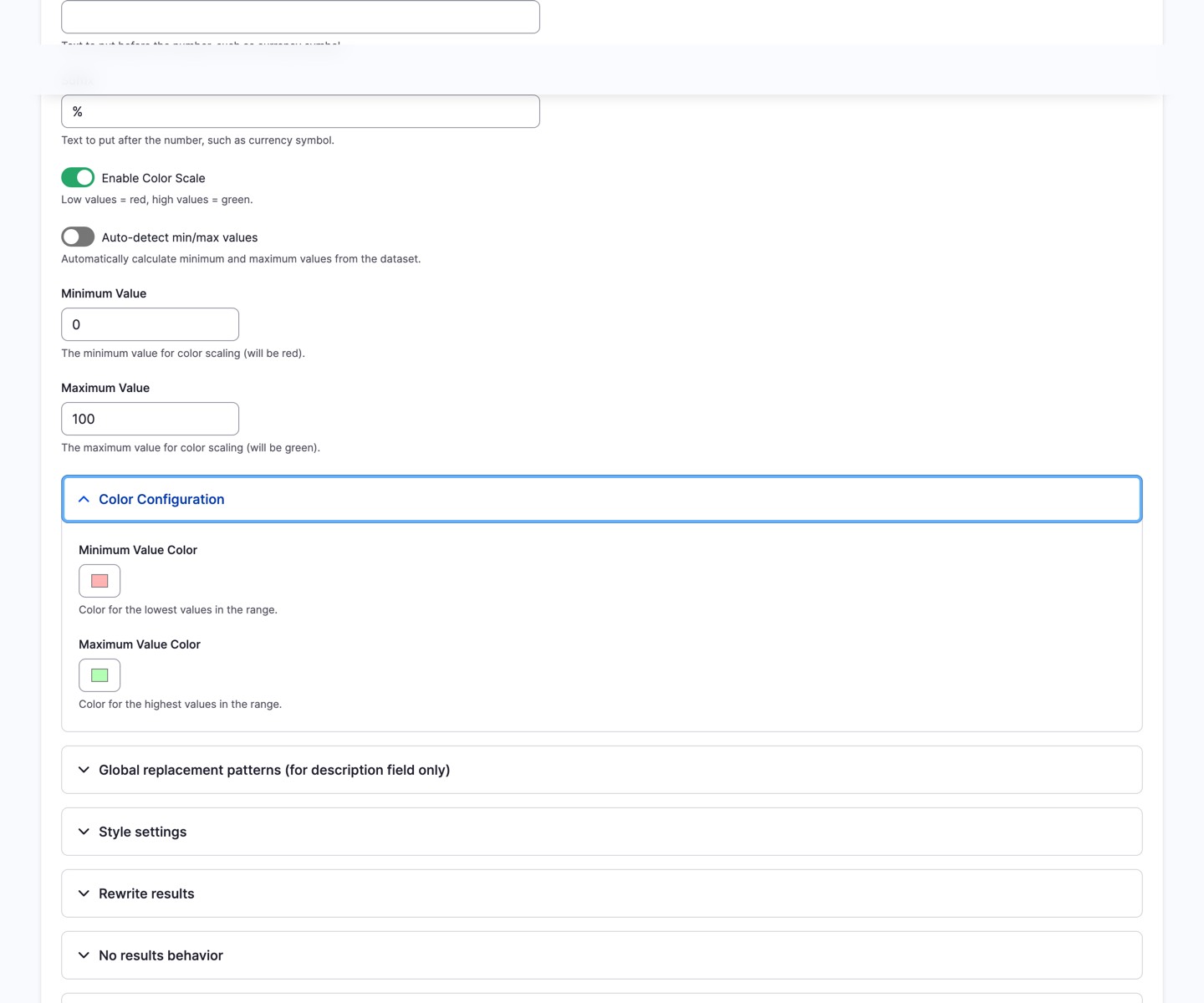
Each field's colour range is configured individually through the Views field settings, where you can pick any colours for minimum and maximum values:
Features
- Seamless integration: Automatically enhances all numeric fields in Views; no duplicate field setup required
- Configurable colours: Choose any colours for minimum and maximum values per field
- Excel-style gradients: Smooth colour transitions calculated with linear interpolation
- Auto-detection: Automatically calculates min/max values from your dataset
- Manual range: Set custom min/max values for consistent scaling across views
- Smart text colour: Automatically uses black or white text for optimal contrast against the background
- Scale popover: Hovering or focusing a value shows a popover; other modules can fill it with any content via an alter hook
- Fully extensible: The popover is a generic container; implement
hook_views_color_scale_popover_alter()to inject gauges, charts, images, or any render array
Perfect use cases
- Sentiment analysis scores: -1.0 (red) to +1.0 (green)
- Performance metrics: 0% (red) to 100% (green)
- Survey ratings: 1 (red) to 5 (green)
- Financial data: Losses (red) to profits (green)
Getting Started
- Install with Composer:
composer require drupal/views_color_scales - Enable the module:
drush en views_color_scales - Edit any View, configure a numeric field, and enable "Color Scale" in the formatting options
Prefer a turnkey demo site?
Spin up DXPR CMS: Drupal pre-configured with DXPR Builder, DXPR Theme, Views Color Scales, the Analyze suite, and security best practices.
Extending the Popover
The popover is a generic container. Any module can inject content by implementing hook_views_color_scale_popover_alter(). Views Color Scales provides the popover shell and positioning; your module controls what appears inside. If no module responds, the popover remains empty and is not shown.
// Drupal 11 Hook attribute example
#[Hook('views_color_scale_popover_alter')]
public function alterPopover(array &$content, array $context): void {
  $content = [
    '#theme' => 'my_module_gauge',
    '#value' => $context['position'],
  ];
}
See views_color_scales.api.php for the complete hook documentation and context array reference.
FAQ
- Does Views Color Scales work with all Views display formats?
-
Yes. The module extends Drupal's core NumericField plugin, so colour scaling works in any Views display that renders numeric fields: tables, grids, lists, and custom display plugins. The colour gradient is applied at the field formatter level, making it display-agnostic.
- Can I use different colour ranges for different fields in the same View?
-
Yes. Colour scaling is configured per field. Each numeric field in a View can have its own min/max colours, its own range settings (auto-detect or manual), and can be independently enabled or disabled. This lets you use red-to-green for scores and blue-to-purple for counts in the same table.
- Does the module require JavaScript?
-
The colour scaling itself is rendered server-side as inline CSS, so gradients display without JavaScript. The popover uses the native browser Popover API for hover and keyboard focus interactions. A title attribute fallback ensures the value is accessible even when JavaScript is unavailable.
- How does auto-detect min/max work?
-
When auto-detect is enabled, the module scans all values in the current result set for that field and uses the lowest and highest values as the range boundaries. This means the colour scale adapts automatically to your data. For consistent scaling across different filtered views, use manual min/max values instead.
- Can I add custom content to the popover?
-
Yes. Implement hook_views_color_scale_popover_alter() in your module and return any Drupal render array: a gauge, chart, image, table, or any other markup. The context array provides the raw value, normalised position, field options, and the executing View, giving you full control over what appears.
Related Modules
- Analyze - Content analysis framework; its plugins use Views Color Scales for score visualisation
- AI Sentiments Analysis - Sentiment scores displayed with colour-scaled Views fields
- DXPR Builder - Drag-and-drop Drupal page builder
Views Color Scales is included in DXPR CMS, a turnkey marketing CMS for Drupal that combines content analysis, a premium Drupal theme, and a drag-and-drop layout builder.
Project information
- Project categories: Administration tools, Content display
- Ecosystem: View
 107 sites report using this module
- Created by jurriaanroelofs on , updated
 Stable releases for this project are covered by the security advisory policy.
Look for the shield icon below.

