

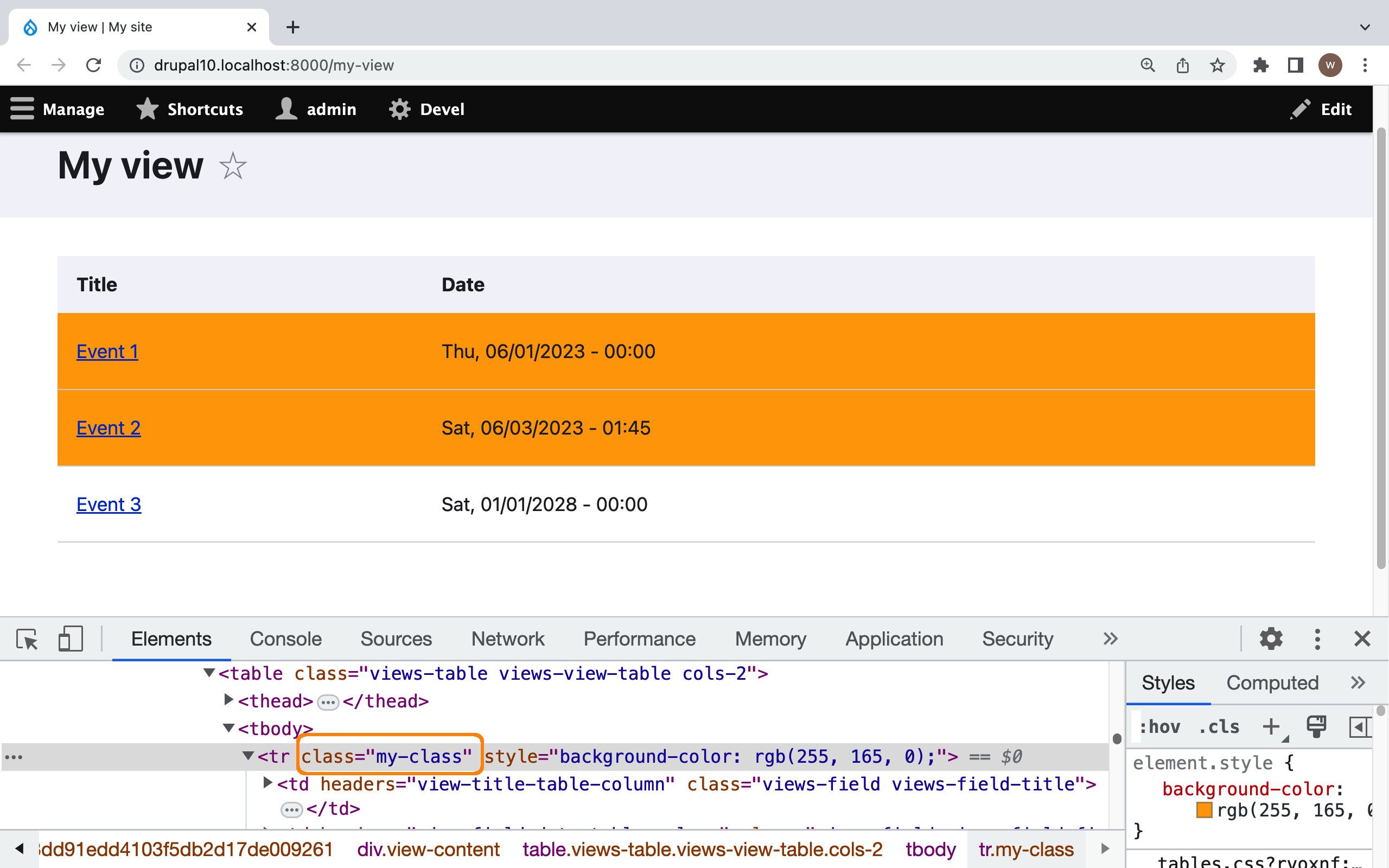
The module provides a user interface that enables to highlight past events displayed with the Views module. An "event" can be any entity that has a field of the date type. The main feature of the module is that checking whether the event has passed is done on the client side using JavaScript. This avoids using the "Time-based" view caching and thus reduces server load.
Uses
Add a date field to the view that displays events. In the field settings, open the "Highlight past events" section. Set the highlight color of past events. Also, it's possible to add a custom CSS class that will be applied to a view row if the event passes.
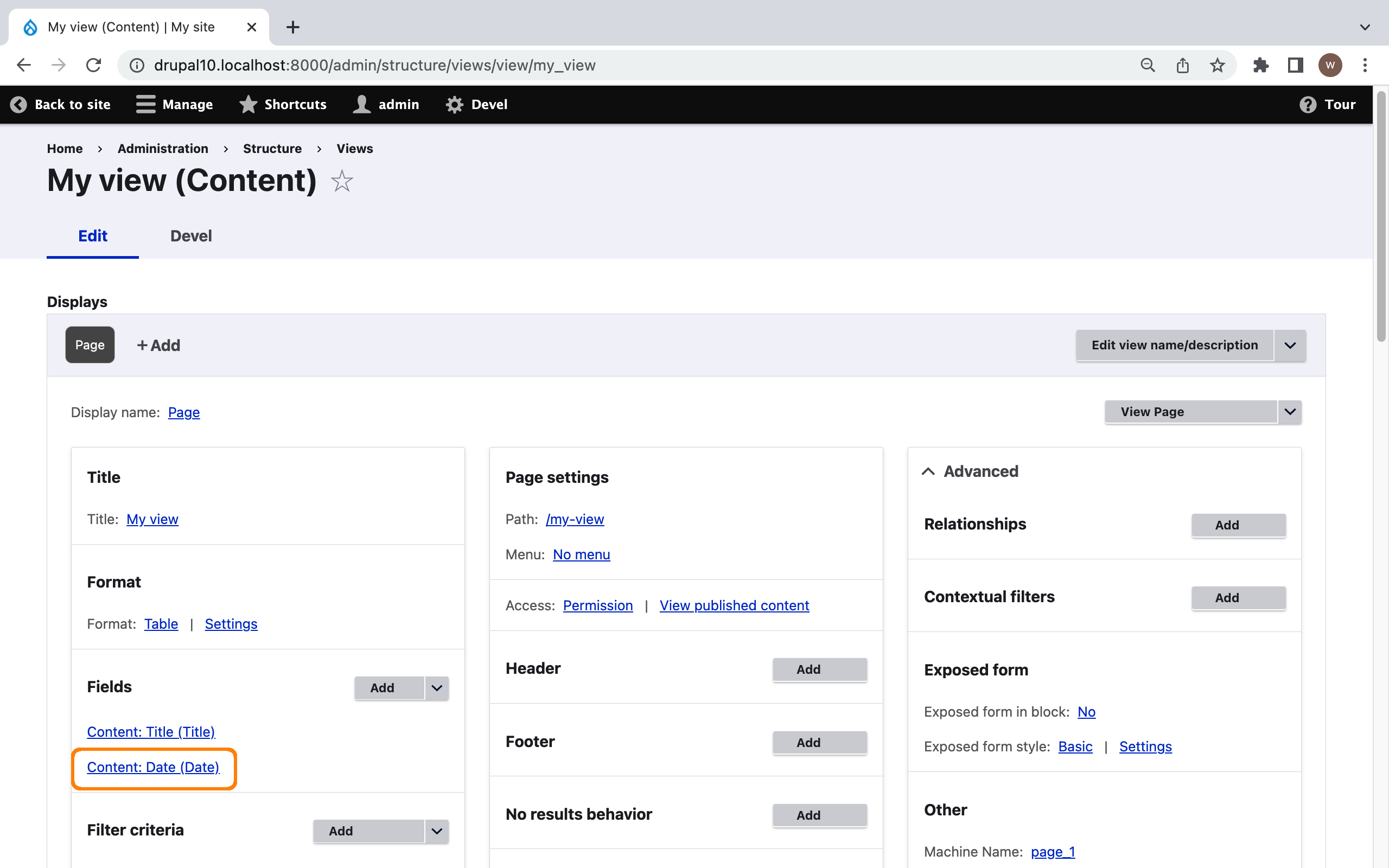
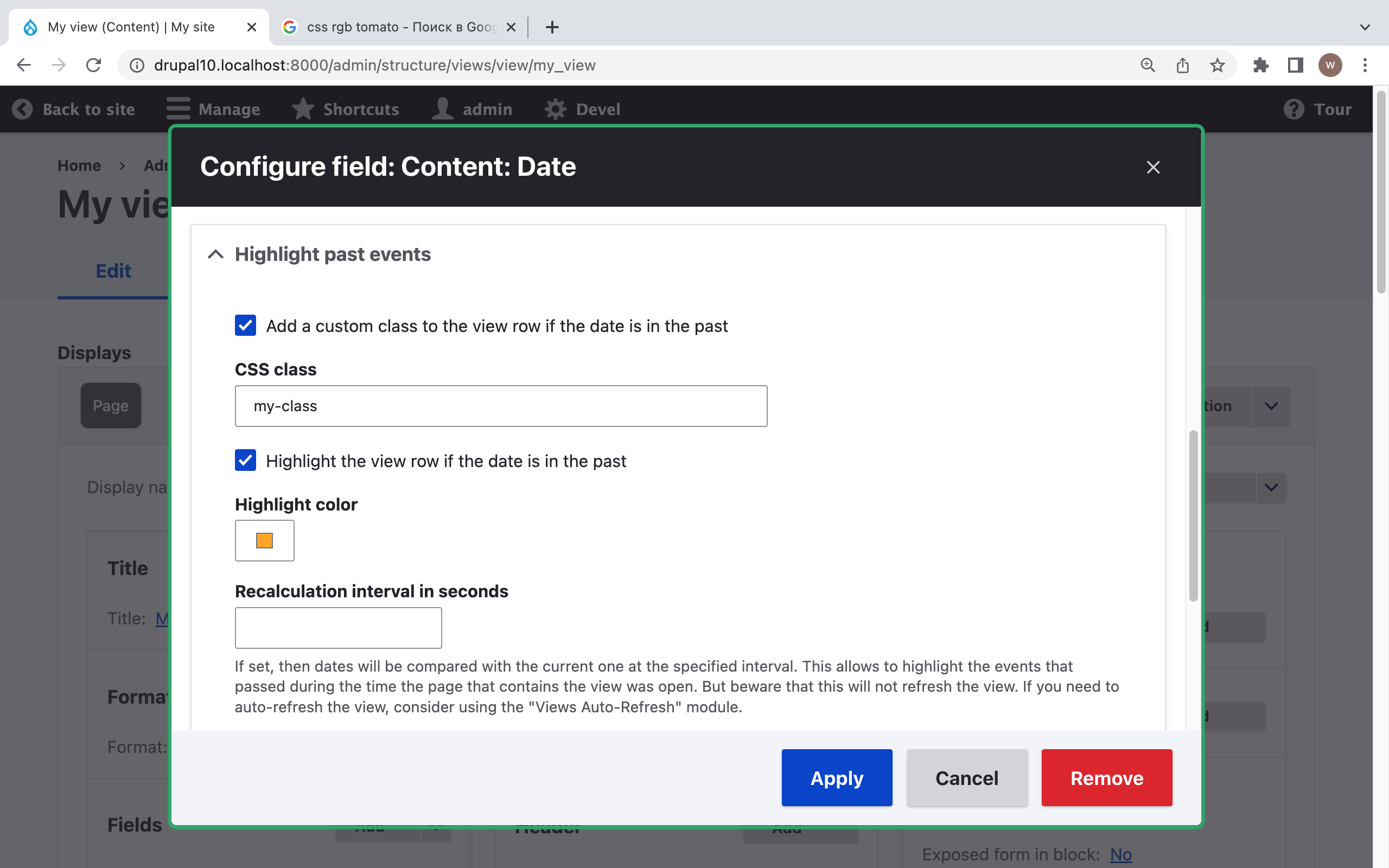
You can also set the "recalculation interval". This enables to highlight events that expired during the period the page was opened. However, be aware that this does not refresh the view (you can use the Views Auto-Refresh module for this).
If you are interested in a similar but server-side solution, you can find it here: https://www.drupal.org/forum/support/post-installation/2023-05-18/if-and...
Sponsor
Project information
 Minimally maintained
Maintainers monitor issues, but fast responses are not guaranteed.- Created by wombatbuddy on , updated
 Stable releases for this project are covered by the security advisory policy.
Look for the shield icon below.

