


Views Role Based Global Text
------------------------------------------
This module provides the feature to show the content of Global:Text area field
in Views to selected user Roles.
For example when a user uses the Global:Text area field in header / footer in Views, and wants to show this message to only selected users, then he can select the roles to which this message is to show.
How to Use
-----------------
1. Enable this module.
2. Create a new View or edit existing View.
3. In View's add "Global: Text area" field (for example in header/footer/no result found)
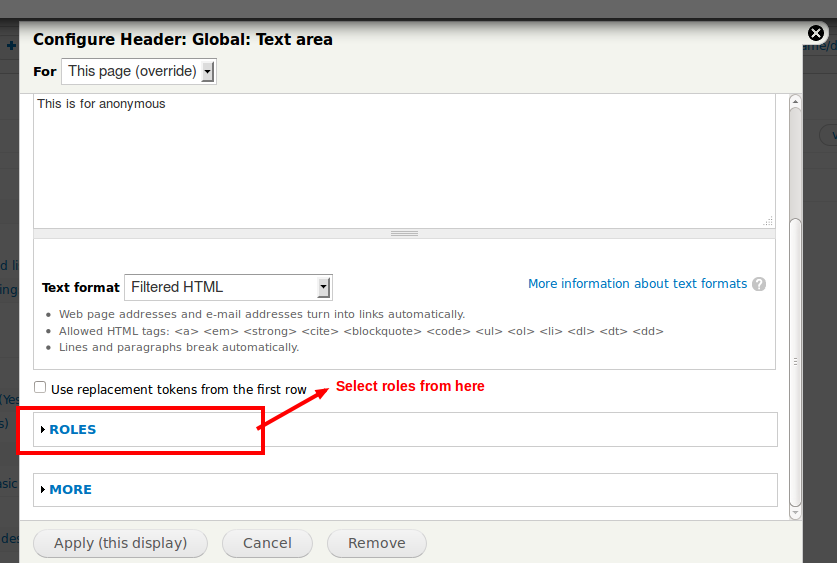
4. In "Global: Text area field", there is "Role" section.
5. Click on "Roles" and select the roles to which you want to display this content.
6. If no role is selected, this content will be available to all users as View does.
Dependencies
---------------------
Views
Project information
- Project categories: Administration tools
 1,861 sites report using this module
- Created by joshi.rohit100 on , updated
 Stable releases for this project are covered by the security advisory policy.
Look for the shield icon below.


