


This project is not covered by Drupal’s security advisory policy.
Our web data extraction tool empowers you to effortlessly gather valuable information from websites. With this user-friendly tool at your disposal, the process becomes a breeze. Simply compile a sample-url.csv file, where you list the specific URLs from which you intend to extract data. Our tool takes it from there, working its magic behind the scenes, and in no time, it presents you with a meticulously detailed report tailored to your needs. This comprehensive report provides you with all the data you desire, ensuring a hassle-free web data extraction experience. Say goodbye to the complexities and frustrations of data collection; our tool simplifies it all for you.
Key Features:
Effortless Data Extraction: Our web data extraction tool simplifies the process of collecting information from web pages.
Customizable URL List: You can compile a list of URLs from various web pages as per your requirements.
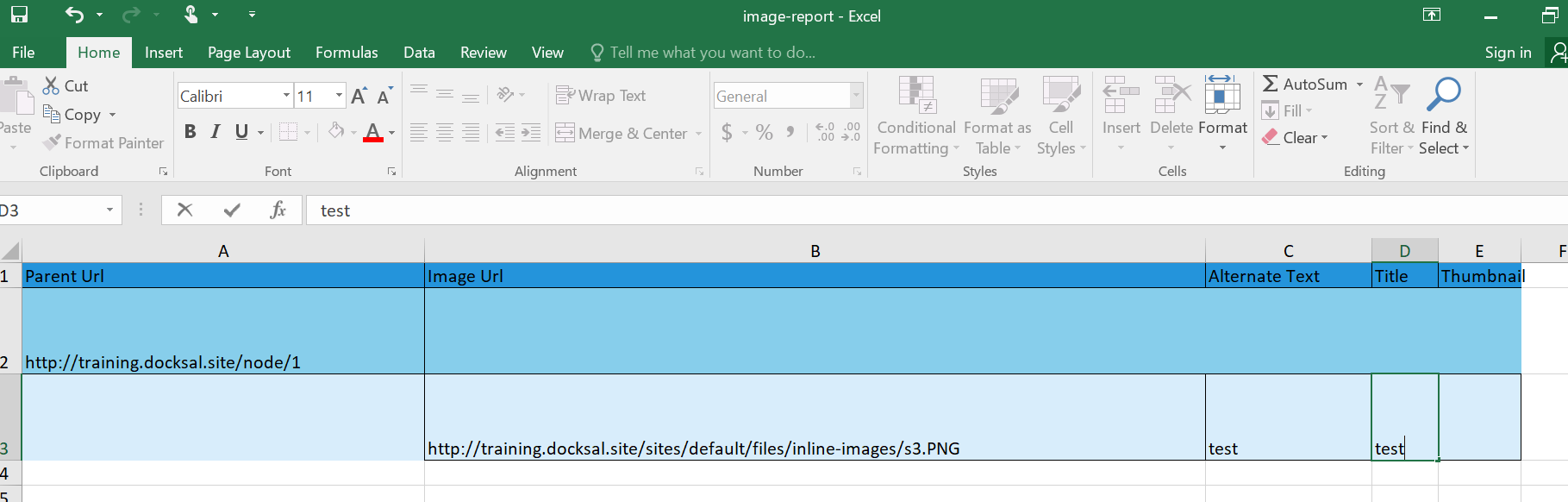
Image Extraction with Attributes: The tool extracts images along with their associated attributes, providing detailed visual data.
Meta Data Gathering: It captures metadata information from web pages, including essential data for analysis.
Post-Installation Instructions:
Installation: After installing the module, ensure that it is properly configured and integrated with your system.
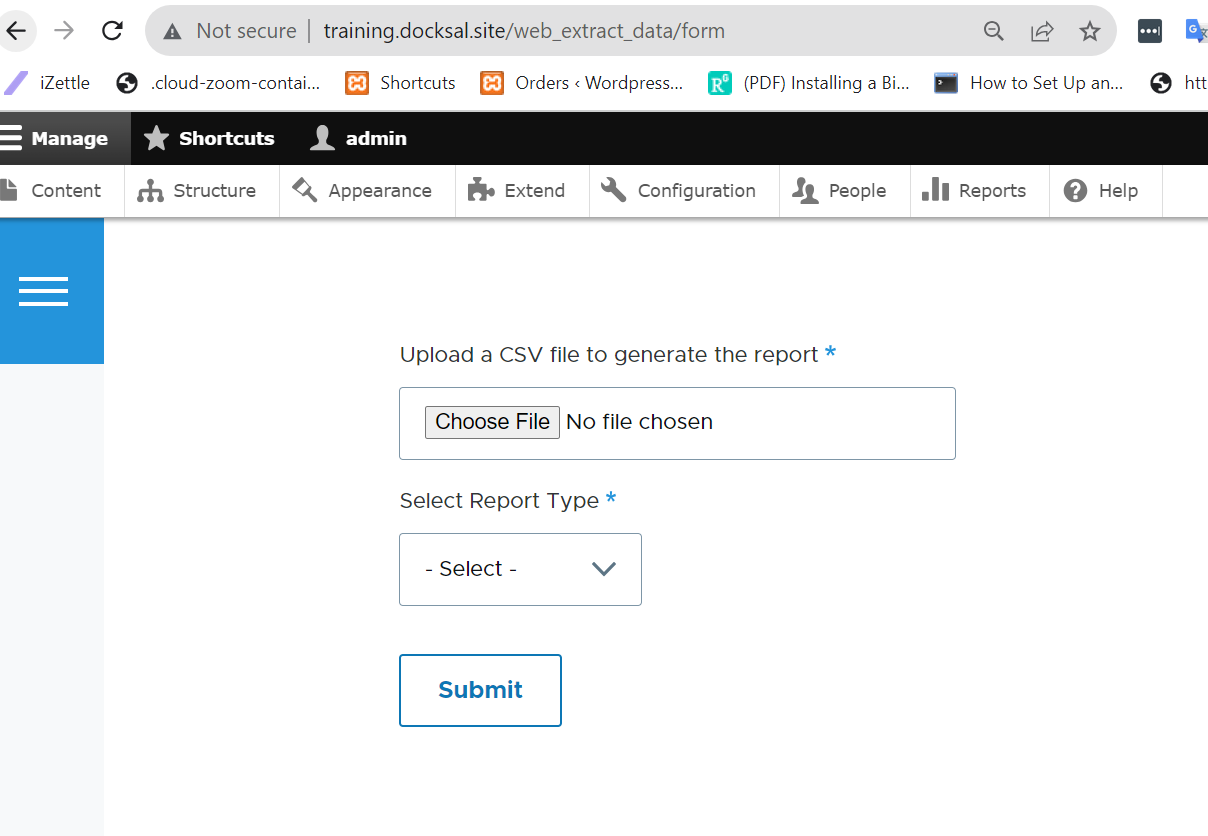
Access the Tool: To use the tool, navigate to "/web_extract_data/form" on your web platform.
CSV File Upload: In the provided interface, upload a CSV file. In this file, input the list of URLs from which you want to extract data. Make sure the file format adheres to the tool's requirements.
Select Report Type: Choose the type of report you wish to generate. Options include:
URL List: To collect URLs.
Image Extraction with Attributes: For detailed image data.
Meta Data: For collecting metadata from the specified URLs.
Submission: After configuring your preferences, submit your request.
Download Report: Upon successful submission, you will receive a download link. Follow the link to access and download the generated report.
These post-installation instructions will guide you through using the tool effectively to extract data and obtain the desired reports from web pages.
If you're seeking to showcase the actual image from a URL within your image-generated report, we recommend exploring the detailed guide available at this URL: https://www.extendoffice.com/documents/excel/4212-excel-insert-image-fro....
Supporting organizations:
Project information
- Project categories: Content editing experience, Search engine optimization (SEO)
- Created by dharmendra_saini on , updated
 This project is not covered by the security advisory policy.
Use at your own risk! It may have publicly disclosed vulnerabilities.


