




Webform Spam Words
Avoid Spam words on Webform
It is a simple module for spam keywords validation on Webforms. Administrators can provide the ability to add spam keywords, Error message, Webform field name.
Installation
- Place the module folder in your modules folder
- Make sure you have the webform module enabled
- Activate the module via admin/modules
composer require drupal/webform_spam_words
Usage Steps
- Enable the "Webform Spam Words" module
- Go to configuration: /admin/config/webform/webform-spam-words and add the keywords, error message and field name.
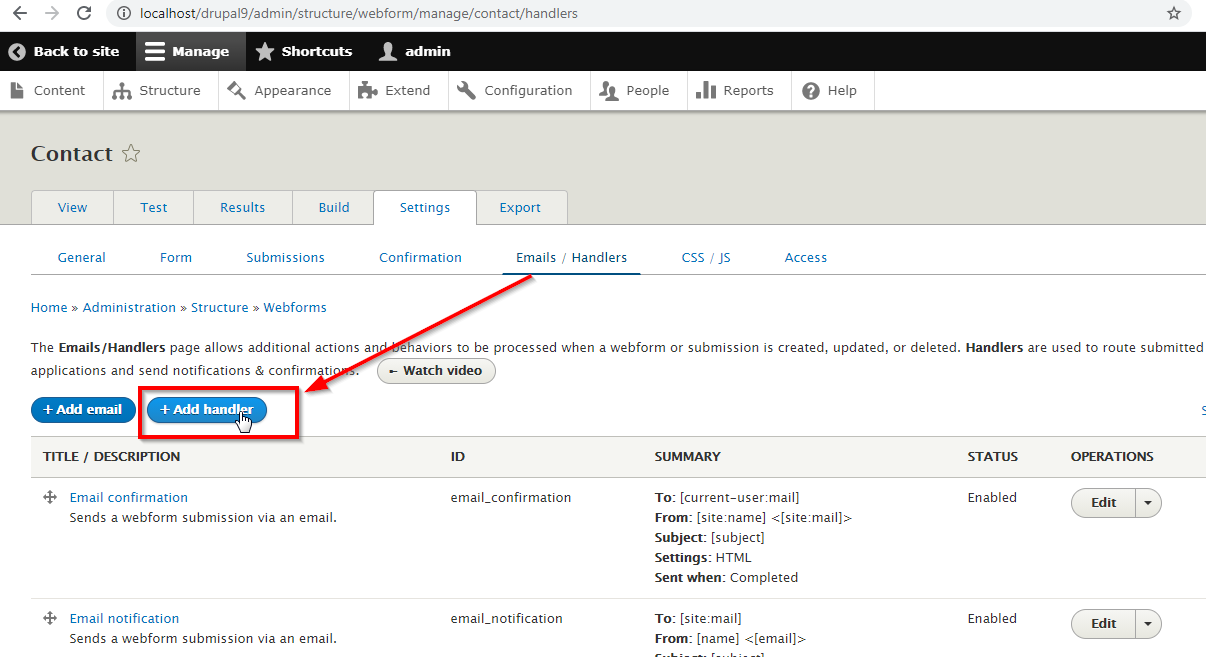
- Go to the respective webform and add the handlers. For example: /admin/structure/webform/manage/contact/handlers
- Click on "Add handler" button to add "Webform Spam Words" for the specific webforms.
Configuration page:
URL: /admin/config/webform/webform-spam-words
Once finished clear your drupal caches.
Dependencies:
Supporting organizations:
Original development and support
Drupal 9+ maintenance
Project information
- Project categories: Security
- Ecosystem: Webform
 5,029 sites report using this module
- Created by thirstysix on , updated
 Stable releases for this project are covered by the security advisory policy.
Look for the shield icon below.


