


A surprisingly simple, flexible layout solution made possible by placing fields in regions.
Features
Region View Modes is just a bit of glue to join Drupal's theme regions and View Modes.
- Allows fields for any content type to be placed in sidebars, the header, the footer, or any other theme region.
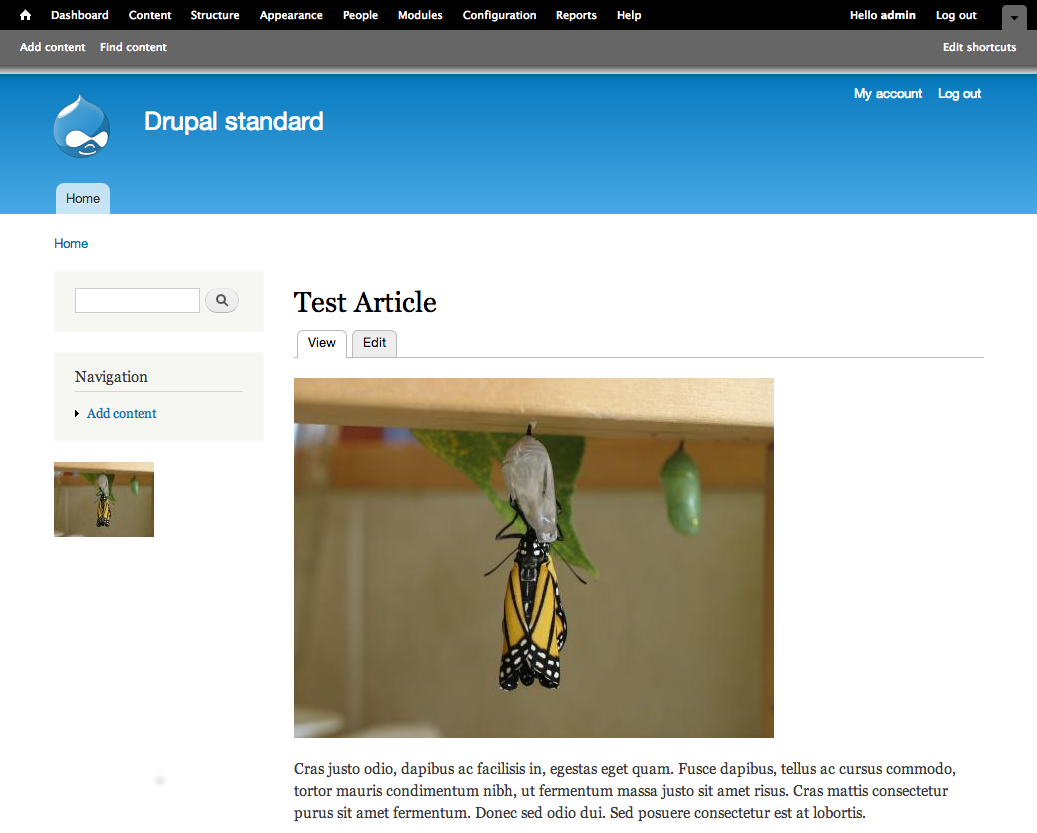
- Allows fields to be displayed in multiple regions. For example, an image could be displayed using a large image style in the main content area and as a thumbnail in one of the sidebars.
- Fields in regions can be reordered via drag and drop
- Field Groups can be used in regions.
- Region view modes are exportable into Features.
How to use
- Download and enable this module (or test it out now!)
- Visit the Manage Display page for any content type (e.g. Article)
- Expand the Custom Display Settings section
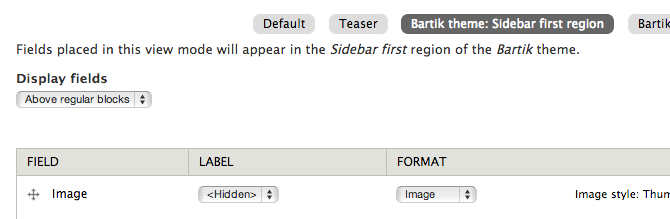
- Check the view mode for one or more theme:region combinations. For example,
Bartik theme: Sidebar first region - Click Save at the bottom of the page
- You'll now see the activated view mode(s) near the top of the page. Click on one.
- Reorder, hide, or change the settings for any fields
- View a node of that content type
Have a look at this screencast to see the module in action.
How it works
Region View Modes creates view modes for the regions of active themes. It will run the current node through each activated view mode and place the rendered node into the corresponding theme region.
Some possibilities
Region view modes and the block reference field are a potent combination. Try adding two block reference fields to the page content type, call them 'First sidebar' and 'Second sidebar', and set up associated region view modes. You can now store block positions per page, and those settings are compatible with revisions and editorial workflow.
Put the page summary in a sidebar. Put the 'body' field in both the default view mode and a sidebar region view mode, but set the format in the sidebar to 'summary or trimmed'.
Similar modules
- Display Suite - A very powerful suite of modules that allow the creation of custom view modes. It can even do something similar to region view modes when using its region to block functionality.
- Field as Block - A nice, lean solution that puts fields into blocks that can then be placed into regions. You can have blocks for any bundle (content type)/field/view mode combo, so it is quite flexible with only one extra administrative step of placing the block.
Drupal 8
There won't be a Drupal 8 version of this module, as there are fairly simple methods to accomplish something similar:
- Core only: Create a custom view mode, add a View with a 'current nid' contextual filter and a block display that returns the result as rendered content using that custom view mode.
- Ctools: Use the
Entity view (content)block type.
Project information
 Minimally maintained
Maintainers monitor issues, but fast responses are not guaranteed.- Maintenance fixes only
Considered feature-complete by its maintainers. - Project categories: Content display
 17 sites report using this module
- Created by jeffam on , updated
 Stable releases for this project are covered by the security advisory policy.
There are currently no supported stable releases.

