

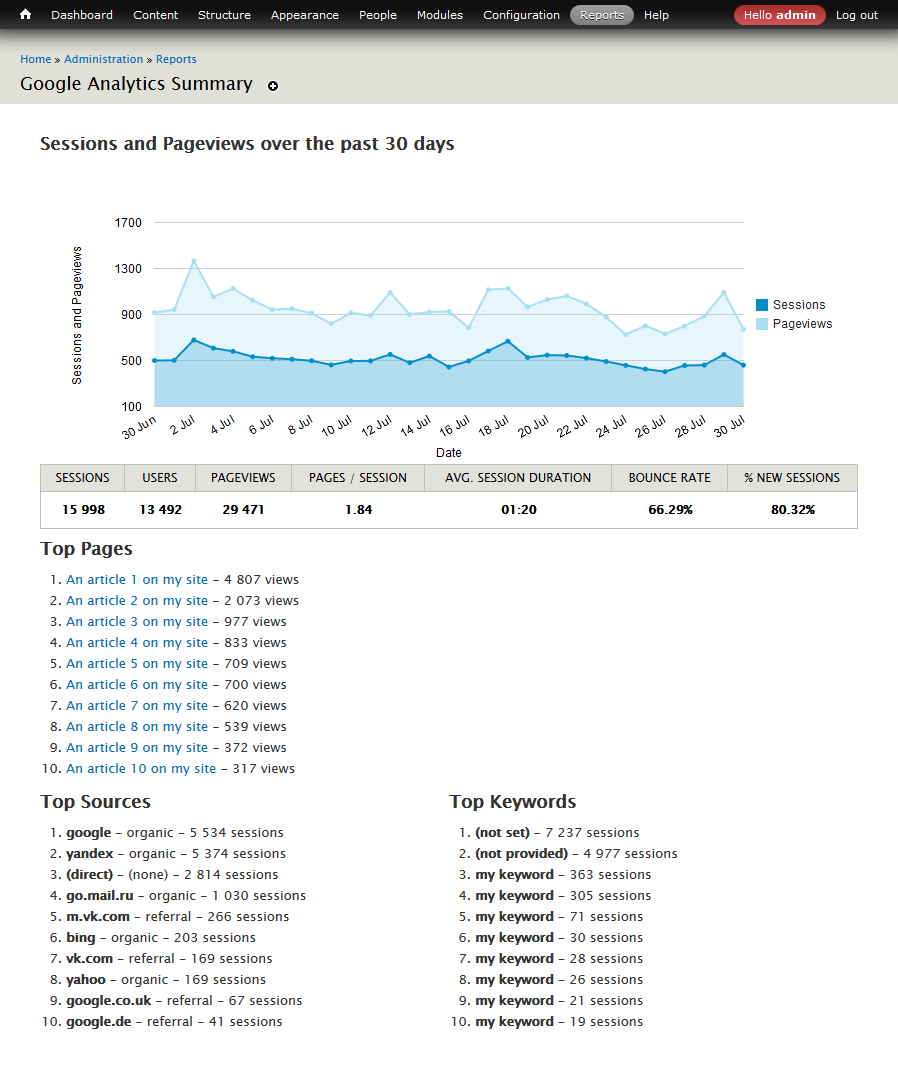
Google Analytics Reports module provides graphical reporting of your site's tracking data. Graphical reports include small path-based report in blocks, and a full path-based report.
Installation
After enabling Google Analytics Reports API module, visit admin/config/system/google-analytics-reports-api to authenticate your site with Google. Follow the instruction on the page, create the new project in Google Developers Console.
Google Analytics Reports module required Views module. Install Charts module and enable charts_google or charts_highcharts submodules for dispalying charts. For better page loading with reports blocks is recommended to install and setup Ajaxblocks module.
Caching
Note that Google has a moderately strict Quota Policy. To aid with this limitation, this module caches query results for a time that you specify in the admin settings. Our recommendation is at least three days.
Developers
The module includes a feature rich API that enables you to create custom reports and other requests against the Google Analytics Core Reporting API.
About 7.x-3.x version
This version is still under development.
Uninstall Google Analytics Reports Views module in admin UI and delete all old module files before upgrading to 7.x-3.0-beta2!
Similar modules
- Google Analytics Counter
- Google Analytics Referrer
- Google Analytics Capture and Display
- Google Analytics Statistics
About module developers
- Current maintainers: Drupal 8/9/10 versions are currently maintained by Vardot.
- Developers: This module was upgraded to Drupal 8 by Nickolay Leshchev.
- Original author: This module began as a Google Summer of Code project by Joel Kitching.
- Previous sponsorship: In addition to Joel, Metal Toad Media was sponsoring Tony Rasmussen and Dylan Tack for ongoing development of this module.
Project information
 Seeking co-maintainer(s)
Maintainers are looking for help reviewing issues.- Project categories: Integrations
 3,661 sites report using this module
- Created by raspberryman on , updated
 Stable releases for this project are covered by the security advisory policy.
Look for the shield icon below.
Releases
released 28 December 2025
Development version: 4.0.x-dev updated 28 Dec 2025 at 10:24 UTC
released 28 December 2025
Development version: 8.x-3.x-dev updated 28 Dec 2025 at 10:34 UTC


