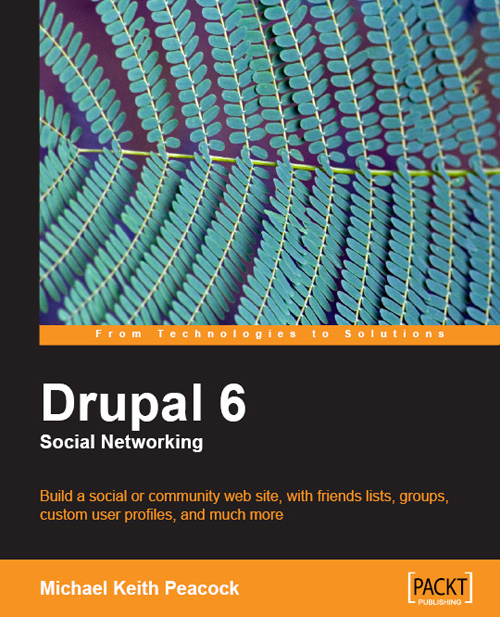
See the original announcement about Drupal 6 Social Networking’s release in the Drupal news section.
Publisher’s description:
Build a social or community web site, with friends lists, groups, custom user profiles, and much more
- Step-by-step instructions for putting together a social networking site with Drupal 6
- Customize your Drupal installation with modules and themes to match the needs of almost any social networking site
- Allow users to collaborate and interact with each other on your site
- Requires no prior knowledge of Drupal or PHP; but even experienced Drupal users will find this useful to modify an existing installation into a social web site
In Detail
Drupal is ideally equipped to be used as a base system for creating a custom social networking site like Facebook and MySpace. While these large social networks have their place, niche social networking web sites can help promote businesses, products, projects, and hobbies of any nature.
This book provides careful instructions and clear explanations to take you through the setup and management of your social network site, covering topics from users to marketing to maintenance. It will help you create your own social networking site, suitable for whatever audience you decide!
This book will take you from the very basics of both Drupal and Social Networking right through to more complicated aspects, like creating your own custom design and features for the site. With no experience of Drupal required, the book will introduce you to this award-winning CMS and carefully take you through the steps to create a social networking site from it. As the book progresses, you will learn how to add to and expand your social networking site, adding more features and adding value for your users, and how to make your users feel part of the community. Social networking web sites rely on their users contributing to the site, and this book helps you structure a site in a way users can easily and enjoyable contribute to the site - creating a powerful social network.
The book begins with the fundamental concepts of a Social Networking site, and how we can use Drupal to create such a site. It then goes through installing Drupal before looking at expanding the out-of-the-box feature set with third-party modules designed for Social Networking. Once the web site is running, it looks at securing the Social Network, deploying it on the Internet, and keeping it running and well maintained. It doesn't stop there however; as Social Networks rely on their user base to run and become successful, the book also covers marketing the Social Network using Search Engine Optimization, Online Marketing, and a range of new Social Media.
What you will learn from this book?
- Get started with Drupal and explore the features of this powerful Content Management System.
- Build a social networking site from the ground up using Drupal 6
- Use a combination of features, modules and some simple custom development to allow user interaction and user contributions
- Enable your users to interact and communicate with one another, building friendship
- Let your users contribute to the site, from those who wish to add a little content to those who wish to help run the site on a daily basis
- Import content into your site from elsewhere on the Internet using the Aggregator module
- Create user profiles, set up roles and permissions, and handle security settings
- Explore Drupal's modular system, and use it to create modules to add additional functionality relevant and useful to your social network.
- Customize the look and feel of your site by enabling and installing new themes, ensuring that your site is distinctive
- Deploy and maintain your social networking site on the Internet using the maintenance mode, reports, and cron to keep everything running smoothly
- Recover from virus attacks and hacking attempts to your Social Network by making and maintaining regular backups, in case the worst should happen
- Promote and market your Social Network using advertisements, advertising networks, other social networks, and search engine optimization
Approach
This book is packed with clear instructions and careful explanations for creating a powerful Social Networking web site using Drupal 6. With each chapter, you add new features and content until the Social Network is ready to be released to the Internet where it can grow.
By the end of this book, you will have a powerful Social Network either like that of the case-study, or of your own design based on the setup and features the book walks through.
Who this book is written for?
This book is aimed at anyone looking to create their own social networking web site, including:
- Businesses - building a Social Network around a product or service can improve your company profile and increase customer loyalty. Alternatively, an internal social network gives you employees a place to keep resources, discuss ideas, raise concerns, and keep up to date on company policies.
- Hobbyists - create a community around your hobbies and interests; create a local or distributed user group.
- Organisations & Charities - Raise your profile, promote your events / services / fundraisers and get help from the community in organizing them.
- Families - For large families based across the country or across the globe, keep up to date with everyone, and let everyone know what you are up to.
You don't need any experience of Drupal or PHP to use this book. If you are a Drupal user you will find this book a great way to rapidly tailor an existing installation into a social-orientated web site.