

Drupal AI enables organizations to use artificial intelligence directly within Drupal websites. It provides the core technical foundation for integrating language models, automating tasks, and extending content and marketing workflows with AI.
Whether you are exploring how AI can benefit your organization or looking to implement and extend AI functionality in Drupal, this page will help you find the right path.
For Marketers, Business Owners and Decision Makers
Drupal’s AI framework represents an opportunity to strengthen marketing outcomes whilst maintaining governance or brand integrity. It empowers teams to act with greater agility in a changing digital landscape.
Discover the benefits of Drupal AI
Explore how Drupal AI can deliver measurable benefits and become a valuable asset to your team.
Try the Drupal AI Demo
Try a range of demos for FREE. See how Drupal AI tools can enhance your productivity, while still keeping you in control.
For Developers and Site Builders
The AI module has a focus on foundational tools, so you can use it out of the box or build your own path to bespoke AI integrations. If you want to install or extend Drupal AI, this is the right place.
- Module documentation: describes AI Core, AI Automators, AI Explorer and the ecosystem of related modules.
- Installation guide: explains how to install and connect with popular AI services.
- API and developer resources: links to GitLab repositories and examples.
- Community: contribute, join discussions on Slack in the issue queue.
Submodules
The AI module provides a solid foundation with submodules for framework capabilities, enterprise needs, and developer tooling, while much of the most impressive innovation and specialization happens in the wider contrib ecosystem. All in the end relying on the AI Core.
AI ObservabilityThe AI Observability module lets you log and observe every single AI request in full detail. It does it in a standardized PSR-3 ready-for-enterprise way. With OpenTelemetry it opens up to visualize and follow this in DataDog, Grafana, Splunk, Dynatrace etc. |
AI API ExplorerA debugger that lets you send requests directly in the UI to any type of call and provider that Drupal AI supports. It also gives you example code snippets to move this call into your code. |
AI AutomatorsThe AI Automators opens up the possibility to fill in a field using previous context. It can happen directly, via cron, via batch and can be automatic or via an editor's decision by using Field Widget Actions. |
AI ChatbotCurrently the way to run AI Assistants, exposing a frontend for it. In 1.4.x we added abstraction for chatbots and in the future this will be a reference implementation, but the main work happens in contribution space. |
AI CKEditorOpens up the possibility to use AI to run agents over marked text or to create text. It uses a plugin system that can be easily extended. |
AI AssistantsThe AI Assistants API is now a wrapper around AI Agents. By 1.5.x release the hope is that the Chatbot can talk directly to agents. Will be deprecated. |
Moved out Submodules
When the AI module was first released, AI in Drupal was still in its early stages, so we included a broad set of features to show what was possible. These submodules were never meant to define the only or best way to solve those problems, but to provide practical starting points and examples.
Now, more than a year later, it is clear that AI is useful and works in real projects. That means many of these feature-specific implementations can move into the contrib space, where they can evolve faster, explore different approaches, and let the wider ecosystem determine the best solutions for each use case.
AI SearchAI Search adds semantic, vector-based search to Drupal by integrating AI-generated embeddings with Search API, so users can find content by meaning and context rather than exact keywords. It also provides the foundation for RAG workflows, letting agents and chatbots retrieve relevant Drupal content as grounding context for better answers or making normal search pages more relevant. |
AI Content SuggestionsAI Content Suggestions gives Drupal editors real-time AI assistance while editing content, including summaries, readability feedback, moderation checks, taxonomy suggestions, title ideas, and tone changes. It integrates into the content editing experience and field widgets so suggestions can be applied contextually where editors are already working. |
AI TranslateAI Translate adds AI-assisted content translation to Drupal’s translation workflow, showing a "Translate using AI" option for enabled languages when a translation does not already exist. It is a standalone contrib implementation based on the original AI module translation feature, giving multilingual sites a practical starting point for generating translations through the Drupal AI ecosystem. |
AI ValidationsAI Validations adds AI-powered validation rules to Drupal fields, letting site builders check text or images against prompts, classifications, or object-detection rules before content is saved. It is useful for enforcing editorial, brand, safety, or compliance requirements directly in the normal Field Validation workflow. |
AI ECAAI Integration - ECA connects Drupal’s AI framework with the Event-Condition-Action module, letting site builders add AI operations into no-code automation workflows. It offers an ECA Agent and also the possibility to do complex AI rerouting and failover processes. |
AI LoggingAI Logging captures prompts, model responses, metadata, and related request details so teams can review, debug, and audit AI interactions in Drupal. If you feel that AI Observability is too complex to use, this is the module for you. |
Field Widget ActionsField Widget Actions provides a framework for adding AJAX-enabled action buttons directly to Drupal field widgets on entity edit forms. It lets developers and site builders attach reusable business logic to fields, such as AI generation, workflow triggers, suggestions, or modal-based actions, without hard-coding that behavior into the form. It works flawlessly with AI Automators. |
AI Providers
Drupal AI connects your site to a wide range of AI platforms, 95 and counting. With built-in integrations for providers like amazee, Anthropic, AWS Bedrock, Azure, Google Gemini, Google Vertex, Hugging Face, and OpenAI, you can start using powerful AI tools without writing custom code.
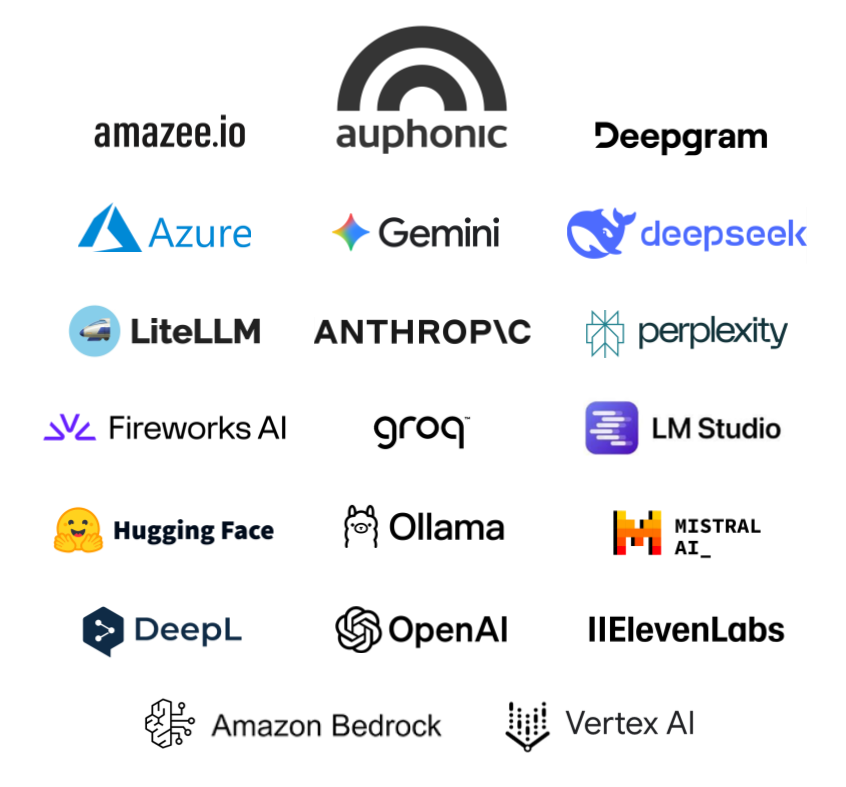
Each provider module makes it easy to plug specific AI capabilities - like text generation, translation, image creation, or speech processing - directly into Drupal. Whether you’re experimenting with a single service or orchestrating multiple providers, Drupal AI gives you a unified framework to manage them all.
List of most popular AI providers
A matrix of providers and what they support.
AI Vector Database (VDB) Providers
In order to use the AI Search module or any custom vector database solution - a key step in providing more accurate answers e.g. for AI Chatbots, AI Assistants, AI Overviews, and many other features - a vector database is needed. Here are some frequently used VDB Providers:
More details can be found via the AI Search module homepage.
Contrib Module Ecosystem
There are over 300+ contrib modules to the AI Ecosystem and we can't list them all here. However there are listing pages that are trying to summarize what is available, see the following.
Spotlight
These are modules that we do recommend to use depending on your use case.
- AI Agents:
Run simple agents that you setup in the UI. Will be moved into the AI Core module as of 2.0.
- AI Dashboard:
Creates a nice dashboard page under the AI admin base link that makes it easier to setup, find cool recipes and extend AI.
- AI Search Block:
A simple to setup module that provides a chat-style search block for asking questions against indexed Drupal content. It returns grounded answers using the site’s own content.
- Flowdrop:
FlowDrop is a visual workflow orchestration framework for Drupal. It lets site builders create predictable, auditable automation flows with explicit data connections and optional AI steps.
- Context Control Center:
This module helps Drupal AI use site-specific context such as content, rules, standards, brand voice, and governance guidance. It makes AI outputs more accurate, relevant, and aligned with the organization’s needs.
- AI Metering:
Tracks token usage and cost per user and role for every AI call, with configurable quotas and threshold alerts by email or webhook. When a quota is hit, calls can gracefully fall back to a local model instead of blocking work.
As mentioned, these are just spotlights, for a larger list press the button above.
Tutorials and Screencasts
These are some recommended resources for finding more information on what it is, how to set it up and what is happening in general.
Contributing
We need all the help we can get in contributing. You can read more about contributing in general in our documentation. The links below will link to specific type of issue queues.
- General Issue
The general issues queue. Please only select issues that has a state like accepted, in review, in work.
- AI Initiative Sprint
These are issues that are setup by the AI Initiative as extra important to finish. Anyone can work on them.
- Drive By Issues
These are issue that are fairly low effort and that has AI generated contextual information attached to get you started.
- Novice Issues
These are issue that are low stake, easy to solve to help make people starting out their Drupal contribution careers.
What about coding agents/harnesses?
The AI module mainly focuses on AI being used inside Drupal, there are however many resources that overlaps with using AI from the outside.
- AI Best Practices
AI Best Practices provides opinionated and canonical Drupal guidance for AI agents and humans. It helps AI coding tools follow Drupal conventions, APIs, and contribution workflows more reliably.
- Tool API
Tool API provides a shared framework for defining reusable Drupal tools. These tools can be used by the CLI, MCP, ECA and the AI module. Write once, use everywhere. Will be a requirement in AI 2.0.
- MCP Server
MCP Server lets Drupal expose site-specific capabilities to AI clients through the Model Context Protocol. It builds on Tool API so Drupal actions, data access, and integrations can be made available as configurable tools over transports such as STDIO or HTTP.
- Orchestration
Orchestration connects Drupal to external automation platforms, so they can trigger Drupal workflows, AI agents, and business logic. It enables end-to-end automations between Drupal and tools like CRMs, email platforms, spreadsheets, and other services.
Requirements
AI Only has one requirement - the Key module.
Which version should I use?
In general the latest highest minor version is the preferred version since it has the most provider abstraction. Usually your starting point should be one of the feature modules and the dependency they require will decide the version.
| Version | Improvements | Links | EOL |
|---|---|---|---|
| 1.3.x | Added Guardrails, improved chatbot, rerank, summarize, object detection, loads of new field widget action plugins, markdown editor | October 2026 | |
| 1.4.x | Extensible markdown editor, chat abstraction, AI Automators with views bulk operations, rerouting/failover abstraction, streaming guardrails | - | |
| 1.5.x | Chat memory plugins, extractive question answering and embeddings collection operation types, AI reranking for Search API, HTML to Markdown converter, request metadata, Automators as tools, slimmer core with submodules moved to standalone projects (AI Search and AI CKEditor deprecated) |
- | - |
| Attachment | Size |
|---|---|
| drupal-ai-providers-july2026.png | 133.37 KB |
Project information
- Project categories: Automation, Content editing experience, Integrations
- Ecosystem: AI (Artificial Intelligence)
 25,644 sites report using this module
- Created by shadcn on , updated
 Stable releases for this project are covered by the security advisory policy.
Look for the shield icon below.


