


AI Content Strategy analyses your site's pages, navigation, and sitemap, then generates prioritised content recommendations tailored to your domain. Unlike asking a chatbot for content ideas, this module knows your existing content, tracks what you have acted on, and keeps recommendations organised by category and priority across your team.
Part of the AI module ecosystem and the DXPR marketing CMS stack. Included in DXPR CMS.
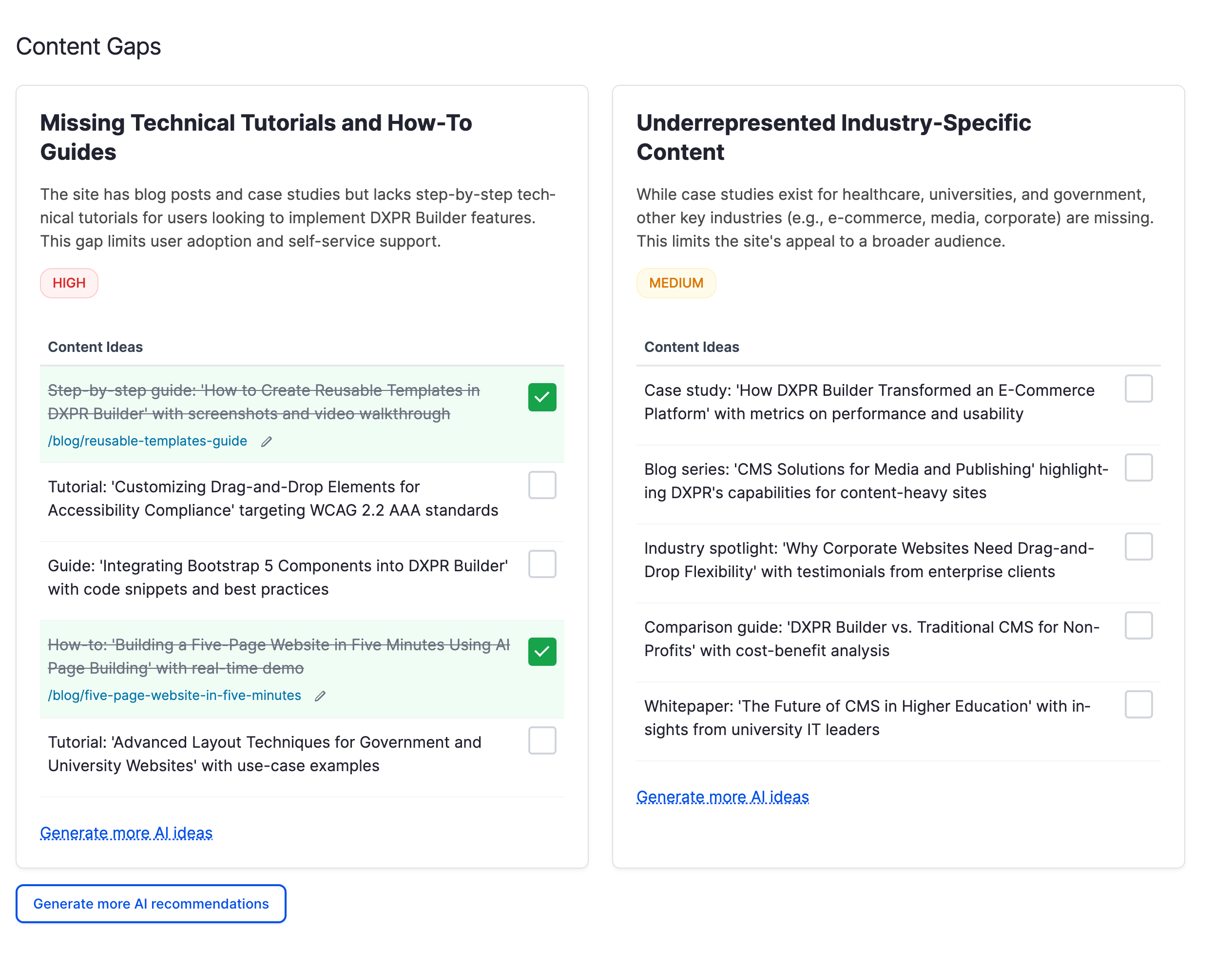
Generate, edit, and track recommendations
- Site-aware generation: the module reads your published content, menus, and sitemap before asking the AI model, so recommendations reflect your actual domain rather than generic advice
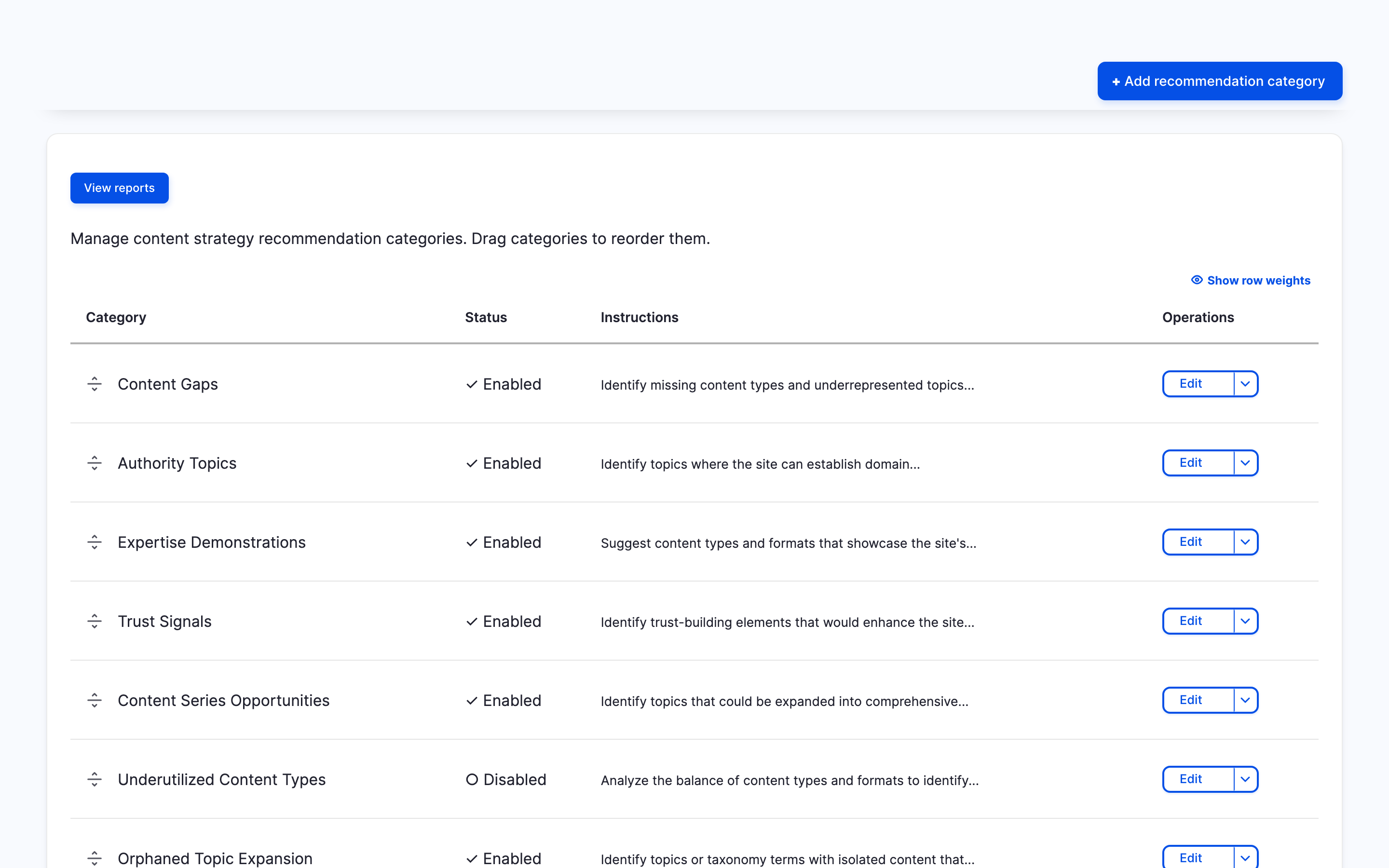
- Configurable categories: content gaps, authority topics, expertise demonstrations, trust signals, and more. Create your own, edit the AI instructions per category, reorder or disable them
- Priority badges: every card is tagged high, medium, or low so you focus on what matters most
- Inline editing: click any card title, description, or idea to edit it directly; changes save automatically
- Progress tracking: tick the checkbox next to an idea to mark it implemented, then add a link to the published content
- Generate more: request additional ideas for any card, or add new cards to any category, without regenerating everything
- Delete: hover over a card title or idea to reveal the delete button
- CSV export: download all recommendations for use in spreadsheets or editorial calendars
Customise the analysis
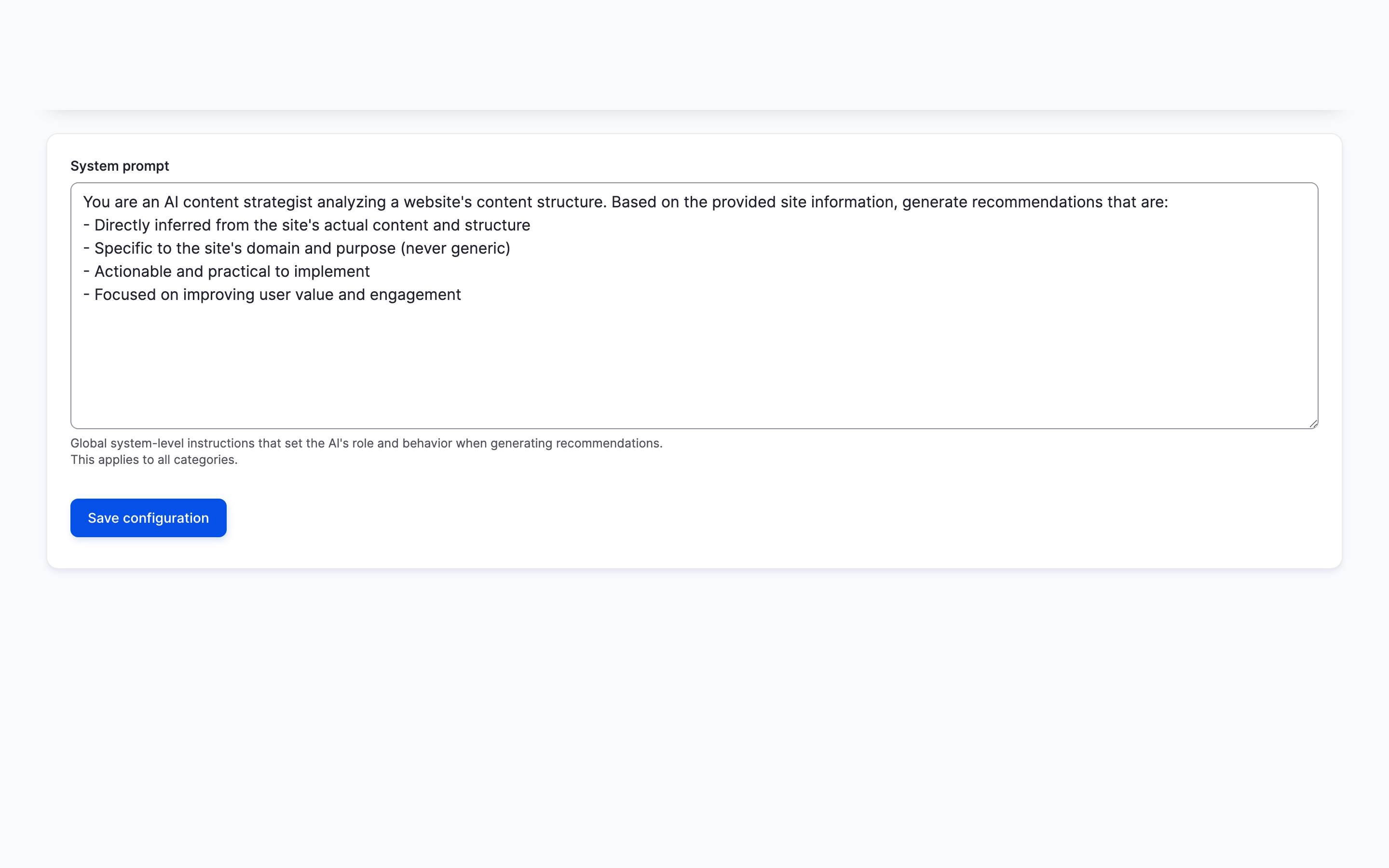
Each recommendation category has its own AI instructions that control how the model analyses your content. You can also modify the global system prompt to shape the overall tone. Categories are configuration entities: export and import them across sites through Drupal's standard configuration management.
Install and generate
composer require drupal/ai_content_strategy
drush en ai_content_strategy
The module requires an XML sitemap at /sitemap.xml (provided by Simple XML Sitemap or similar). Configure an AI provider at /admin/config/ai/providers (or install DXPR AI Provider for a free tier), then visit /admin/reports/ai/content-strategy and click "Generate recommendations."
Prefer a turnkey demo site?
DXPR CMS ships with AI Content Strategy pre-configured alongside DXPR Builder, DXPR Theme, and security best practices.
CLI and AI assistant support
The module ships 23 Drush commands covering generation, reporting, card management, category administration, and export. Run drush acs:setup-ai to enable the built-in Agent Skills file, which lets AI coding assistants (Claude Code, Codex CLI, Gemini CLI, Cursor) manage recommendations through natural language.
FAQ
- Does AI Content Strategy require a paid AI subscription?
-
The module itself is free and open source under the GPL licence. You need an AI provider to generate recommendations. DXPR AI Provider offers a free tier that works out of the box; alternatively, bring your own API keys from OpenAI, Anthropic, Google, or any other provider supported by the Drupal AI module. The module makes one API call per generation request.
- How is this different from asking ChatGPT for content ideas?
-
AI Content Strategy feeds your actual site structure, published pages, and navigation to the AI model before asking for recommendations. The result is advice grounded in what you already have, not generic suggestions. Ideas persist on a shared dashboard where your team can edit, prioritise, track implementation, and export to CSV; a chat conversation disappears when you close the tab.
- How do I track which recommendations I have acted on?
-
Each content idea includes an "Implemented" toggle that lets you mark it complete and optionally add a link to the published content. The dashboard shows implemented ideas with a strikethrough and green checkmark so you can see progress at a glance. Export all recommendations and their status to CSV for tracking in external tools.
- Does AI Content Strategy work with multilingual sites?
-
The module analyses whichever URLs your XML sitemap lists. If your sitemap includes translated pages, those translations are part of the analysis. The module itself has no language-specific logic; coverage depends on your sitemap configuration.
- Can I use AI Content Strategy from the command line?
-
Yes. The module ships with 23 Drush commands covering generation, reporting, card and idea management, category administration, CSV and YAML export, settings, and health checks. Run
drush acs:setup-aito also enable AI coding assistant support, letting you manage recommendations through natural language prompts in Claude Code, Codex CLI, Gemini CLI, or Cursor.
Related Modules
- AI: required; provides the LLM provider layer for content analysis and recommendation generation
- DXPR AI Provider: optional; offers a free AI tier so you can get started without your own API keys
- Menu UI: optional core module; when enabled, AI Content Strategy analyses your navigation structure for more contextual recommendations
- AI Social Posts: turn your content recommendations into social media posts across 14+ platforms
Project information
- Project categories: Artificial Intelligence (AI), Content editing experience, Search engine optimization (SEO)
- Ecosystem: AI (Artificial Intelligence), Drupal artificial intelligence (AI) community initiative
 134 sites report using this module
- Created by jurriaanroelofs on , updated
 Stable releases for this project are covered by the security advisory policy.
Look for the shield icon below.


