


This module is part of the AI module ecosystem and included in DXPR CMS.
Your Brand Voice Drifts When You're Not Looking
One writer sounds corporate, another sounds casual, a third sounds like marketing copy from 2015. When multiple people create content, brand voice consistency is the first casualty. This module catches the drift - automatically scoring every piece of content against your brand guidelines.
You need AI Brand Voice Analysis if
- Multiple writers contribute content and the tone varies noticeably between pages
- You've written brand guidelines but have no way to measure whether content follows them
- Content review is manual and inconsistent - some pages get checked, most don't
- You want to identify off-brand content across hundreds of existing pages without reading each one
What You Get
-
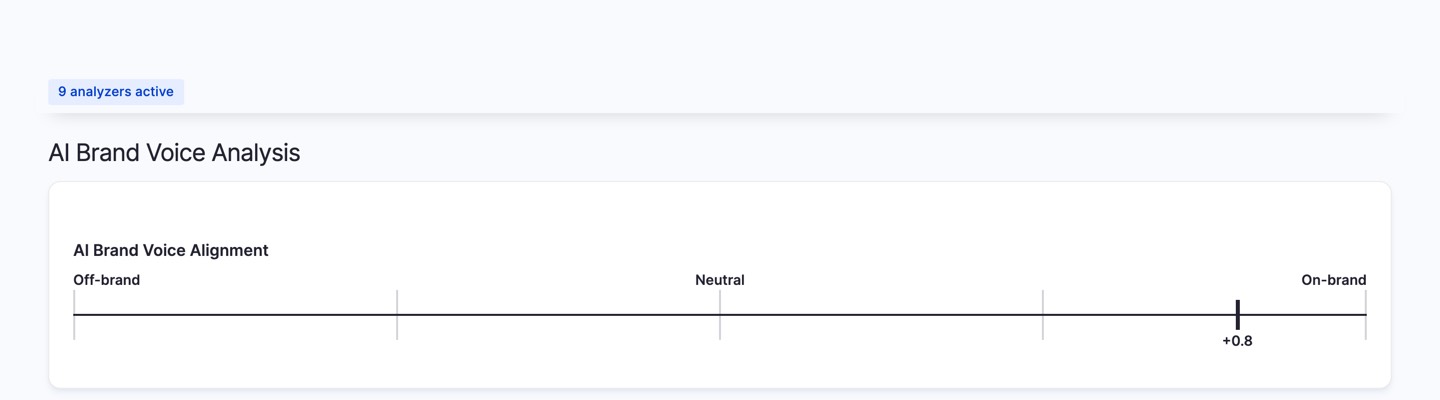
Brand alignment score per page
Every content entity gets a score from -1.0 (completely off-brand) to +1.0 (perfect alignment), displayed as a visual gauge in the Analyze tab.
-
Your guidelines, your rules
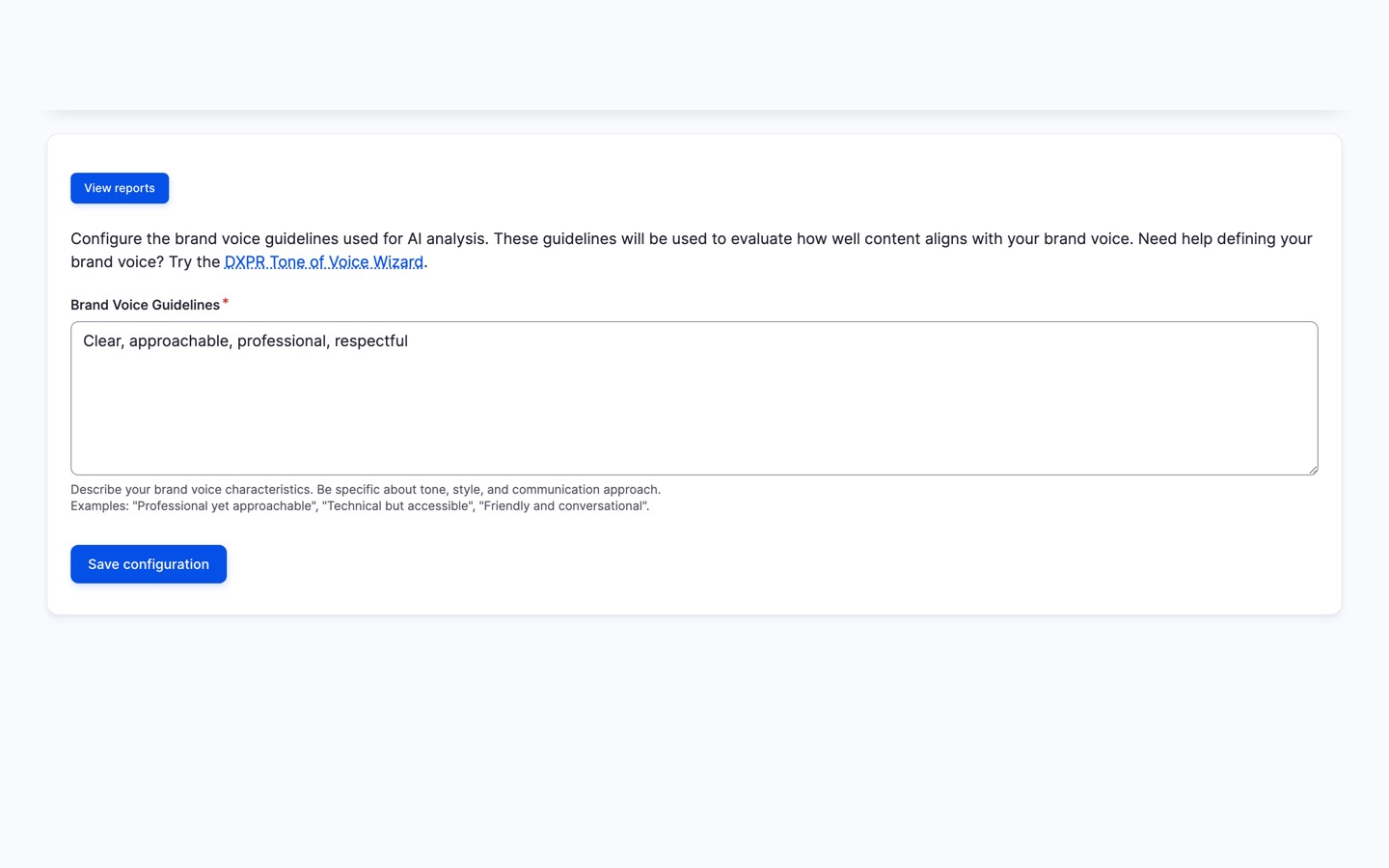
Define your brand voice in plain language - "Professional yet approachable, technically accurate but accessible" - and the AI evaluates content against exactly that.
-
Batch analysis for existing content
Score hundreds of pages at once to find which content needs attention first. Results are cached so repeat views are instant.
-
AI Coding Assistant Integration
Brand voice analysis is available to AI coding assistants
through the Analyze module's built-in
Agent
Skills file. Run
drush analyze:setup-aito enable, then ask
naturally:- "Analyze brand voice consistency on all
articles" - "Check if the about page aligns with our brand
guidelines" - "Run brand voice and sentiment analysis
together"
Compatible with Claude Code, Codex CLI, Gemini CLI,
GitHub Copilot, Cursor, and other tools supporting the
standard. - "Analyze brand voice consistency on all
-
Site-wide brand voice report
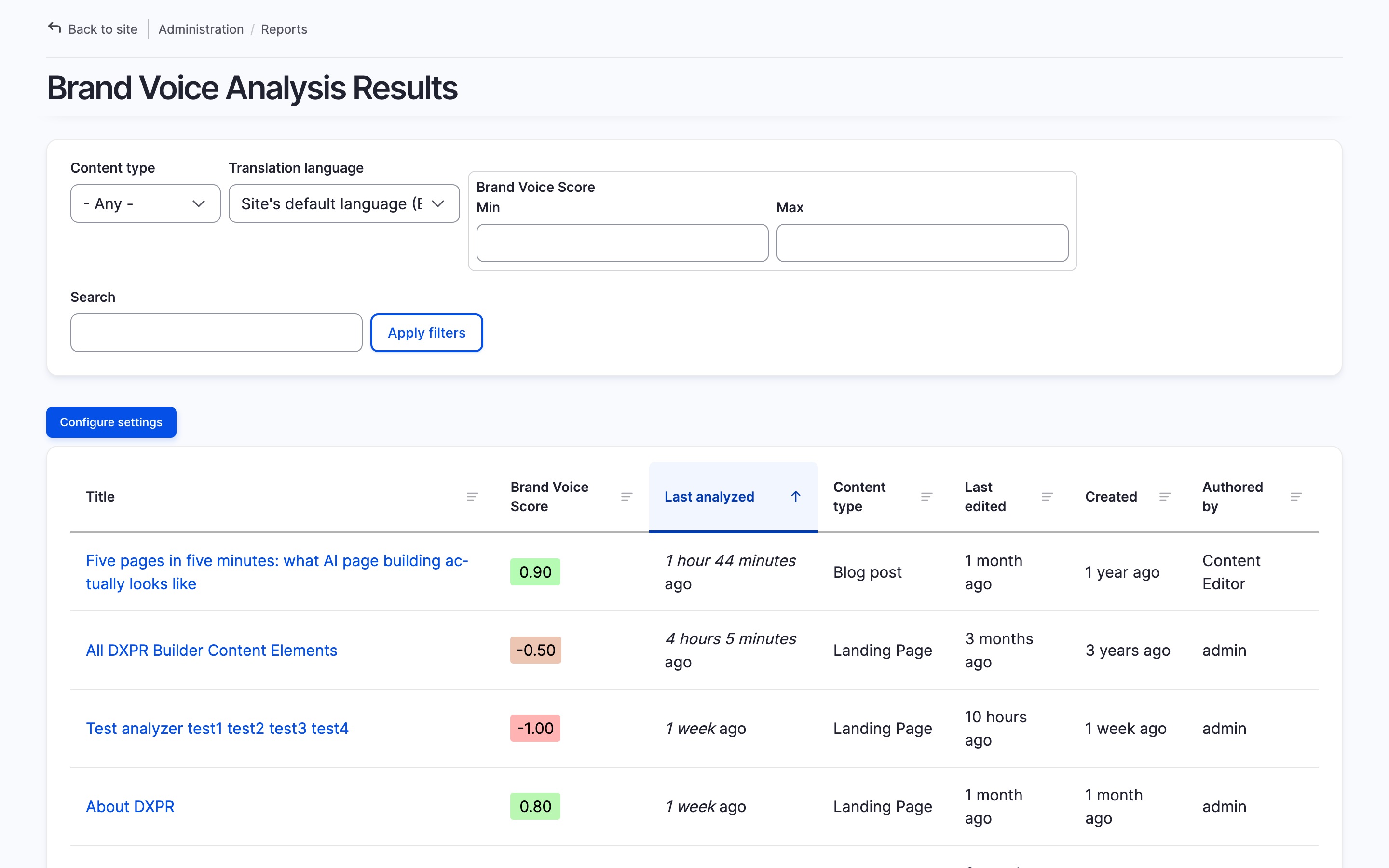
A filterable Views report shows brand alignment scores across all content - sortable by score, content type, and date - so you can spot patterns and prioritize rewrites.
Getting Started
- Set up an AI provider at /admin/config/ai/providers (any chat-capable provider works)
- Write your brand voice guidelines at /admin/config/analyze/brand-voice
- Enable the analyzer per content type at /admin/config/content/analyze-settings
- Open any content entity's Analyze tab to see the score
Prefer a turnkey demo site?
Spin up DXPR CMS - Drupal pre-configured with DXPR Builder, DXPR Theme, the full Analyze suite including AI Brand Voice, and security best practices out of the box.
Additional requirements
This module requires:
- Analyze module (>=1.1.0)
- AI module with a configured chat provider
- Views Color Scales module
AI Brand Voice is included in DXPR CMS, which ships the full Analyze suite with AI providers pre-configured so marketing teams can start measuring brand consistency immediately.
FAQ
- Do I need to write my own brand voice guidelines?
-
Yes. Define your brand voice in plain language at the module's configuration page, for example "Professional yet approachable, technically accurate but accessible to non-experts". The AI evaluates every piece of content against exactly what you write. Without guidelines, the module has no reference point for scoring, so the definition step is required.
- Which AI providers work with brand voice analysis?
-
Any chat-capable AI provider configured through the Drupal AI module works, including OpenAI, Anthropic Claude, Google Gemini, Mistral, and the DXPR AI provider. The module sends your brand guidelines and the content to the provider for evaluation; switching providers requires no reconfiguration of the brand voice module itself.
- What does the brand alignment score mean?
-
Scores range from -1.0 (completely off-brand) to +1.0 (perfect alignment), displayed as a visual gauge in the Analyze tab. A score near zero indicates content that neither reinforces nor contradicts your brand voice. The batch analysis feature lets you score hundreds of pages at once to find which content drifts furthest from your guidelines.
Related Modules
Required dependencies - this module directly uses their APIs:
- Analyze - Content analysis framework; this module extends AnalyzePluginBase and implements BatchableAnalyzerInterface
- AI - LLM provider layer used for chat completions and rate-limit handling
- Views Color Scales - Color-coded score display in the bundled brand voice Views report
Optional integration:
- CKEditor AI Agent - When installed, brand voice guidelines are auto-populated from CKEditor AI Agent settings
Sibling Analyze plugins:
- AI Sentiments Analysis - Multi-dimensional content tone analysis
- Broken Links Analyzer - Link health monitoring per page
- Search Console Analyzer - Google Search performance per page
Project information
- Project categories: Artificial Intelligence (AI), Multilingual, User engagement
- Ecosystem: AI (Artificial Intelligence), Analyze, Drupal artificial intelligence (AI) community initiative
 84 sites report using this module
- Created by jurriaanroelofs on , updated
 Stable releases for this project are covered by the security advisory policy.
Look for the shield icon below.

