


This module is part of the AI module ecosystem and included in DXPR CMS.
Your Content's Tone Says More Than You Think
Content that sounds too promotional loses trust. Content that's too academic loses readers. Content aimed at the wrong audience loses both. This module measures the dimensions that determine whether your content actually connects - trust, objectivity, audience fit, and reading level - so you can tune the tone before you publish.
You need AI Sentiments Analysis if
- You publish for different audiences and need to verify the tone matches each segment
- Your content sometimes reads as too promotional, too dry, or too complex - but feedback comes too late
- You need to ensure content meets credibility or objectivity standards (journalism, academia, regulated industries)
- You want a reading level check that goes beyond Flesch-Kincaid to actual CEFR language proficiency levels
What You Get
-
Four analysis dimensions per page
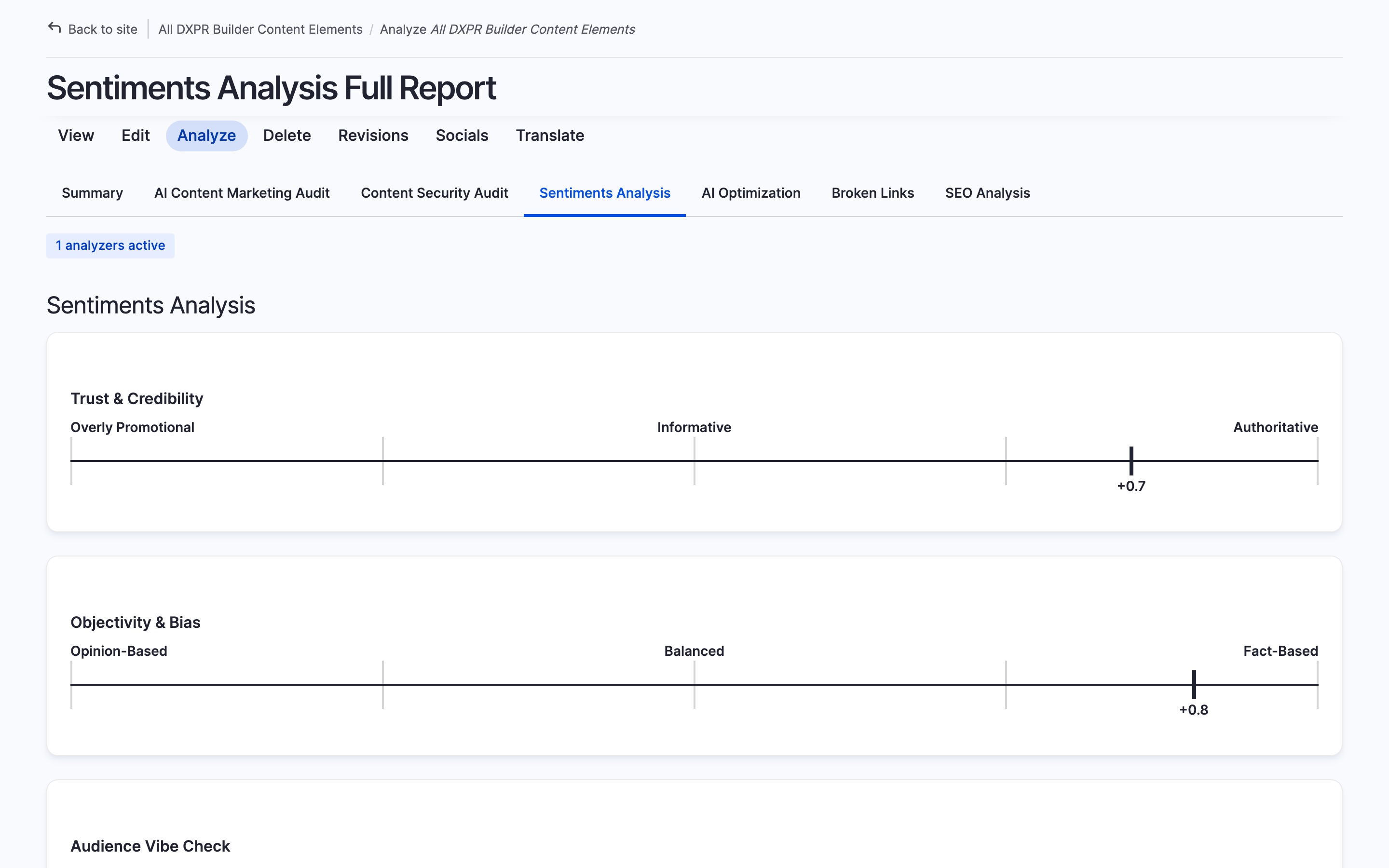
Each content entity is scored on a -1.0 to +1.0 scale across four dimensions, with meaningful labels at each end of the spectrum:
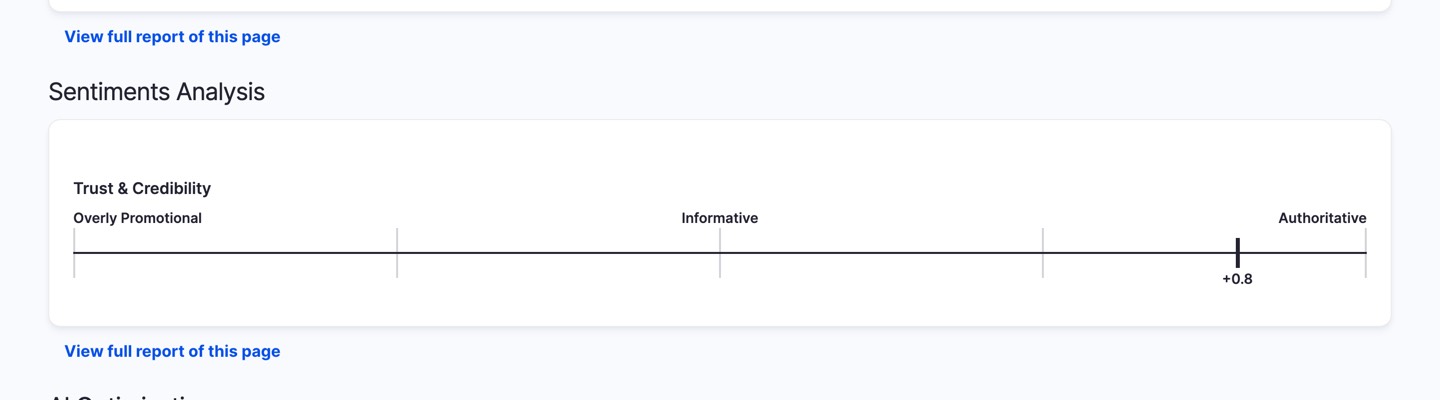
- Trust & Credibility - Overly Promotional ↔ Authoritative
- Objectivity & Bias - Opinion-Based ↔ Fact-Based
- Audience Vibe Check - Gen Z ↔ Boomer targeting
- CEFR Reading Level - A1 Beginner ↔ C2 Proficient
-
Fully customizable dimensions
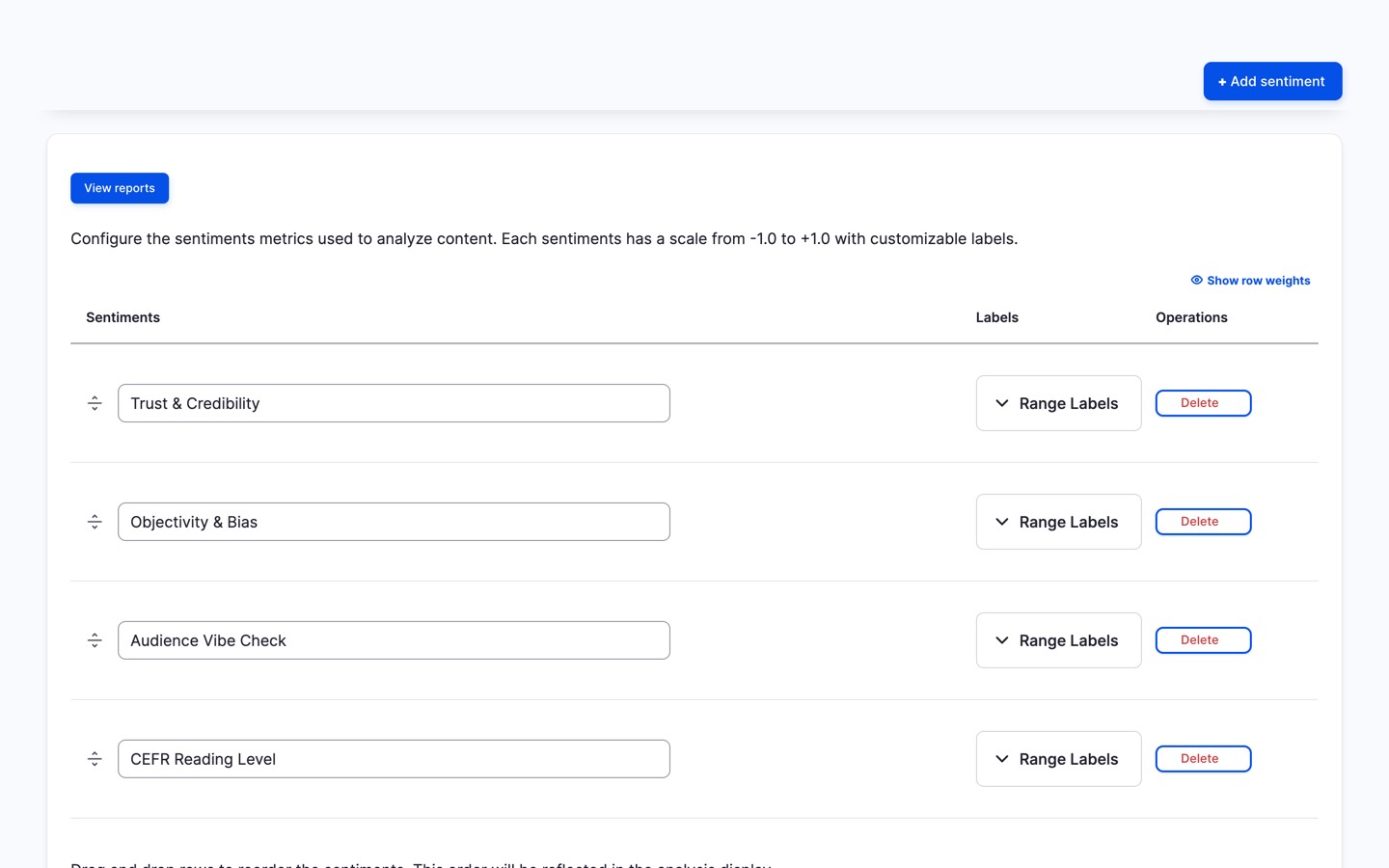
Add your own analysis dimensions, rename the labels, reorder by priority, or remove ones that don't apply to your content strategy.
-
Batch analysis for content audits
Score your entire content library to identify tone inconsistencies, find content that's too complex for your audience, or flag pages that read as overly promotional.
-
AI Coding Assistant Integration
Sentiment analysis is available to AI coding assistants
through the Analyze module's built-in
Agent
Skills file. Run
drush analyze:setup-aito enable, then ask
naturally:- "Run sentiment analysis on all articles"
- "Check the trust and objectivity scores for the
homepage" - "Analyze reading level across all blog
posts"
Compatible with Claude Code, Codex CLI, Gemini CLI,
GitHub Copilot, Cursor, and other tools supporting the
standard. -
Site-wide sentiments report
A filterable Views report shows sentiment scores across all content - spot patterns by content type, author, or date range.
Getting Started
- Set up an AI provider at /admin/config/ai/providers
- Review and customize sentiment dimensions at /admin/config/analyze/sentiments
- Enable the analyzer per content type at /admin/config/content/analyze-settings
- Open any content entity's Analyze tab to see the scores
Prefer a turnkey demo site?
Spin up DXPR CMS - Drupal pre-configured with DXPR Builder, DXPR Theme, the full Analyze suite including AI Sentiments, and security best practices out of the box.
Additional requirements
This module requires:
- Analyze module (>=1.1.0)
- AI module with a configured chat provider
- Views Color Scales module
FAQ
- What are the default sentiment dimensions?
-
The module ships with four dimensions: Trust and Credibility (Overly Promotional to Authoritative), Objectivity and Bias (Opinion-Based to Fact-Based), Audience Vibe Check (Gen Z to Boomer targeting), and CEFR Reading Level (A1 Beginner to C2 Proficient). Each is scored on a -1.0 to +1.0 scale with meaningful labels at each end.
- Can I add or remove sentiment dimensions?
-
Yes. The dimensions are fully customisable through the module's configuration page. Add new dimensions that matter to your content strategy, rename the existing labels, reorder by priority, or remove ones that do not apply. Each custom dimension gets the same -1.0 to +1.0 scoring and appears in the Analyze tab and Views report.
- Does sentiment analysis work for non-English content?
-
Yes. The AI provider handles multilingual content natively. Scores are based on the actual content, not on language-specific rules, so sentiment analysis works for any language your configured AI provider supports. The CEFR Reading Level dimension adapts to the language being analysed.
Related Modules
- Analyze - Required. Provides the plugin framework, Analyze tab, and batch processing this module extends
- AI - Required. Supplies the LLM provider used for scoring sentiment dimensions
- Views Color Scales - Required. Renders color-coded sentiment score columns in the Views report
- AI Content Marketing Audit - Sibling Analyze plugin that scores marketing effectiveness
- AI Content Security Audit - Sibling Analyze plugin that detects PII and credential leaks
- Analyze Broken Links - Sibling Analyze plugin that checks link health without AI
AI Sentiments Analysis is part of the Analyze suite included in DXPR CMS, a turnkey marketing CMS for Drupal that combines content analysis, a premium Drupal theme, and a drag-and-drop layout builder. See getting started or explore pricing.
| Attachment | Size |
|---|---|
| analyze-ai-sentiments.jpg | 271.41 KB |
| sentiments-details.jpg | 96.97 KB |
| sentiments-gauge.jpg | 36.86 KB |
Project information
- Project categories: Artificial Intelligence (AI), E-commerce, User engagement
- Ecosystem: AI (Artificial Intelligence), Analyze, Drupal artificial intelligence (AI) community initiative
 54 sites report using this module
- Created by jurriaanroelofs on , updated
 Stable releases for this project are covered by the security advisory policy.
Look for the shield icon below.
Releases
released 1 September 2026
Fix settings permission for non-admin roles


