


Building a Calendar in Drupal is now as easy as configuring a View!
This module is a lightweight solution to display any View result set as a calendar table with a few clicks only
Zero dependencies. No JavaScript required.
Compatible with any entity type and with most-used modules such as Date range, Smart Date, recurring dates and multi value fields too.
It respect the default View rendering, either using fields or rendered entity. You have total control hover the results display.
Out-of-the-box
- Monthly or weekly calendar display
- Ajax navigation by month/week (e.g. custom pagers)
- Support one or several date fields across one or all bundles
- Support any date field type:
datetime
datetime_rangetimestampcreatedchangedsmart_date
Bonus:
- Supports recurring events with Smart Date module:
drush en smart_date_recur - Enable the calendar_view_multiday submodule for frontend improvement of events spanning on multiple days (compatible with Drupal ^9.2):
drush en calendar_view_multiday
Usage
- Create or edit a View
- Add date field(s) in Fields (exclude them from display if you want)
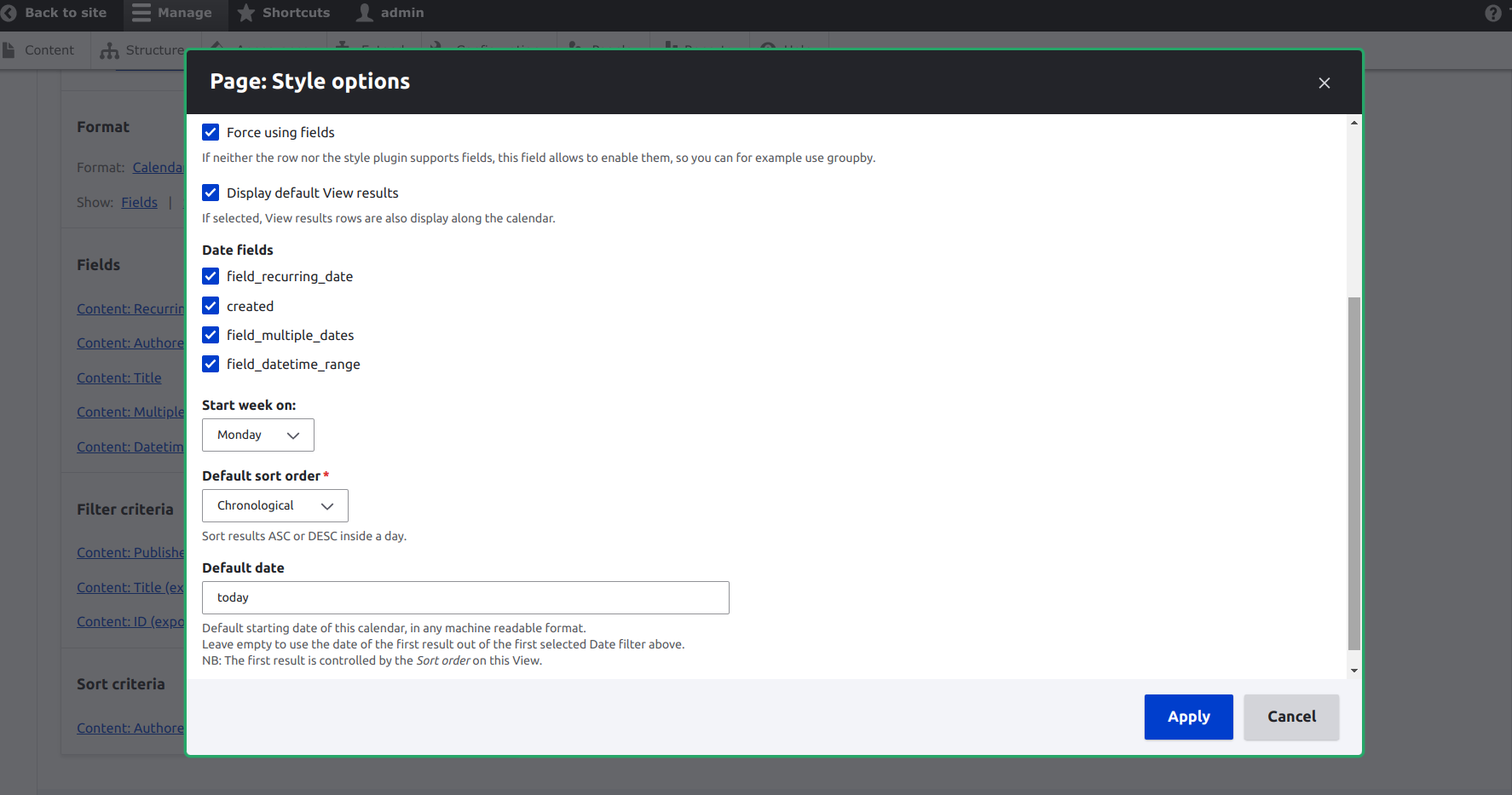
- Select the "Calendar" style in format
- Select the date field(s) to use as source(s) in calendar settings
- Configure the rest of the calendar settings (e.g. first day of the week...etc)
- Under "Pager", select "Navigation by month"
- Under "Advanced", select "Use ajax"
- Save and enjoy the view! 🎉
Display all values with smart date recurring date fields
By default, all recurring values are grouped in one row, producing one View result in the Calendar only
. In order to display all the results, you need to uncheck the option
Display all values in the same row under Multiple Field Settings.
Read this guide for an example.
Use filters to reduce the size of the View result set
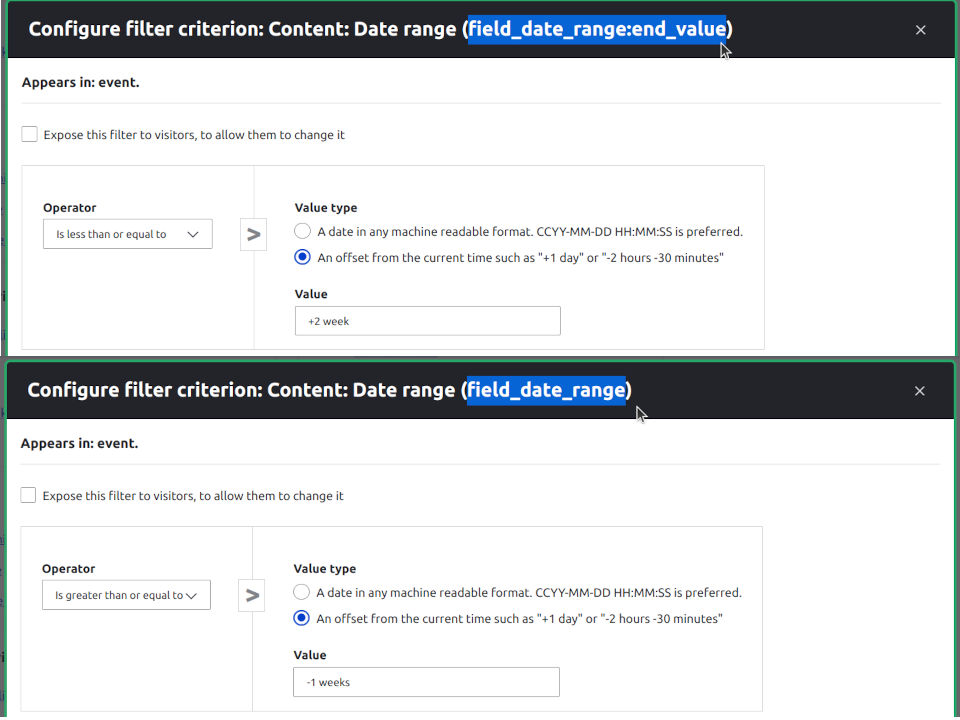
This is almost a requirement for Views with recurring events to prevent performance issues. The trick is to configure date filter with offset value. The Calendar plugin converts these values relative to the current timestamp.
In other words, for a Calendar by week, you should usually have:
- field_date_range:value value greater or equal to last week/month
- field_date_range:end_value less or equal to next week
Read this guide for the full documentation.
Limitations
- If you use a date field from a relationship you'll need to add the field to the View. You can exclude the field from display but it needs to be placed.
- Not really compatible with grouping🤷 although View display won't break but might be empty. It needs further testing and feedback.
Recommended modules
- Smart Dates to easily create advanced date values including date range and other recurring events. A great module extending Drupal core date functionalities.
- Bookable Calendar, a very easy to use Bookable Calendar module.
- Tooltip to display anything you want in a tooltip on mouse hover. The best module to improve your Calendars frontend with dynamic information.
Similar modules
- Calendar module for a deeper/more complex integration
https://www.drupal.org/project/calendar - Fullcalendar View for a JavaScript-based solution
https://www.drupal.org/project/fullcalendar_view - Fullcalendar module
https://www.drupal.org/project/fullcalendar
Links
- Demo available at www.drucal.org
- Featured in Talking Drupal Module of the week #324.
Watch the review on YouTube. - Join me on Slack in the #calendar-view channel!
Details on how to connect to Drupal Slack here
| Attachment | Size |
|---|---|
| calendar_view_filters.jpg | 79.56 KB |
| calendar_view_smart_recur_multiple_0.png | 39.59 KB |
Project information
- Ecosystem: Calendar, View, Smart Date
 7,249 sites report using this module
- Created by matthieuscarset on , updated
 Stable releases for this project are covered by the security advisory policy.
Look for the shield icon below.


