


This module is part of the AI module ecosystem and included in DXPR CMS.
Transform CKEditor 5 into an AI-powered content creation platform with slash commands, real-time streaming, and support for 400+ AI models. Like ChatGPT but faster, and better at creating HTML content. Built on DXPR's CKEditor 5 AI plugin.
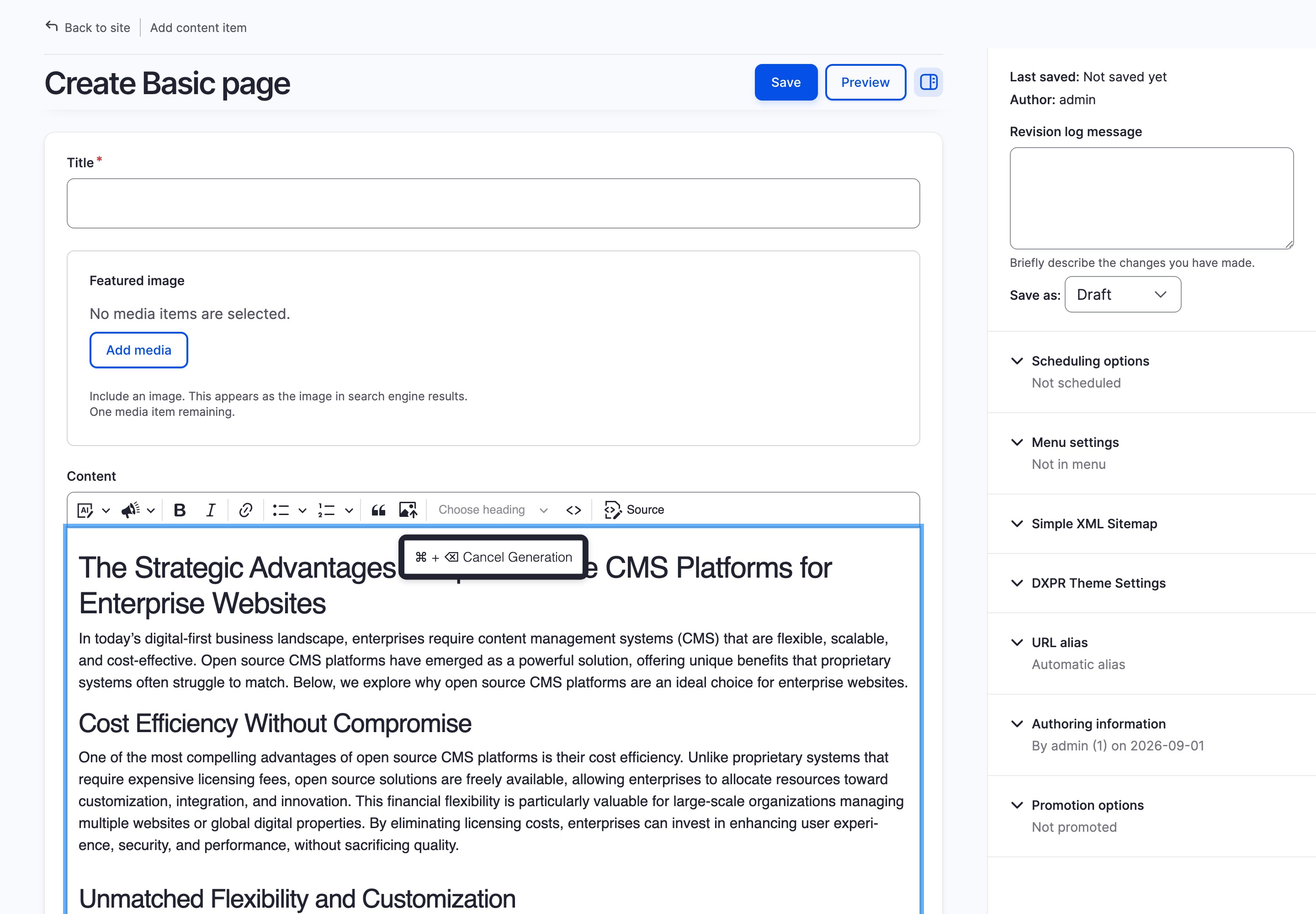
You need CKEditor AI Agent if
- You want AI-powered content generation directly within your text editor
- Your content team needs faster, more efficient writing workflows
- You want to integrate external web content seamlessly into your articles
- You need support for multiple AI providers with automatic failover
- You prefer intuitive slash commands over complex AI interfaces
How It Works
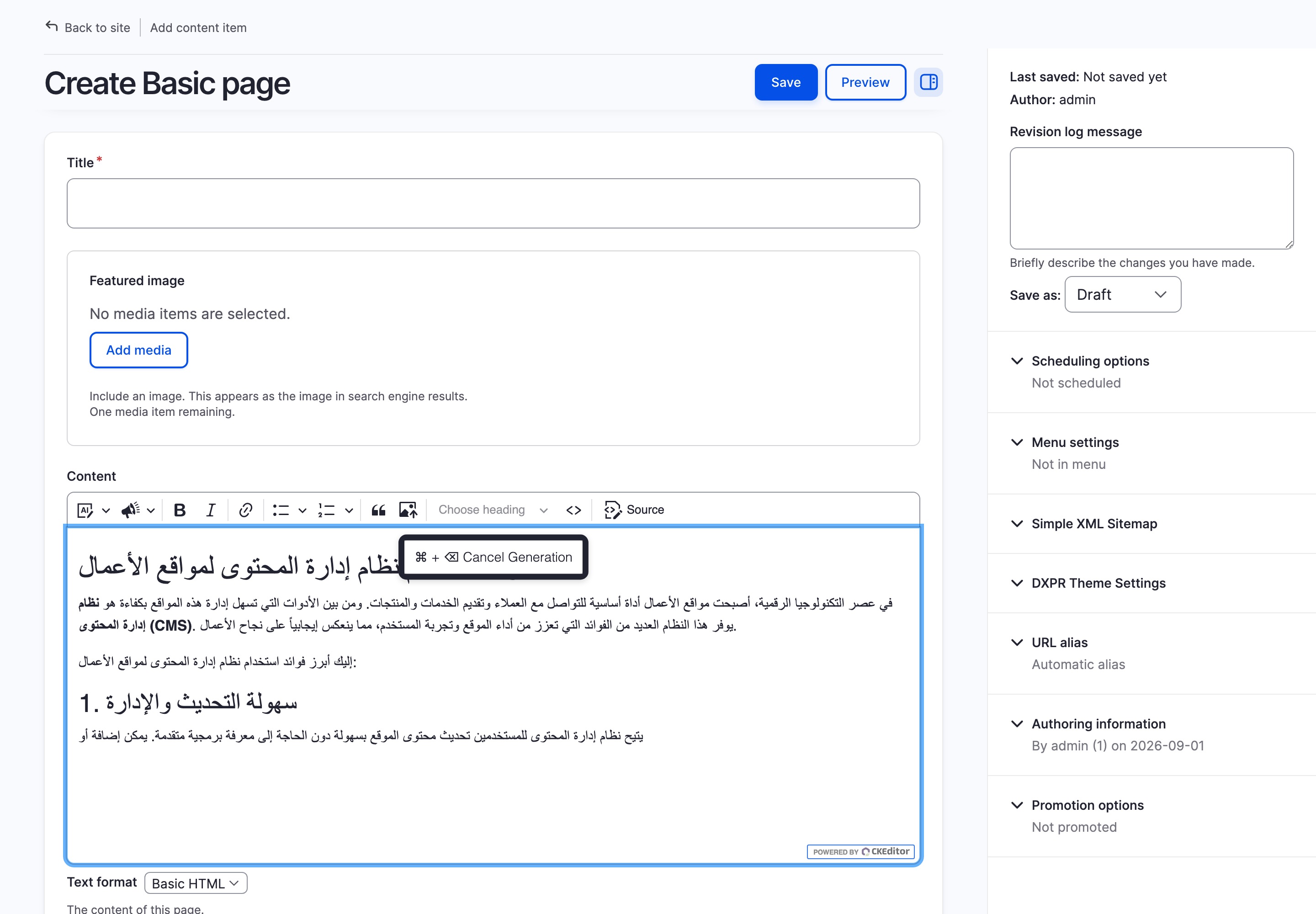
Type / in any CKEditor 5 field to open the AI command menu. Enter a prompt, press Enter, and watch content stream into the editor in real time. All requests are routed server-side through the Drupal AI module; API keys never reach the browser. The module works with any AI provider supported by the AI module: DXPR, OpenAI, Anthropic, Ollama, and more.
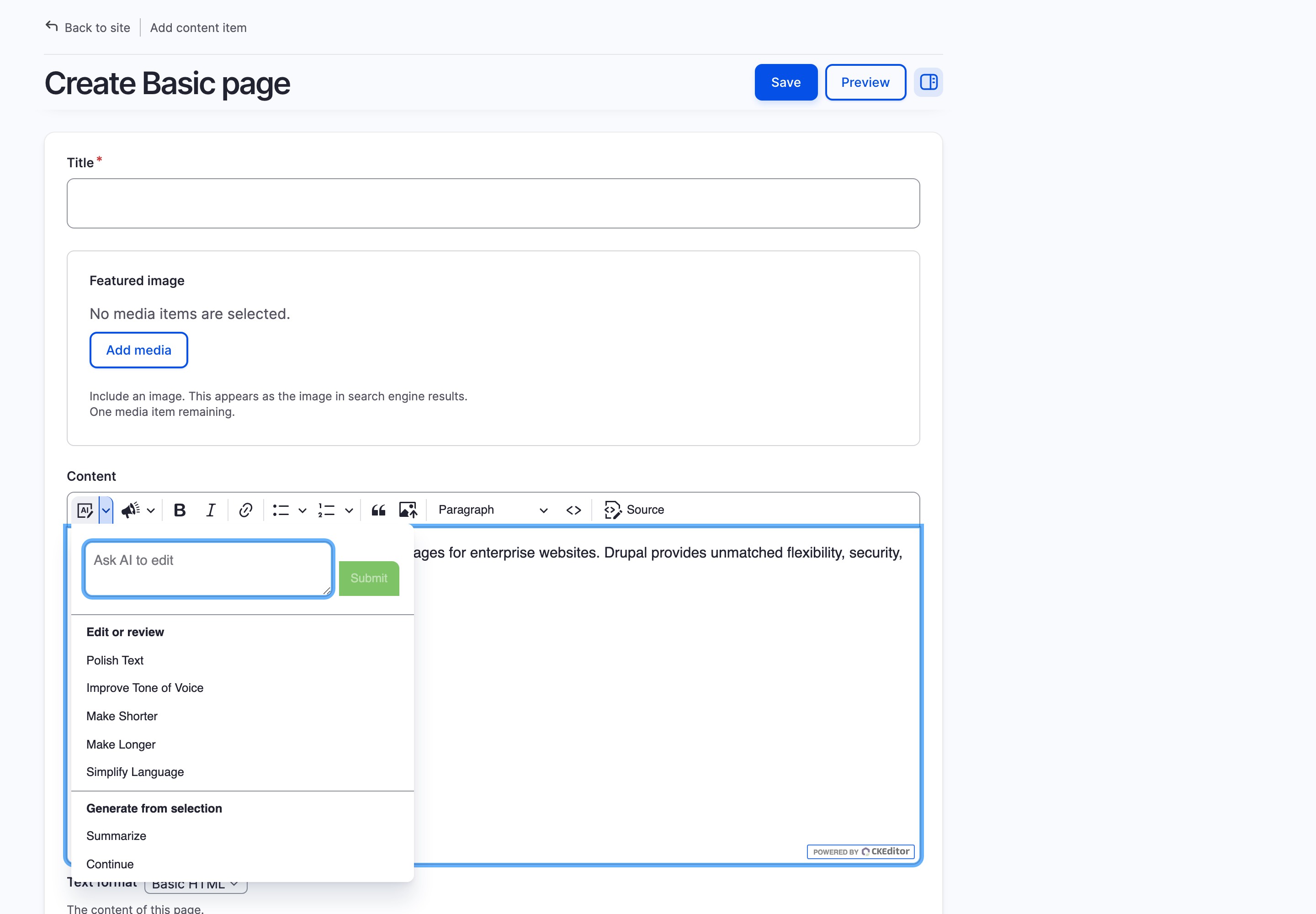
Features
- Slash commands: Quickly trigger AI actions using intuitive commands like
/write blog about - Real-time streaming: See AI-generated content appear instantly as it is written
- Web content integration: Include URLs in prompts to incorporate external content as reference material
- Context-aware writing: Automatically uses surrounding editor content to enhance response accuracy
- Selection-based edits: Select text to quickly revise, improve, or translate with AI
- 400+ AI models support: Works with commercial and open source AI vendors via the Drupal AI module
- Secure server-side proxy: AI requests are routed through Drupal; API keys are never exposed to the browser
- Smart formatting: Automatically ensures generated HTML matches your editor's allowed content
- Multilingual support: Fully supports Drupal's multilingual content features
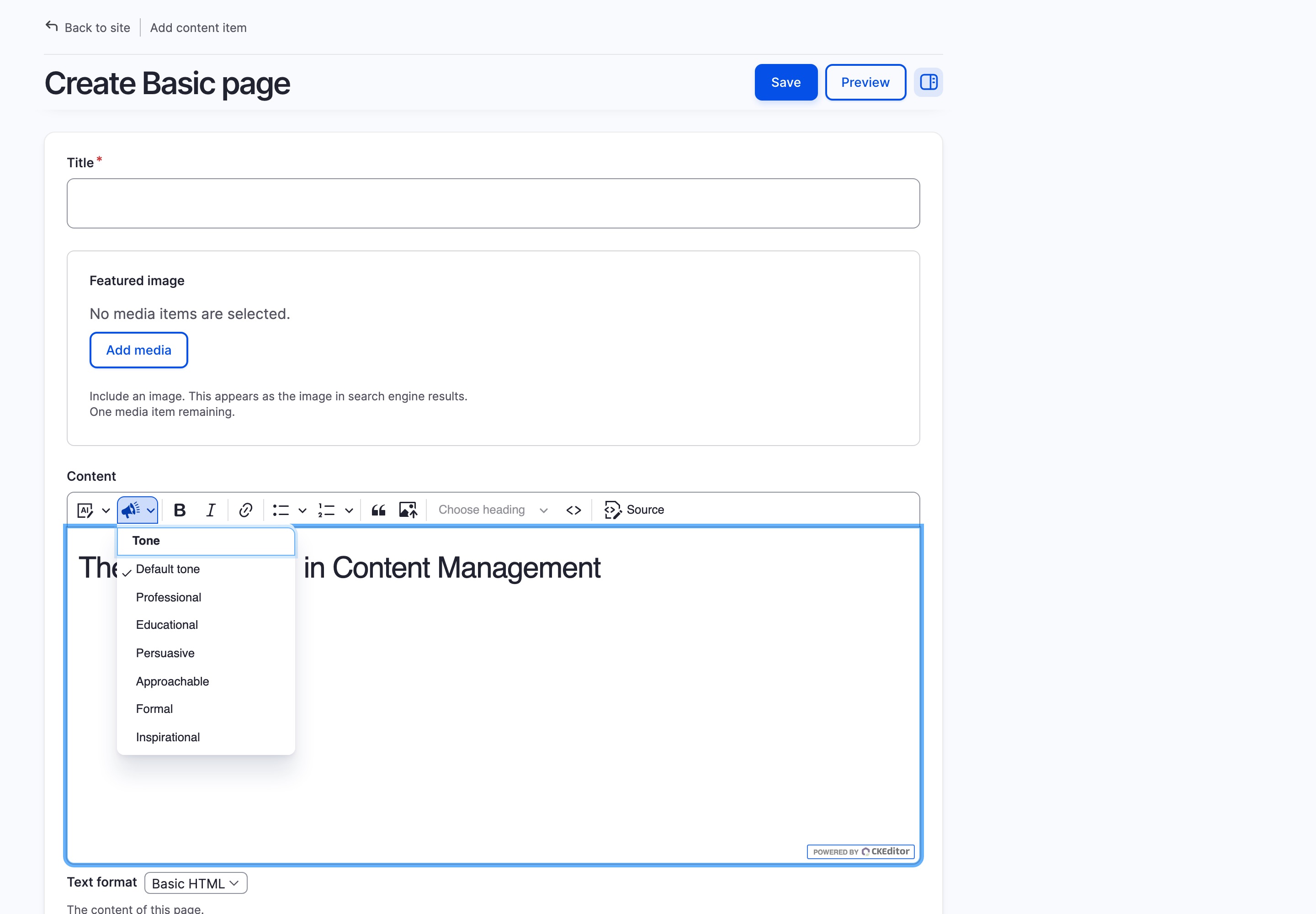
- Simple menu options: Easily edit, review, fix errors, and adjust tone from dropdown menus
- Extensible API: Clearly defined API for integration with custom workflows or systems
Keyboard Shortcuts
/: Open AI command menu in an empty fieldCmd/Ctrl + /: Force insert slash command within textCmd/Ctrl + Backspace: Cancel AI generationEnter: Execute commandShift + Enter: Add new line in command
Extended Content Capabilities
DXPR AI Provider enables long-form content creation by automatically routing between multiple AI providers when limits are reached. Combined with CKEditor AI Agent, content teams can generate 1,000+ word articles with proper research and structure in a single prompt.
Getting Started
- Install with Composer:
composer require drupal/ckeditor_ai_agent - Enable the module and install an AI provider (e.g. DXPR AI Provider, OpenAI, or any other supported provider)
- Configure a default Chat provider at
/admin/config/ai/settings - Grant the "Use CKEditor AI Agent" permission to roles that should have AI access
- Edit your text format at
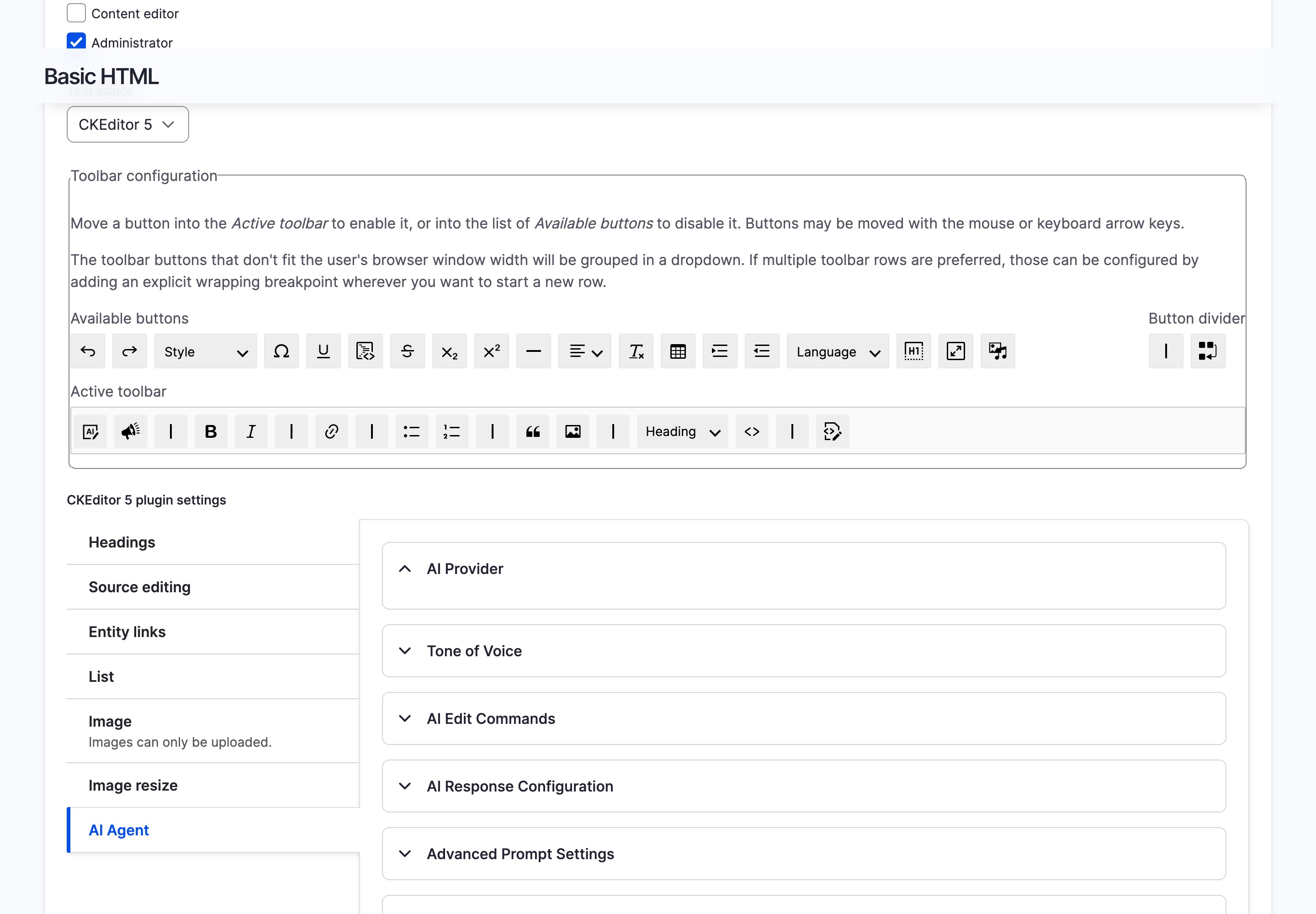
/admin/config/content/formatsand drag the "AI Agent" button into the CKEditor toolbar - Start using slash commands or the toolbar button for AI assistance
Prefer a turnkey demo site?
Spin up DXPR CMS: Drupal pre-configured with DXPR Builder, DXPR Theme, CKEditor AI Agent module, and security best practices.
Usage Examples
- Content Creation: Type
/writefollowed by your topic to generate new content - Content Enhancement: Select text and use the AI menu to improve or modify it
- Reference Integration: Include URLs in prompts to incorporate external content
- Inline Assistance: Use
Cmd/Ctrl + /to insert AI content mid-sentence - Multilingual Content: Generate content in any language supported by your chosen AI model
Dependencies
- AI module (
drupal/ai): Required. Routes AI requests through Drupal server-side, keeping API keys secure. Works with any AI provider plugin.
FAQ
- Does CKEditor AI Agent require a paid subscription?
-
The module is free and open source (GPL). You need an AI provider: DXPR AI Provider includes 10,000 free words per month, or use your own keys with OpenAI, Anthropic, Ollama, or any other supported provider.
- How does CKEditor AI Agent keep API keys secure?
-
All AI requests are routed server-side through the Drupal AI module. API keys stay in your Drupal configuration and never reach the browser.
- Can CKEditor AI Agent generate long-form content like full blog posts?
-
Yes. With DXPR AI Provider, the module automatically chains multiple AI providers when token limits are reached, enabling 1,000+ word articles with headings, lists, and formatted HTML in a single prompt.
- Does CKEditor AI Agent work with existing content?
-
Yes. The module reads surrounding editor content for context. Select text and use the AI menu to revise, translate, summarise, or adjust tone, with full undo/redo support.
- Which AI models are supported?
-
Over 400 models from OpenAI, Anthropic, Google, Mistral, XAI, and local models via Ollama. Switch models at any time without changing your content workflow.
- Can I use CKEditor AI Agent inside DXPR Builder?
-
Yes. All slash commands, streaming, and AI menu options work inside DXPR Builder's text editing fields. Security settings are passed through automatically.
- Does the module support multilingual content?
-
Yes. CKEditor AI Agent uses the entity's language setting to generate content in the correct language and can translate selected text between languages directly in the editor.
Related Modules
- AI module - Required. Routes all AI requests server-side through Drupal; API keys never reach the browser
- DXPR AI Provider - Compatible AI provider that enables long-form content creation with automatic failover between AI backends
- DXPR Builder - Drag-and-drop Drupal page builder. CKEditor AI Agent works inside DXPR Builder's text editing fields
- Webform - Form builder with dedicated DXPR Builder block integration
CKEditor AI Agent is part of the AI-powered content stack included in DXPR CMS, a turnkey marketing CMS for Drupal that combines AI content creation, a premium Drupal theme, and a drag-and-drop layout builder. See getting started or explore pricing.
Project information
- Project categories: Artificial Intelligence (AI), Content editing experience, Search engine optimization (SEO)
- Ecosystem: AI (Artificial Intelligence), Drupal artificial intelligence (AI) community initiative
 130 sites report using this module
- Created by jurriaanroelofs on , updated
 Stable releases for this project are covered by the security advisory policy.
Look for the shield icon below.
Releases
released 1 October 2026
Falls back to the default model when the editor requests a Kavya model that the DXPR AI Provider administrator has not allowed

