

 The 2026 Drupal Business Survey is open. Your response will help shape the future of the Drupal business ecosystem.
Inspiration:
Somebody told me they would use Project Management Module ( Storm ) if it had a pretty theme. The rationale was that they would be sharing it with clients and needed to look good. Thus PM Vista was born.
What is PM Vista?
Its a Theme. And focuses its entire energy on just one task. Make PM look good.
PM Vista is a subtheme of Omega. It would be unfair to use PM Vista for projects which doesn't have PM module, that would be a terrible injustice to loads of theme overrides which lies in the template preprocessing functions, focussing entirely on making PM look good. Having said that, none-the-less, you can use it for any drupal 7 project just like another omega sub-theme.
Screenshot of Dashboard:

Requirment:
Pm Vista is a subtheme of Omega, so you will need to download the 3.x version of Omega ( and not 4.x) in order for this theme to work properly.
Resources:
- Project Name and link: PM Vista
- Project page: http://drupal.org/sandbox/D34dMan/1960542
- Drupal Version: 7.x
- Issue Queue: http://drupal.org/project/issues/1960542
- Git Repo clone command:
git clone --branch 7.x-1.x http://git.drupal.org/sandbox/D34dMan/1960542.git pm_vista cd pm_vista - Demo is available: Try out a demonstration
username: admin password: admin - Pareview Online Review Link: http://ventral.org/pareview/httpgitdrupalorgsandboxd34dman1960542git
Reviews of other projects:
- http://drupal.org/node/1471294#comment-5749678
- http://drupal.org/node/1276230#comment-4981624
- http://drupal.org/node/1961614#comment-7262664
- http://drupal.org/node/1962318#comment-7262740
- http://drupal.org/node/1962310#comment-7262832
- http://drupal.org/node/1605798#comment-7265382
- http://drupal.org/node/1881052#comment-7265474
- http://drupal.org/node/1960184#comment-7294916
- http://drupal.org/node/1955214#comment-7296632
( had discussion in irc #drupal-contribute regarding this. Am eagerly looking out for klausi's comment on this issue as it would set an example of how to handle such cases. I am ready to sacrifice my 3 reviews from this list for the same)
| Comment | File | Size | Author |
|---|---|---|---|
| #21 | 2013-04-11_1023.png | 516.44 KB | rishi.kulshreshtha |
| #20 | D7-admin-toolbar.jpg | 123.27 KB | d34dman |
| #20 | D7-admin-toolbar and admin menu.jpg | 127.11 KB | d34dman |
| #20 | D7 admin toolbar and admin menu and admin menu styles.jpg | 127.16 KB | d34dman |
| #20 | D7 admin menu and admin menu styles.jpg | 124.04 KB | d34dman |







Comments
Comment #1
drebroff commentedSo... you just extracted theme from a pm module?
Comment #2
PA robot commentedWe are currently quite busy with all the project applications and we prefer projects with a review bonus. Please help reviewing and we will take a look at your project right away :-)
Also, you should get your friends, colleagues or other community members involved to review this application. Let them go through the review checklist and post a comment that sets this issue to "needs work" (they found some problems with the project) or "reviewed & tested by the community" (they found no major flaws).
I'm a robot and this is an automated message from Project Applications Scraper.
Comment #3
dbt102 commentedRan 'git clone' inside fresh install ( d7.22 - and 4/413 rev PM) and didn't work so good. See Attached. Screenshot is using Chrome as web broser - testing for responsive theme design. Responsive attributes appear functional, but not 100% sure of that.
Comment #4
d34dman commented@aliaric: Am not sure how to answer your question. But to sum up what i did, its like i created a theme for PM module. PM module does try to provide a general theme out the box for its nodes and reports. But most of them breaks up existing site.
For example a organization add form looks like below in Bartick
And when using PM Vista it looks as below,
Also please note that more than just css is required to tidy things up. Thats where the theme overrides come into picture, which are in template.php file in 'PM Vista' theme :)
Comment #5
d34dman commented@dbt102, Thanks for testing out the theme. But i think those errors are because the parent theme is not enabled. Are you sure you had enabled Omega theme?
Comment #5.0
d34dman commentedupdated git command and added demo link
Comment #6
d34dman commentedDesperately seeking attention. :)
Comment #7
SamChez commentedFor starters your background styling in the header should have repeat instead of no-repeat for people who have larger monitors or else it looks like screenshot1. #edit-search-block-form--2 should have width 100% instead of a static width. Consider looking at the theme on tablets and add more media queries in order to fix your layouts' responsiveness, you can see what I'm talking about in screenshots 2,3 and 4.
Comment #8
SamChez commentedComment #9
d34dman commentedThank you very much SamChez for the review. I must confess i had not considered screen devices for the theme. But since omega is giving it out of the box, i would support too. Had made basic changes in the css required to support the theme as of now. Next time i'd check for each resolution when a feature is implemented in theme. Thank you once again.
The attached picture show how it looks at various resolution. ( i.e. issues in comment #7 ) have been fixed.
Comment #10
dbt102 commented@D34dMan - Was away from computer most of today. I've an app loaded into Chrome that lets you check the various screen devices. My problem was that I did not think about PM_Vista having a dependency on Omega. When I downloaded and enabled Omega (with Drush) then it worked fine and looked like your demo.
The theme really looks great. When it gets down to iPhone size the text overwrites the images.
Thanks for your help.
Comment #10.0
dbt102 commentedAdded review list.
Comment #11
d34dman commentedThanks dbt102 for enthusiastically testing the theme :). I have added a link to issue queue in the original application post. Also i created an issue on your behalf in there. Here is the link where am tracking it.
NB: I'd be glad to try out the debugging tools that you are using. I have been using Chrome's Web developer tool for switching resolution. I would like to hear about the tools you use to test. Also am particularly interested in tools which would also support Retina images testing from a windows laptop :D. Since its an off topic discussion i suggest you do that when creating your next issue / feature request in the issue queue.
Comment #11.0
d34dman commentedadded link to issue queue
Comment #12
d34dman commentedissue reported in #10 has been resolved.
Comment #12.0
d34dman commentedUpdatd issue que link
Comment #12.1
d34dman commentedAdded emphasis for installing omega parent theme
Comment #13
klausiProject 1: #1962038: [D7] PM Vista
Project 2: #1309746: [D6] Storm Organization Holiday Manager
As successful completion of the project application process results in the applicant being granted the 'Create Full Projects' permission, there is no need to take multiple applications through the process. Once the first application has been successfully approved, then the applicant can promote other projects without review. Because of this, posting multiple applications is not necessary, and results in additional workload for reviewers ... which in turn results in longer wait times for everyone in the queue. With this in mind, your secondary applications have been marked as 'closed(duplicate)', with only one application left open (chosen at random).
If you prefer that we proceed through this review process with a different application than the one which was left open, then feel free to close the 'open' application as a duplicate, and re-open one of the project applications which had been closed.
Comment #14
klausiReview of the 7.x-1.x branch:
This automated report was generated with PAReview.sh, your friendly project application review script. You can also use the online version to check your project. You have to get a review bonus to get a review from me.
manual review:
But otherwise looks RTBC to me. Removing review bonus tag, you can add it again if you have done another 3 reviews of other projects.
Assigning to Dave Reid as he might have time to take a final look at this.
Comment #14.0
klausiadded link to project
Comment #14.1
d34dman commentedDependency Version ambiguity clarified.
Comment #14.2
d34dman commentedMade the message more clear about which version of omega to use as parent theme
Comment #15
d34dman commentedWoah! thanks a ton klausi for your valuable review.
I have removed the errors mentioned in #14. Also i have made changes to README.txt regarding the use of proper Omega version.
Comment #16
d34dman commentedEDIT:
*double post*
Comment #16.0
d34dman commentedReviewed two more issues.
Comment #17
nsuit commentedI think there might be a conflict with the admin_menu module. I enabled the PM module and your theme and my admin bar has disappeared.
Comment #18
d34dman commentednsuit am not able to reproduce your problem.
I am attaching screenshot to provide two instances where i had tested them, One with pm module enabled and another without.
Am attaching a screenshot to prove the same.
Also i am not making any commits now so that others can test the same version nsuit has tested.
Comment #19
Tim Braeckman commentedTested the subtheme here on a local install without PM, no problems viewing the admin menu. Screenshot in attach.
Comment #20
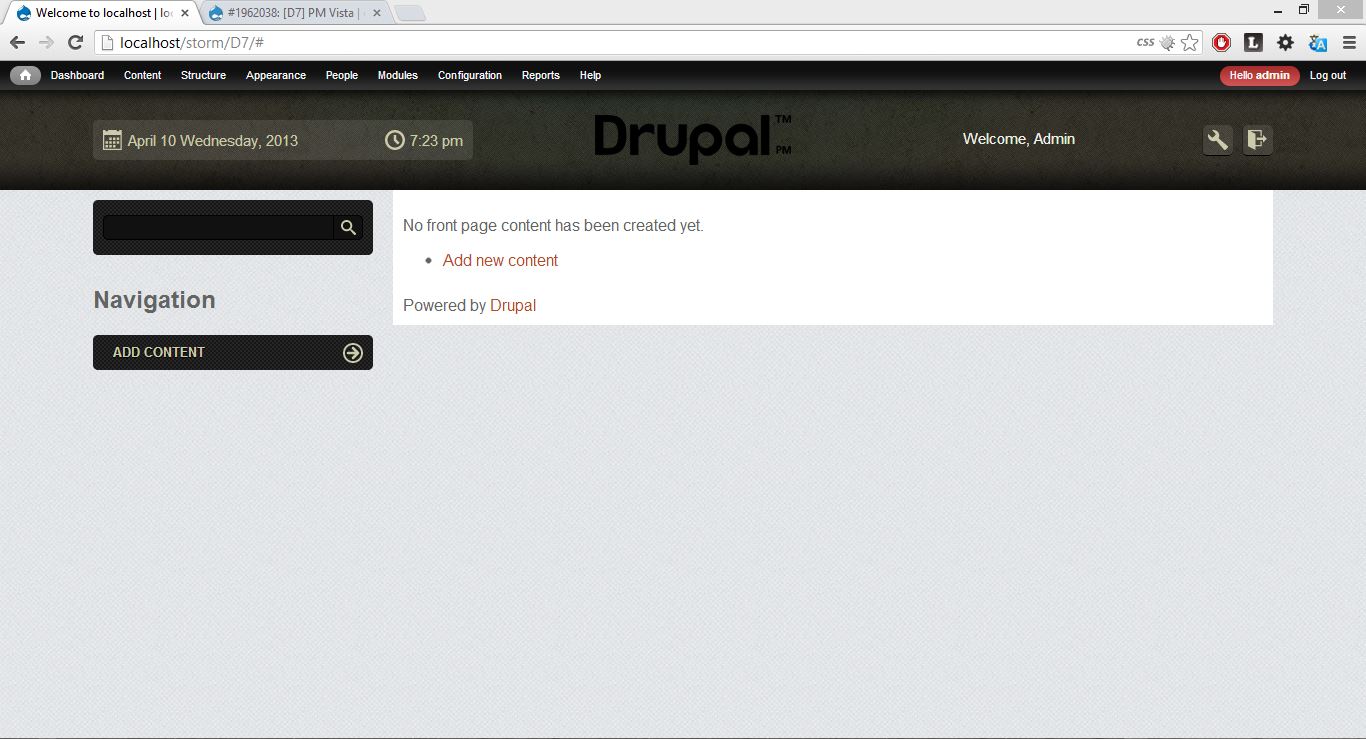
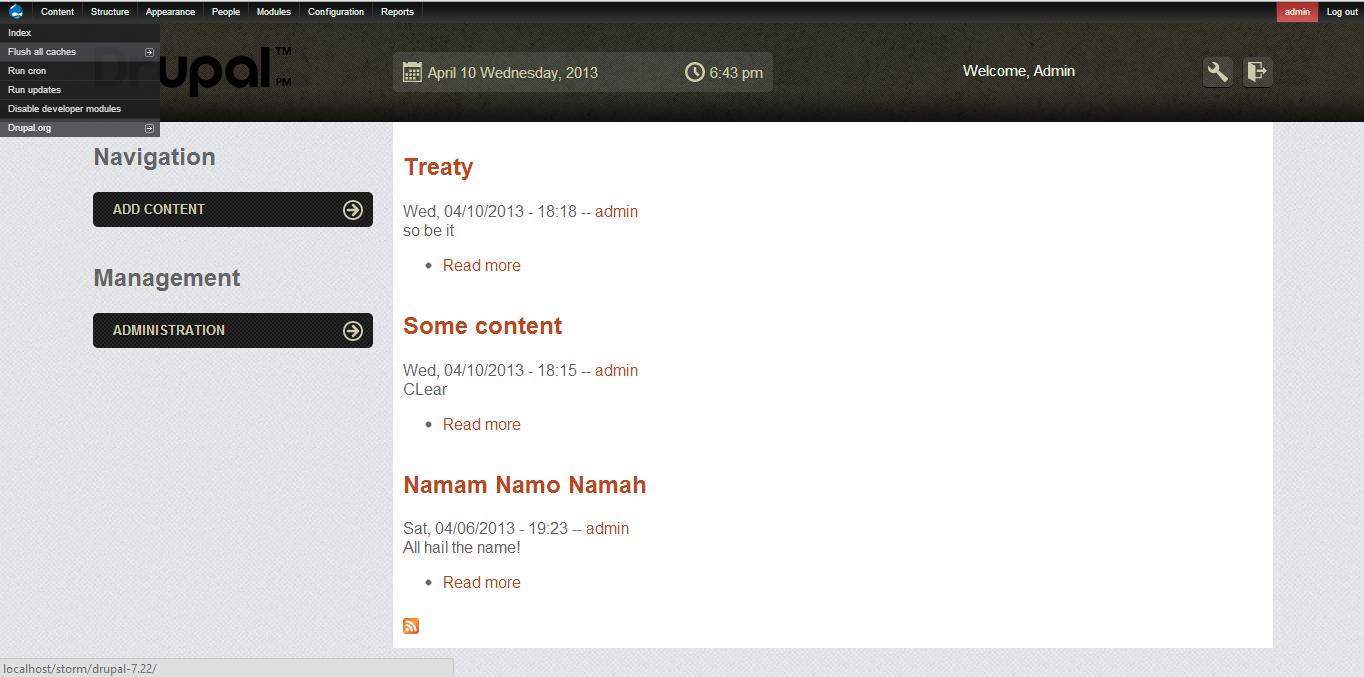
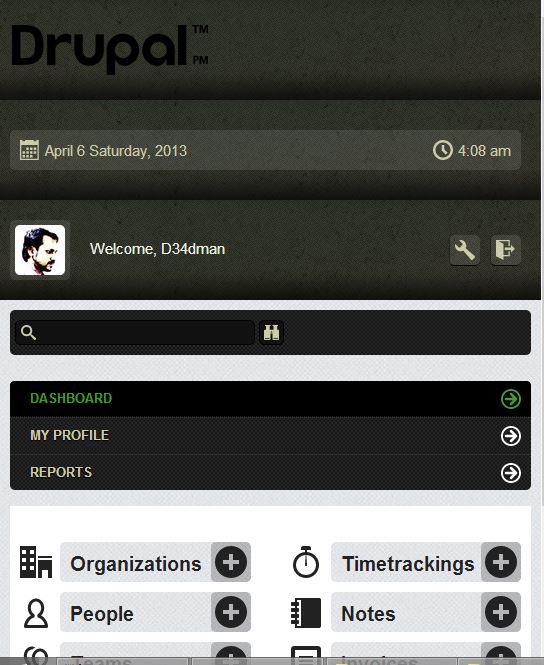
d34dman commentedI downloaded drupal 7.22 and installed the standard profile. After that download omega 3.x, admin_menu and PM_Vista
Following screenshots where taken after enabling the theme. Sorry issue reported in #17 could not be reproduced. I had also manually checked the css files for any possible issues. But couldn't find any.
If anybody else is also facing the issue i urge them to provide details for reproducing it.
Comment #21
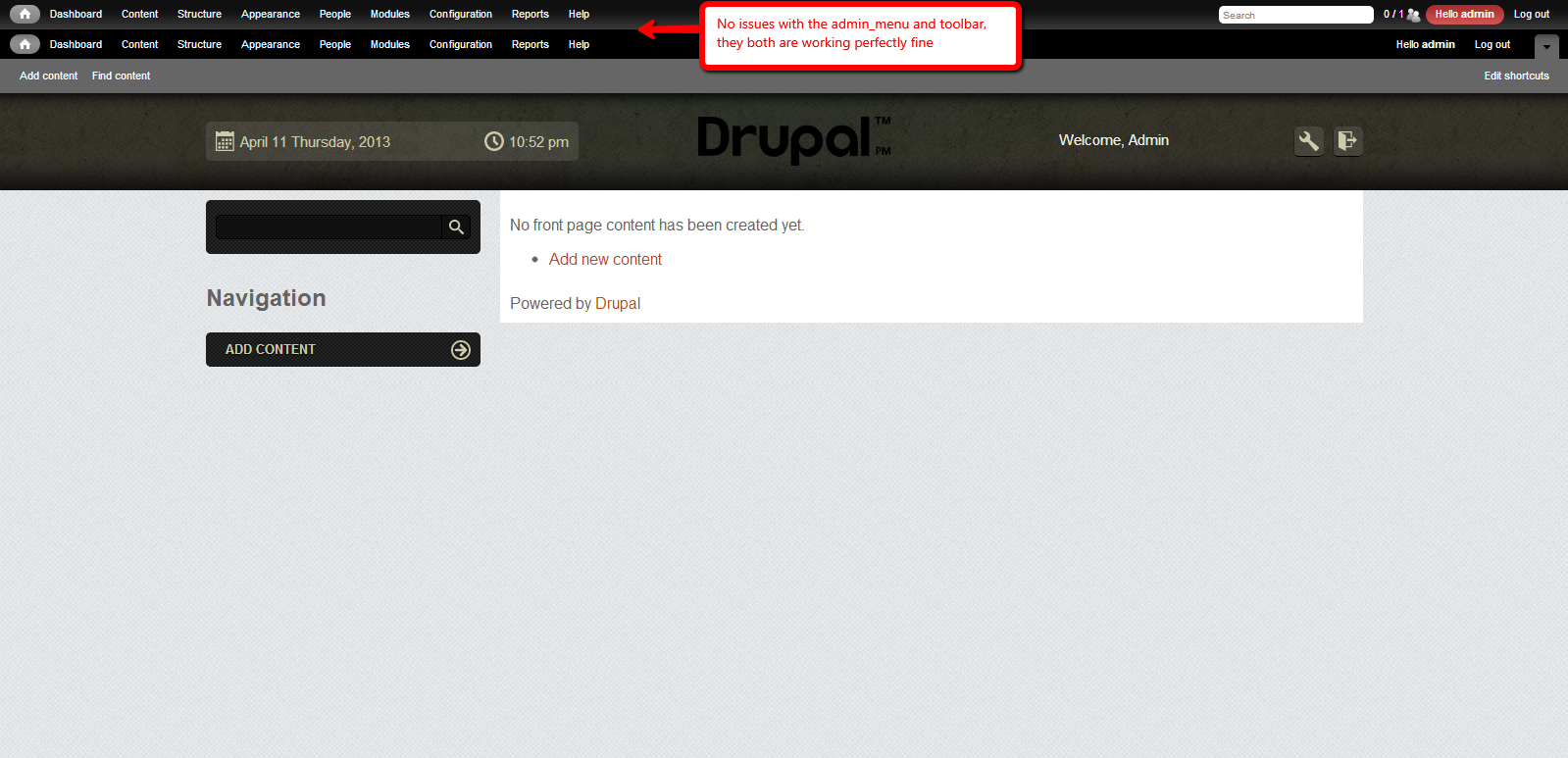
rishi.kulshreshtha@nsuit I've downloaded and installed Drupal 7.22 using the standard profile along with Omega 3.1, Administration menu 3.0 rc4 and PM_Vista, but there were no such issues defined by you, can you please explain us what steps you've made that have produced such issue? I'm attaching a Screenshot by me for reference.
Since it was made RTBC before in #14 (http://drupal.org/node/1962038#comment-7265210) and issue in #17 (http://drupal.org/node/1962038#comment-7281098) cannot be reproduced, I am changing it back to RTBC.
Comment #22
d34dman commentedThanks for trying out the theme Tim Braeckman and RishiKulshreshtha.
nsuit like RishiKulshreshtha has asked if you are still facing any problem i urge you to create an issue in the issue queue so it could be tracked.
I will restart pushing latest code once again. Thank you all for your patience and effort taken to test PM Vista.
Comment #22.0
d34dman commentedadding Pareview online review link
Comment #22.1
d34dman commentedAdded one more manual review entry.
Comment #22.2
d34dman commentedadded another reviewed issue.
Comment #22.3
d34dman commentedhiglighting klausi's name
Comment #23
klausino other objections for more than a week, so ...
Thanks for your contribution, D34dMan!
I updated your account to let you promote this to a full project and also create new projects as either a sandbox or a "full" project.
Here are some recommended readings to help with excellent maintainership:
You can find lots more contributors chatting on IRC in #drupal-contribute. So, come hang out and get involved!
Thanks, also, for your patience with the review process. Anyone is welcome to participate in the review process. Please consider reviewing other projects that are pending review. I encourage you to learn more about that process and join the group of reviewers.
Thanks to the dedicated reviewer(s) as well.
Comment #24.0
(not verified) commentedToo much is never enough when seeking klausi's attention.
Comment #25
avpaderno