What you will learn from this book
- Configure your Drupal site to run imports of migrated content using the Feeds module
- Run an import of migrated content using Feeds module and a Feed importer
- Package your configuration using the Features module
- Utilize the Migrate module and its benefits
- Migrate blog posts from WordPress to Drupal
- Upgrade your Drupal 6 site to Drupal 7
- Configure the Feeds Tamper module to preprocess your Feeds imports
- Run additional imports using the Feeds modules to update and add new data and content to your Drupal site
In Detail
This book will show you how to migrate your content into the Drupal content management system. You’ll start by building a content type in Drupal to hold your migrated content. You’ll then import your content into Drupal using the Feeds module. In order to be able to easily use them again and again, you will also learn the best methods of maintaining and packaging migration configurations.
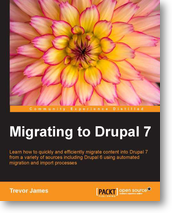
In "Migrating to Drupal 7" you’ll learn how to quickly package your legacy site’s data into a format that’s easy to import into Drupal. You’ll then build a content type to hold migrated data in Drupal. To save time and hassle you will learn how to import content into Drupal using the Feeds module. You’ll then get a brief introduction to the Migrate module and its powerful features.
With this guide you’ll also learn how to upgrade your Drupal 6 website to Drupal 7 in short, simple steps. You’ll also learn how to package your configuration code in Drupal using the powerful Features module.
In "Migrating to Drupal 7" you’ll start by collecting your current site’s content and packaging it up into a CSV file so you can easily import it into Drupal. You’ll then build a content type to hold your migrated data and content.
Mastering migrations using the Feeds module will be the next invaluable tutorial before you get a closer look at the Migrate module’s powerful features. You’ll then upgrade your Drupal 6 site to Drupal 7 and use helper modules to help run the upgrade faster and with less hassle. This book will then take you through the process of migrating CCK-based Drupal 6 fields to Drupal 7 using the Content Migrate module.
Using the Features module you will then package up our Feeds importer and content types into code to help you to build an easily maintainable and flexible Drupal website with.
Approach
Written in a friendly and engaging style with practical tutorials and step-by-step examples which show you how to easily migrate your Drupal 6 or WordPress site to Drupal 7.
Who this book is for
"Migrating to Drupal 7" is for anyone interested in how to move content from an existing website into the Drupal content management system. Both novice and advanced Drupal users will gain practical hands-on knowledge in how to migrate content into Drupal using this book. You will become experts in using the Feeds module to migrate content, and in packaging your code using Features.